
Exit
  • Global community
    • Language:
      • Deutsch
      • English
      • Español
      • Français
      • Português
  • 日本語コミュニティ
  • 한국 커뮤니티
0

Animate flat 3D line

Community Beginner ,
Feb 06, 2023 Feb 06, 2023

Hello every one !

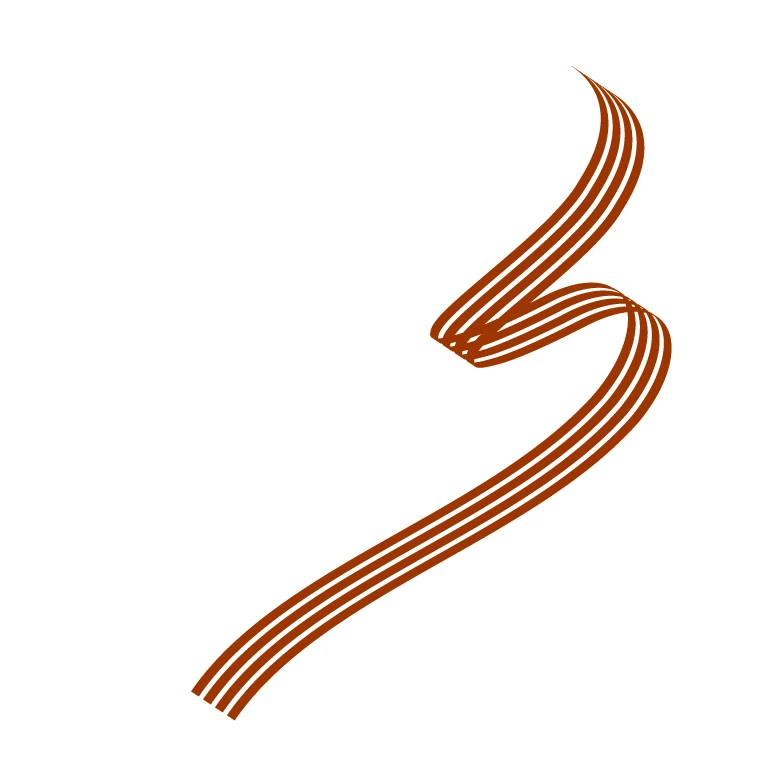
I'am creating a template for my client and i have a trouble to make my 3D shape created on Illustrator, to be animated on AE.


Can you tell me which technique i can use to make alive this one please ?line.png
TOPICS
Expressions , How to
411
Translate
Report
Community guidelines
Be kind and respectful, give credit to the original source of content, and search for duplicates before posting. Learn more
community guidelines
LEGEND ,
Feb 06, 2023 Feb 06, 2023

There is no specific tool or effect for this that comes with AE. You would have to re-create it with trapcode TAO or a similar plug-in and those cost extra. Of course you can just use all manner of wipes and mask animation to just draw on your logo in 2D as well. realyl depends on what you actualyl want to to with it.


Mylenium

Translate
Report
Community guidelines
Be kind and respectful, give credit to the original source of content, and search for duplicates before posting. Learn more
community guidelines
Community Beginner ,
Feb 06, 2023 Feb 06, 2023

Thanks Mylenium for your advices. Of course i wasn't wondering about a plugin, it's too specific. But a mask could be a simple solution. 

I found a similar things called Ribbon, but it's not realy easy to make these one, with the technique of ribbon.

Sorry for my english tho.

Translate
Report
Community guidelines
Be kind and respectful, give credit to the original source of content, and search for duplicates before posting. Learn more
community guidelines
Community Expert ,
Feb 06, 2023 Feb 06, 2023
LATEST

I think the simplest option would be:

  • Create a shape layer by drawing a curving multi-point path.
  • Expand the shape on the timeline until you can see the path (Not Path 1, the path with a stopwatch)
  • Select it, then go to Window ... Create Nulls from Path
  • In the pop up select Points follow Nulls.  This creates a null object for every point on your shape.
  • Make all the nulls 3D objects and create a 3D camera
  • Delete the Fill from the shape layer
  • In the tiny Add menu, add a Repeater and use it's transform properties to line the ribbon copies.


The shape remains 2D and you'll have to fake any shading using gradient stroke, but that should get you a 3D ribbon.

helped.jpg

Translate
Report
Community guidelines
Be kind and respectful, give credit to the original source of content, and search for duplicates before posting. Learn more
community guidelines
