jcalcina
Inspiring
August 23, 2018
Answered

Animate the stars -random flicker effect

  • August 23, 2018
  • 2 replies
  • 10275 views

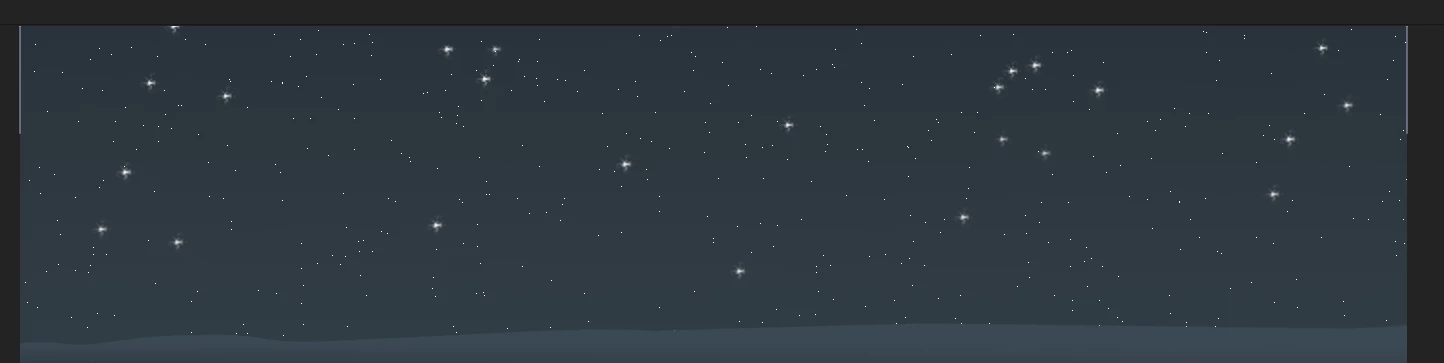
Say I wanted to make eight of the bigger stars flicker seemingly at random. Is there a way I can do that without having to make eight different files?

Would I apply an expression at eight different anchor point locations within the same pre-comp? Is that possible?

Thanks.

    This topic has been closed for replies.
    Correct answer Mike_Abbott

    Alt click the stopwatch for the opacity property for each star layer. Add this expression:

    wiggle(4,100)

    Adjust the nubers to taste. first number is frequency per second, second number is amplitude.

    --- EDIT ---

    I think I misunderstood - reading your message again I now think your 8 large stars are on a single layer. Yes?

    In that case - a different approach. Set up layers as follows:

    1. Solid layer. Apply turbulent noise effect - adjust settings (contrast, complexity, scale etc) so you have random patches of white and black. Animate the evolution property so the pattern changes over time.

    2. Your star layer

    Create a Luma track matte between these layers.

    Your stars will now vary in opacity over time.

    2 replies

    jcalcina
    jcalcinaAuthor
    Inspiring
    August 28, 2018

    Hi guys...the track matte method seems involved and heavy on resources? I could be wrong. But are there bandwidth considerations per different methods of animating?

    Mike_Abbott
    Legend
    August 28, 2018

    There shouldn't be any problems at all with a very simple track matte like this - it's everyday stuff.

    There are two very similar nose effects - fractal noise and turbulent noise, you could use either. Fractal noise is older and slightly more processor intensive, but GPU accellerated.  It might be that you're experiencing a GPU related  issue. Check your project settings and see if you are using GPU to accelerate effects. if so, turn it off by changing it to software only and see if that helps.

    jcalcina
    jcalcinaAuthor
    Inspiring
    August 28, 2018

    Ok thanks

    Mike_Abbott
    Legend
    August 23, 2018

    That very much depends on how your sky has been created. Are the large stars invididual layers or what? A screenshot of your precomp timeline and comp window might help.

    jcalcina
    jcalcinaAuthor
    Inspiring
    August 23, 2018

    The larger stars are a separate png file with a transparent background.

    Mike_Abbott
    Mike_AbbottCorrect answer
    Legend
    August 24, 2018

    Alt click the stopwatch for the opacity property for each star layer. Add this expression:

    wiggle(4,100)

    Adjust the nubers to taste. first number is frequency per second, second number is amplitude.

    --- EDIT ---

    I think I misunderstood - reading your message again I now think your 8 large stars are on a single layer. Yes?

    In that case - a different approach. Set up layers as follows:

    1. Solid layer. Apply turbulent noise effect - adjust settings (contrast, complexity, scale etc) so you have random patches of white and black. Animate the evolution property so the pattern changes over time.

    2. Your star layer

    Create a Luma track matte between these layers.

    Your stars will now vary in opacity over time.