
Known Participant
December 19, 2020
Question

Animated Signature and Stroke Paths

  • December 19, 2020
  • 3 replies
  • 827 views

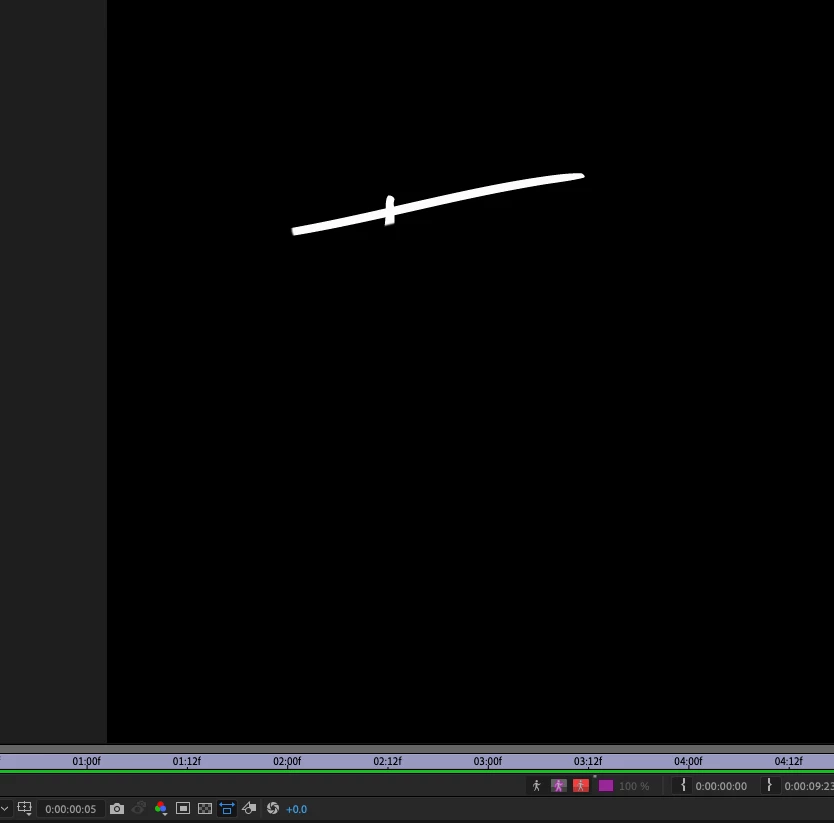
I am trying to animate my signature and I have it working, however where two stroke paths cross is not drawing properly.  My name is Tim and I start out writing the top of the "T", then the vertical of the "T".

When I animate this AE is drawing the top part and including just a bit of where the top and vertical cross (see attachment).  I cannot figure out how to correct this.  Any ideas?


tim
This topic has been closed for replies.

3 replies

Community Expert
December 21, 2020

I will typically add masks to the path and animate the opacity and/or the shape so that the reveal does not look get fouled up. The mask just needs to be wide enough to hide the intersection. This is how I set it up. The animated shape layer with the stroke is still turned on so you can see the path. The mask layer is on top and Set Matte is used to hide the problem intersections. Animate mask opacity as the stroke passes the intersections. 

Tim5C22Author
Known Participant
December 21, 2020

Thanks Rick....

Warren Heaton
Community Expert
Community Expert
December 19, 2020

This can be a little tricky. You could try to get the stroke value low enough so that it doesn't reveal where the signature crosses vertically.  You'll probably be happier with the results if you take the time to break your signature layer in the multiple layers based on how the lines would appear as wrote them (probably via a quick trip to Photoshop). It becomes a little more to work with as you have to apply the right on effect multiple times, but the improved and result is usually worth it.

Kyle Hamrick
Community Expert
Community Expert
December 19, 2020

100% this. Think about the way your pen tip moves when you're doing this in the real world. After Effects doesn't know that you're trying to recreate a realistic write-on, it's just revealing what you tell it to reveal. 

Trimming/dissecting the letter forms into the actual lines you want to appear is the key here, via masking or in Photoshop/Illustrator.

If this is a font, you can usually be clever and re-use letters that appear more than once in your word(s) to save having to re-dissect them. 

Tim5C22Author
Known Participant
December 20, 2020

Thanks for the input from both of you.  That sounds exactly like what I want.  This is the video that I was using to learn how to do this and AE is using masks (see attached), is there any way to edit the mask with a brush as you can in PS.


If not then in PS I assume I would place each component of the signature (at least the problem areas) on a layer.  I'll have to find some tutorials on how to handle this with PS and bringing it into AE and the next steps.  I've used PS quite a bit in my photography, new to AE though.


tim

Tim5C22Author
Known Participant
December 19, 2020

Just so you know it writes the vertical part as it passes over the vertical line instead of "after completing the horizontal line".