
Participant
November 22, 2020
Answered

Animating a fly with wiggle expression

  • November 22, 2020
  • 2 replies
  • 1854 views

Hi, I'm making a simple animation for a flying fly using the "Wiggle" expression. 


I want the fly to fly around for a moment and then land on something. My problem is that the wiggling needs to stop once the fly lands, but I don't know how to momentarily turn the wiggling values to zero. All suggestions are greatly appreciated
This topic has been closed for replies.
Correct answer Ali Jaber

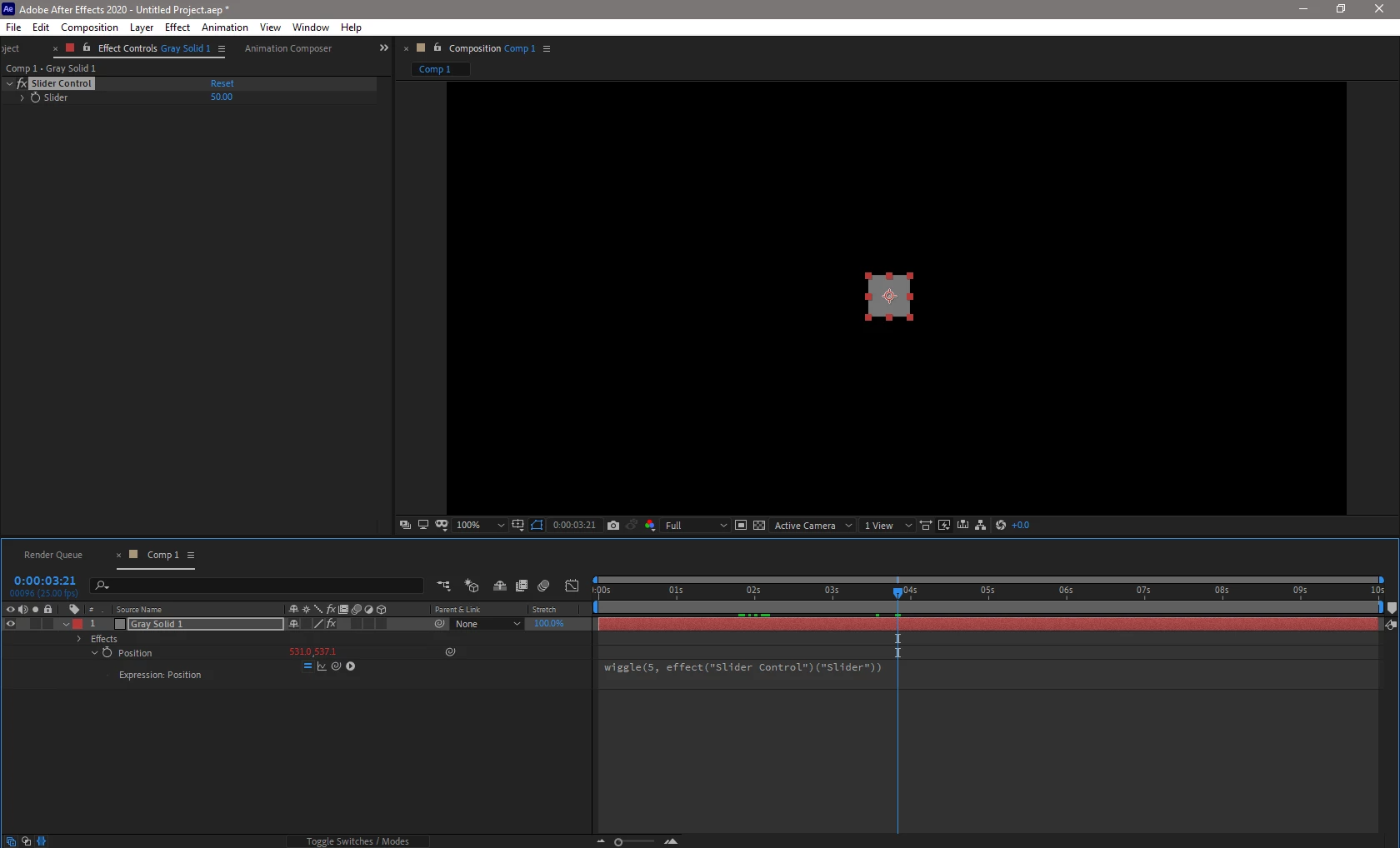
Add a "Slider Control" effect to your layer, in the wiggle expression use the expression pick whip to link your expression with the slider parameter like the following:


Now you can animate the "Slider" value of the "Slider Control" effect from any value to 0 to eliminate the wiggle.

This is a sample project:

sample wiggle expression 

2 replies

Ali JaberCommunity ExpertCorrect answer
Community Expert
November 22, 2020

Add a "Slider Control" effect to your layer, in the wiggle expression use the expression pick whip to link your expression with the slider parameter like the following:


Now you can animate the "Slider" value of the "Slider Control" effect from any value to 0 to eliminate the wiggle.

This is a sample project:

sample wiggle expression 

Birk0101Author
Participant
November 30, 2020

Perfect!

Community Expert
November 22, 2020

I suggest you use the Motion Sketch panel, do the movement yourself with motion capture, making the fly pose exactly where you want. Right there you have a smoothing option in case it becomes difficult for you with the mouse and your hand. The wiggle makes random movements so you won't have much control over where the fly lands.

Byron.