Participant
May 20, 2019
Answered

Any expert here ? How to achieve this line quality

  • May 20, 2019
  • 2 replies
  • 1875 views

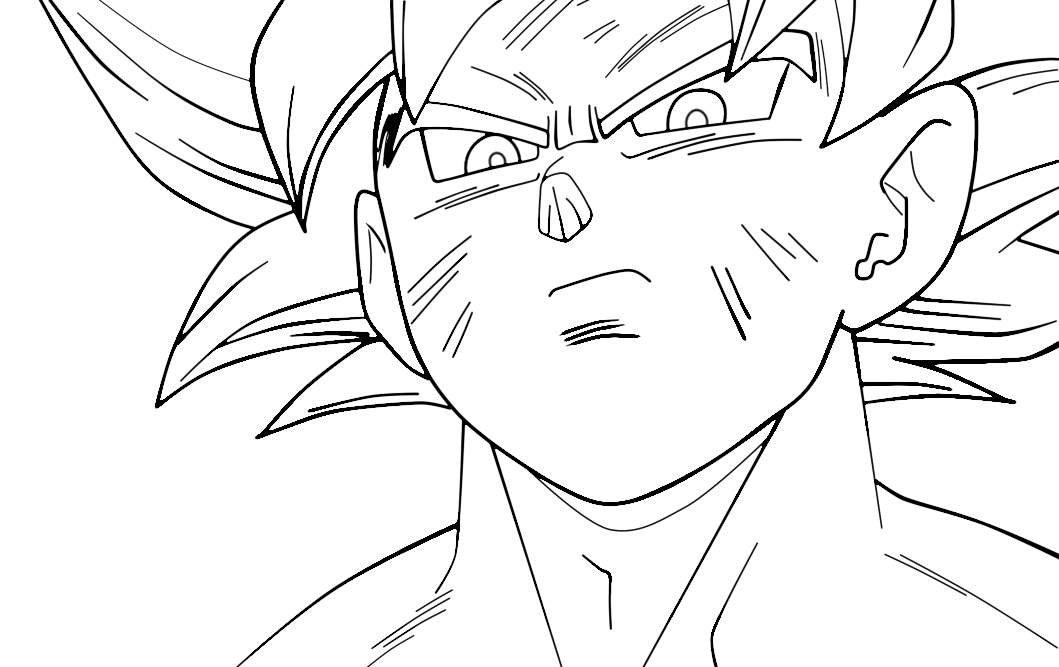
Hi , I wanted to know if anyone here have an idea to how to achieve this effect. This has been made on After Effect


    This topic has been closed for replies.
    Correct answer Jose Panadero

    I have not a valid license active of Sapphire right now, but I've tested the Roughen Edges effect and I think you can create the effect you are looking for. What I've done is to put your image two times in the composition, applied the Roughen Edges with some tweaking over the top layer. This result in a composition that combines the original strokes (background layer) and the modified ones with the Roughen Edges effect.
    2 replies

    Jose Panadero
    Community Expert
    Community Expert
    May 20, 2019

    I think there are some plug-ins to create a similar look. You can start by using the default Cartoon effect in AE (maybe using Find Edges and Roughen Edges at the same time could be an option). On the other hand I remember that Boris FX Sapphire has some effects to create similar look, I think the name of the effect is S_Brush. Also, you can check Video Gogh from RevisionFX that has some creative uses for strokes.

    Participant
    May 21, 2019

    I don't really know how to apply the S_Brush effect to the lineart :/ Could you try on this picture (PNG) please ?

    Jose Panadero
    Community Expert
    Jose PanaderoCommunity ExpertCorrect answer
    Community Expert
    May 21, 2019

    I have not a valid license active of Sapphire right now, but I've tested the Roughen Edges effect and I think you can create the effect you are looking for. What I've done is to put your image two times in the composition, applied the Roughen Edges with some tweaking over the top layer. This result in a composition that combines the original strokes (background layer) and the modified ones with the Roughen Edges effect.

    Andrew Yoole
    Inspiring
    May 20, 2019

    The "after" image has been manually re-traced, made apparent by the fact that there are additional lines.  Note in particular the edges of the eyebrows and the addition of motion/wind on the arms and legs. 

    I doubt the re-tracing has been done in After Effects.  The traced lines have a lot of width variation like a real world pencil or pen.  I would expect this has been done in Photoshop or Illustrator, or even in the real world on paper.

    Participant
    May 20, 2019

    Hi thanks for your help !

    Don't mind the edges of the eyebrows and the motion lines they have been added manually !

    This effect is new in the Japanese anime industry and it is used more and more.

    This effect simulate real world paper drawings in a very good way , the lines look very digital in the before picture.

    Animators send their drawings to the compositing team who use after effect.

    I don't what effect or plug-in they use to make that any idea ?