

Any help creating a "portal" effect ?
Hey everyone! Gotta create a "portal" effect for an alien-invasion concept video (instagram reel)
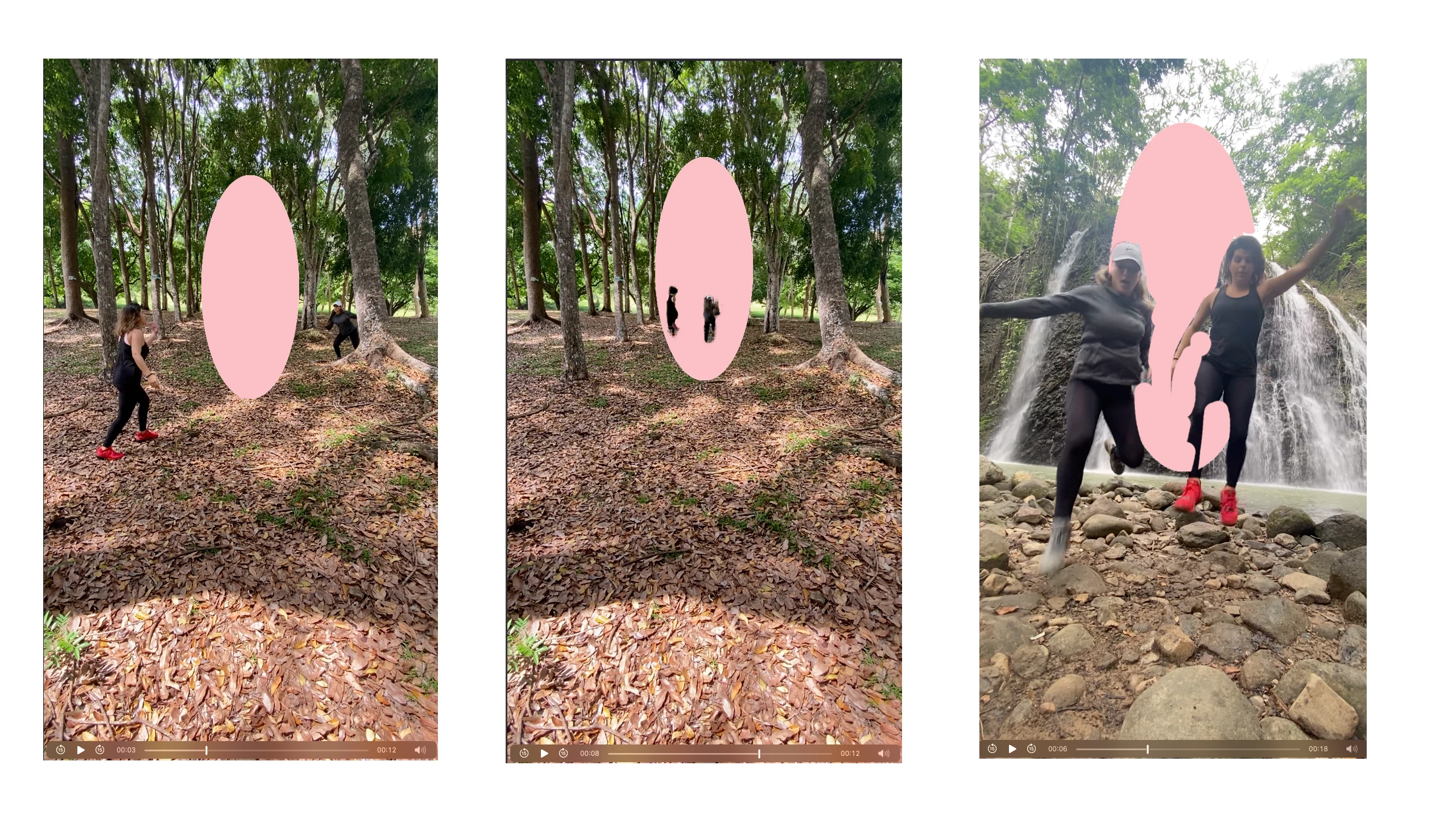
The client only got two clips, one jumping into the portal and the other appearing in the next location.
The tricky part is that is camera-facing, so it's not as easy to edit as if it was a portal on a side wall or something, like most youtube tutorials show.
Any thoughts on creating a realistic portal using only these 2 screens? They also didn't have a blank slate of the places, but i guess I can photoshop a still image out of each and take them out. (Created a rough draft - storyboard so u can see it). I mean it doesn't have to be perfect, its for a client who just wants a fun video recreating her concept, but, i'm scared i tried to take on too much with this one :')
help
 AdChoices