

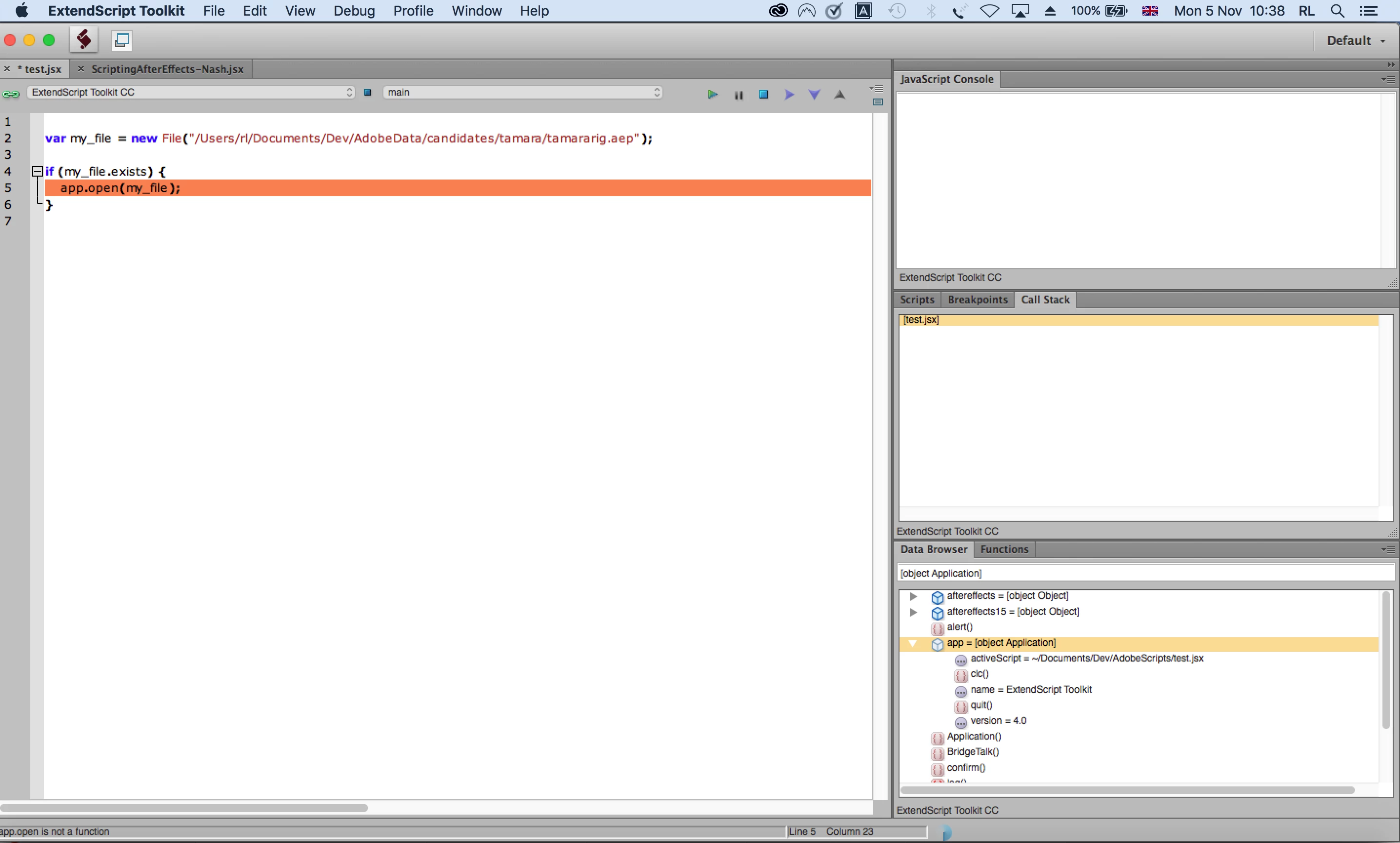
app.open() is not a function
Using ExtendScript to develop with After Effects CC 2018. The script worked in the development environment until a few days ago.
Now I have the error app.open is not a function. And it is right: looking through the data browser, app refers to the ExtendScript Toolkit rather than AfterEffects.
The scrap of script below uses a working project file which I can load manually but cannot find a way to load through a script in ExtendScript debugging.
Suggestions gratefully received!
I am running:
Adobe After Effects CC 2018
ExtendScript Toolkit 4.0.0.1
Here is the nub of the issue in code - it really does not get more basic than this.
var my_file = new File("/Users/rl/Documents/Dev/AdobeData/candidates/tamara/tamararig.aep");
if (my_file.exists) {
app.open(my_file); //fails on this line with app.open is not a function
}
 AdChoices