
Alberto Eger
Participating Frequently
March 2, 2020
Answered

Auto-Orient problem on 3D object

  • March 2, 2020
  • 1 reply
  • 3382 views

Hi there,


I'd like to ask for your help.

When I move a 3d object (create with Element 3D) along a 3D path ad set the position properties to "Auto-orient" sometimes the object flip along the Z (the Z-axis maintains the same parameter during the motion, but the object flips). I found a workaround to manually reflip it but is quite annoying. There is a method o a parameter that I can set to automatically fix it?


You can see the issue here at 00:01:37 and 00:03:40: 


The object is moved in by a Null (Group Null 2) only on Y, Z, the X-axis remains fixed. The Auto-Orient is set to Null Position Property as Orient Along Path.
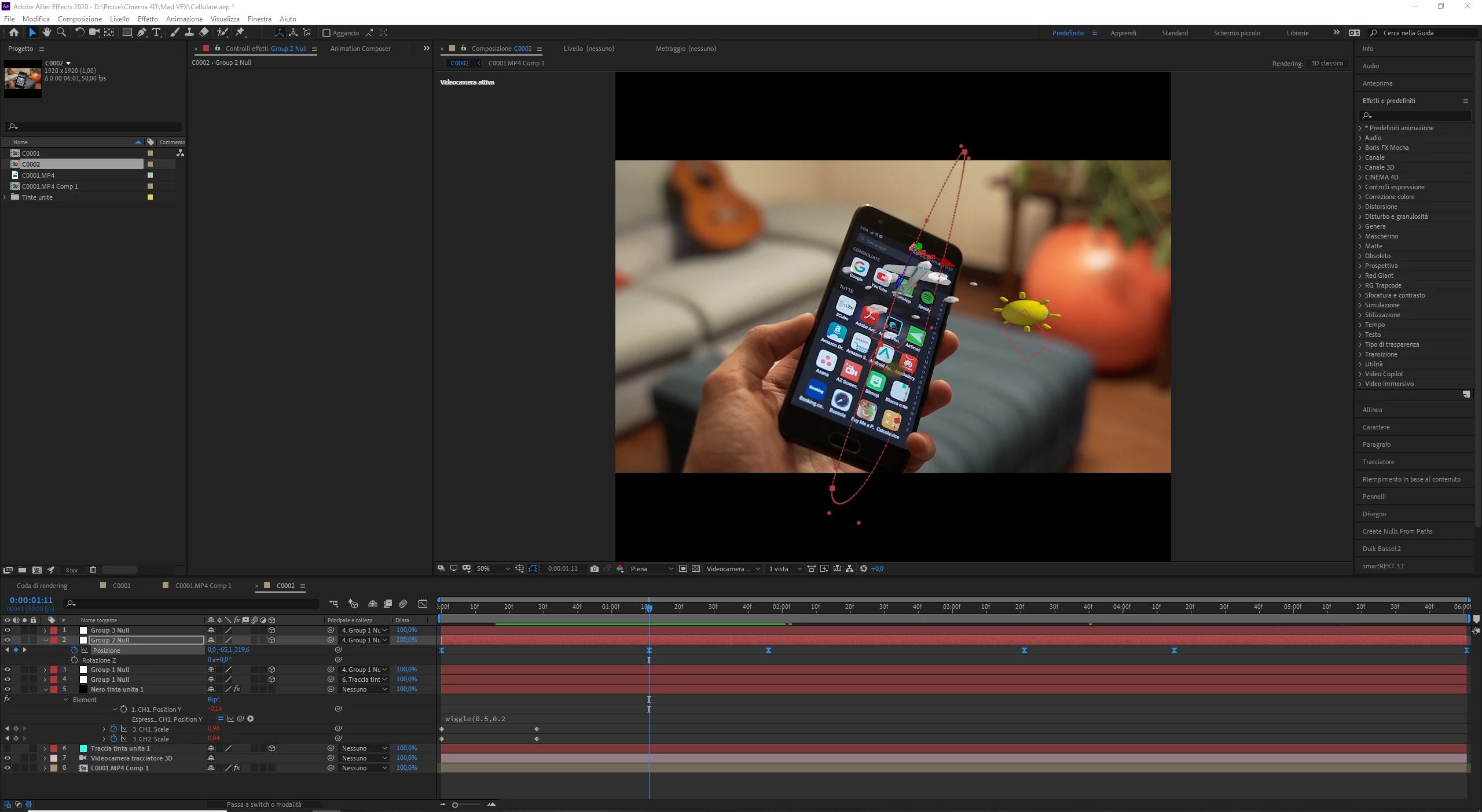


This topic has been closed for replies.
Correct answer Mylenium

Multiple Nulls or for that matter corner points on a plane serve as the inputs for the direction and length of the vectors from which you can calculate the perpendicular up vector. refer to Wikipedia or other math-centric sites for the geek stuff:


https://en.wikipedia.org/wiki/Cross_product


Mylenium

1 reply

Mylenium
Legend
March 2, 2020

There is no way to magically fix such things and using orientation is wrong to begin with. that's the old issue of Euler vs. Quarternion rotation math. In AE terms, you need to ensure that the actual rotation values are consistent, not the orientation of the Null or the E3D object. That being the case, you actually need to create at least three Null/ track markers objects in a plane or create a solid that aligns properly with your phone screen and work from there. Chances are you may even need to create your own up-vector using a vector cross product in an expression.


Mylenium

Alberto Eger
Participating Frequently
March 2, 2020

I'm not sure that I understood, sorry.

Tell me if I'm correct: you're saying that this kind of thing is not doable with Auto Orientation, but to use the rotation properties instead, the best way to create an expression that does the work.


What I've not understood is why I should create 3 nulls to do it and what you mean with up-vector. Thanks for your patience 🙂


Mylenium
MyleniumCorrect answer
Legend
March 2, 2020

Multiple Nulls or for that matter corner points on a plane serve as the inputs for the direction and length of the vectors from which you can calculate the perpendicular up vector. refer to Wikipedia or other math-centric sites for the geek stuff:


https://en.wikipedia.org/wiki/Cross_product


Mylenium