Inspiring
February 27, 2021
Question

BACKLIT STICK WHEEL

  • February 27, 2021
  • 2 replies
  • 297 views

Hey guys!

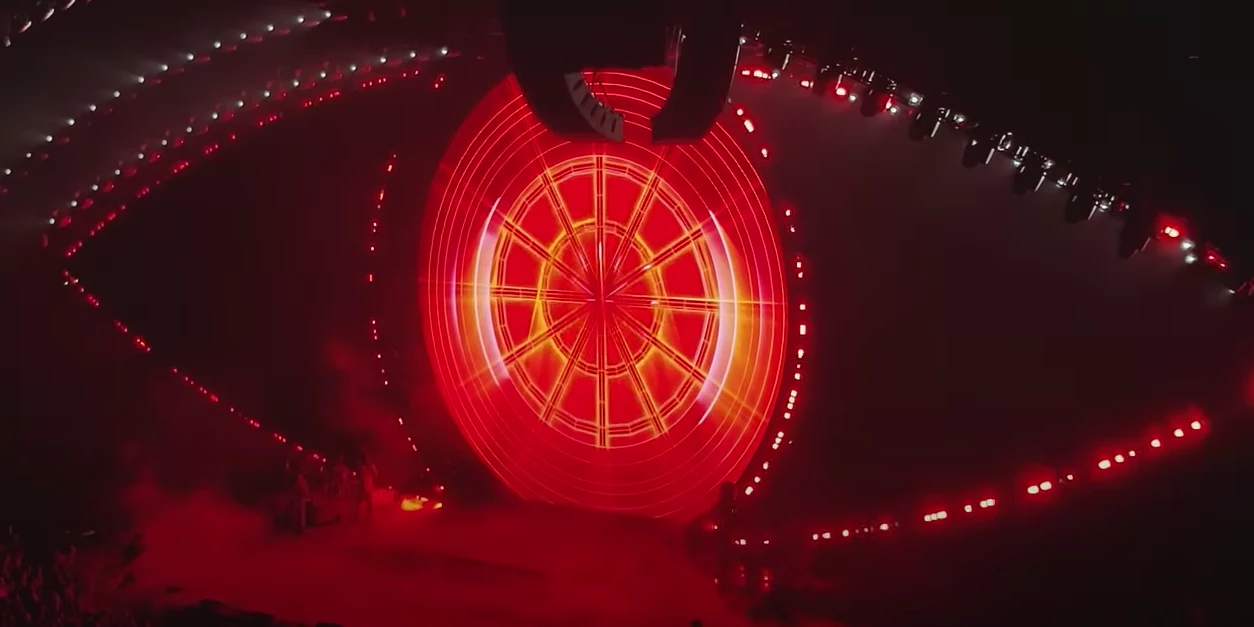
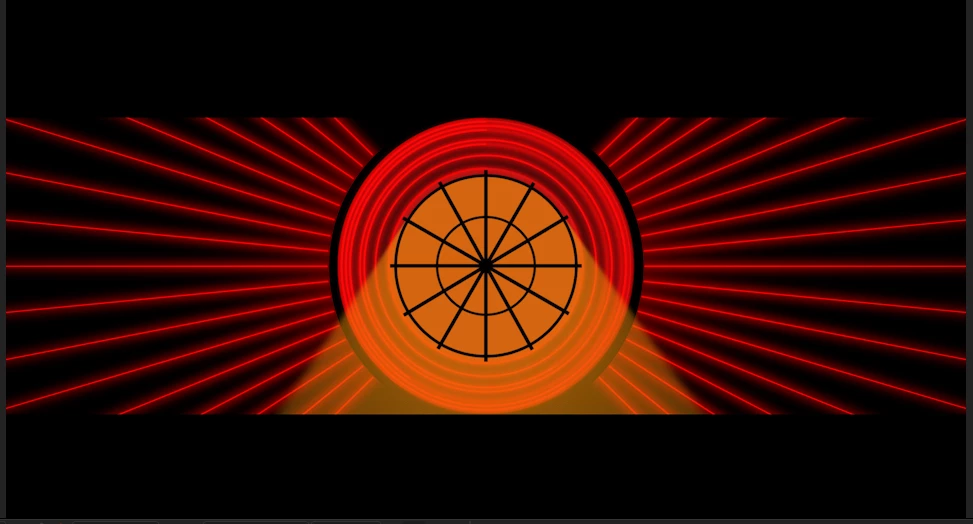
I have this animation here and I don't know how to explain it but I want this stick wheel to be backlight.

As you can see I've kinda achieved it but I don't like it since the background of the circle is orange and I want it to be red but with the orange rays coming out of every one of the sectors just like the 2nd image (center circle, look close).

For my result, I've created a solid, masked it out as a circle, and applied the CC Radial Fast Blur effect that doesn't work at all for me.

This second image is a frame took out of this video at min 1:33.

Hope I've explained as I try to and to hear your suggestions, thanks in advance!


This topic has been closed for replies.

2 replies

Community Expert
February 27, 2021

I have just renamed some of the Objects in the shape layers. I hope that is not too confusing. The trick is layering, blend modes, and a combination of effects. Here's my project file for you to play with.

guino11Author
Inspiring
February 27, 2021

Thank you so much!

Community Expert
February 27, 2021

It would help to see your composition with the modified properties of the layers revealed (press 'uu').


You need multiple copies of the wheel, different blend modes, and effects like Glow, CC Light Burst 2.5, and CC Light Sweep. This took about 5 minutes with one pre-comp for the CC FX. You can't get that kind of look without some blur, glow, and blend modes.


guino11Author
Inspiring
February 27, 2021

Thanks for your reply! I'll get and do my tests with the info that you provided.

Here you have the modified properties of the layers:


As per order they mean:

1: inner circle.

2-7: lines that form the stick wheel.

8: outer circle.

10: orange solid of my first attempt to recreate the effect.