
Participant
January 11, 2022
Answered

Bad Tracked Memory ID 23::33

  • January 11, 2022
  • 19 replies
  • 19356 views

Hi guys,


I just upgraded to the 2022 versions of all the Adobe suite. I can't import a photoshop file into After Effect, I get the following error message : 
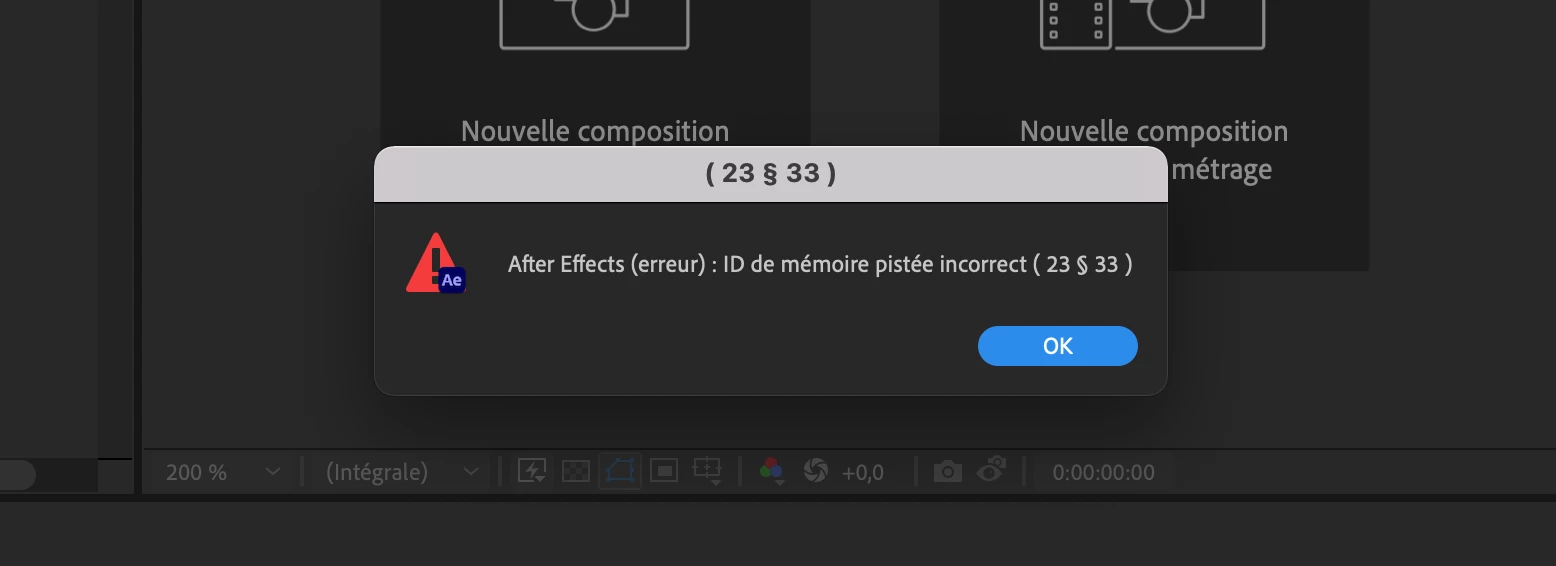
 

And then everything crashes, and an automatic save of the project is made, with the psd file but without the file's layers.

Does anyone know anything about this? Can you guys help me? Thanks

Correct answer simon tan

I did a reset on my preferences and it worked


To reset preferences and plug-in cache at the same time, hold down Control-Shift-Alt (Windows) or Command-Shift-Option (Mac OS) while the application is starting. Release the keys when the splash screen appears.


hope it helps

19 replies

Participant
December 13, 2022

I got the same issue this morning. Bad Tracked Memory ID (23:23) After purging, and restarting my computer, nothing changed. Until I did a test import with a layered PSD file, and that worked. So, I went to the PSD file giving me issues, and found the art director had some Smart Objects in the layers. Opened them to find the issue. The 2 smart object layers were set to an artboard of 19,000 px X 26,000 px! I was shocked to see that. I quickly resized them to 1080x1920 (the comp I'm working in), and BOOM! The PSD opened right up in AE. Not sure if you have smart objects in your layers, but go through and find the issue Or, do a test like I did to see if it's just the PSD file you're working with. 

Participating Frequently
December 13, 2022

When I had this issue, it was a PSD I made, and everything was a reasonable size with no smart objects. Glad that worked for you though.

Participant
December 7, 2022

Create one empty Composition and import. it works for me.

Participant
December 17, 2022

Thank you very much for your advice. It's very useful to me, genius!~~~

quote

Create one empty Composition and import. it works for me.


By @Ravi_SRK


Participating Frequently
December 5, 2022

Same problem here

Participant
July 24, 2022

Hi all. Had the same issue but couldn't find a solution.

In the end, as a temporary fix, I installed the v18 (AE 2021) as a separate version. Opened a new project file, imported the psd i needed, then opened the same project in AE2022 and it works fine. 

Eugene Reisch
Inspiring
August 9, 2022

The 'import a PNG, delete it and then import your PSD' trick worked for me too


Genius.


Adobe, can we have a fix please - this has been months (and several versions)

shaver80
Inspiring
September 8, 2022

As of Sept. 8th still having this issue. I have to ask a colleague to do it for me and then send me the file.

simon tan
simon tanCorrect answer
Participant
May 2, 2022

I did a reset on my preferences and it worked


To reset preferences and plug-in cache at the same time, hold down Control-Shift-Alt (Windows) or Command-Shift-Option (Mac OS) while the application is starting. Release the keys when the splash screen appears.


hope it helps

Participating Frequently
May 2, 2022

This worked for me! Thanks!

Participant
May 5, 2022

Works!

gabriels45199551
Participant
April 7, 2022

You have to import a PNG file, and cancel that, so import your PSD file again and will work.

Participating Frequently
April 15, 2022

No F'n way. That worked. I spent like an hour trying to get this to work yesterday and I had this page open but didn't get to the bottom.

nishu_kush
Community Manager
Community Manager
April 5, 2022

Hi all,


Sorry for your issue.

Does it happen with all the PSD files that you try to import or a particular one? What's in the PSD file? Could you share a sample PSD that repeats the issue? Feel free to DM me the download link.

Let us know, we're here to help.


Thanks,

Nishu

Vini Pinho
Participant
April 5, 2022

Hello, this error appears even with the simplest PSD.
It can be just a photo with a lettering and the After just closes.
It always worked, but today it started to present this problem.

Participant
April 4, 2022

same here as of today, reinstalling didn't help. any idea what's up?

mwb_film
Participant
March 25, 2022

Having the exact same issue.  Super frustrating, this is basic, everyday stuff that we've come to depend on.  Purging cache does not fix the problem.

Participant
March 23, 2022

Same exact issue. Try to open or import a PSD file in After Effects and it crashes. Come on Adobe, fix this issue. 

March 23, 2022

Not that this will actually help you, but it could give you some hope:


The issue has not occured for me anymore. I don't know what changed, other than me constantly updating both PS and AE to the newest build. And for a few weeks now the error message has not come back again.

I'm on a 2020 iMac and operating with BIG SUR 11.6.4 

AE 2022 version 22.2.1 (Build 3) 

PS 2022 version 23.2.2 


Good luck!