

Baseline shifts text box position in Khmer language
Hi all, I'm creating a lower-third speaker template in the Khmer language to be used in Premiere Pro. For lowerthirds, they place an honorific (simillar to Dr., Mr. or Mrs.) in front of every name, but they requested the font weight and size to be different than the name for distinction purposes.
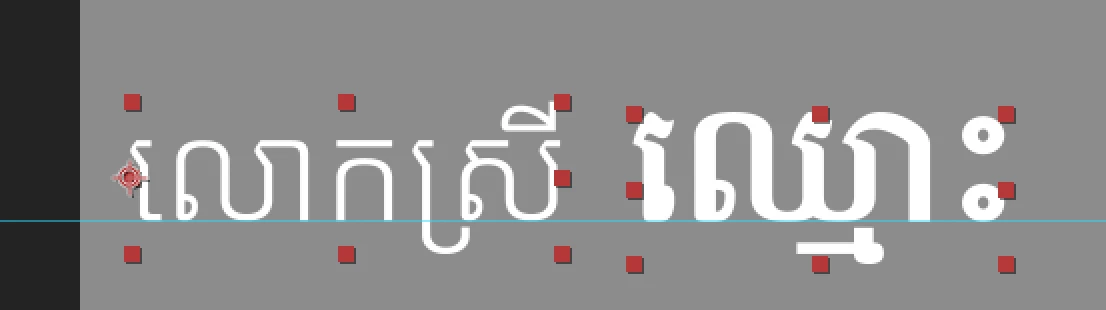
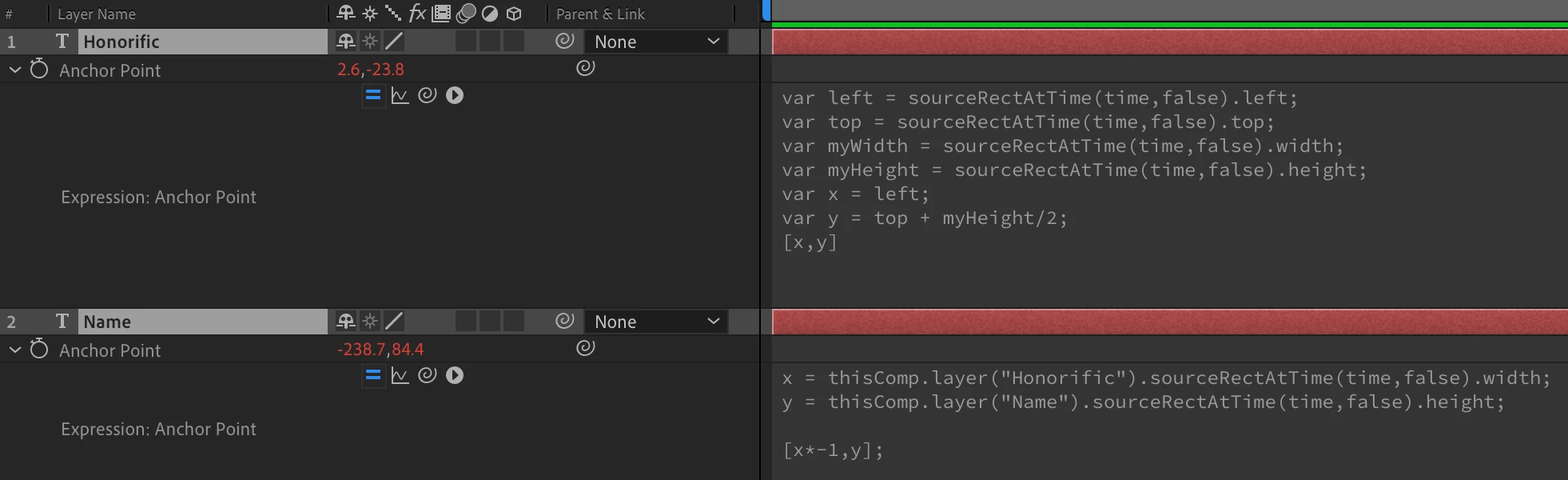
Because you can't change the style of individual words without changing the style of the entire template in Premiere, I created two text boxes with editable fields (one for honorific and one for name) and linked their anchor points so that the name's x position would change based on the length of the honorific. But I'm having trouble with the y positions.
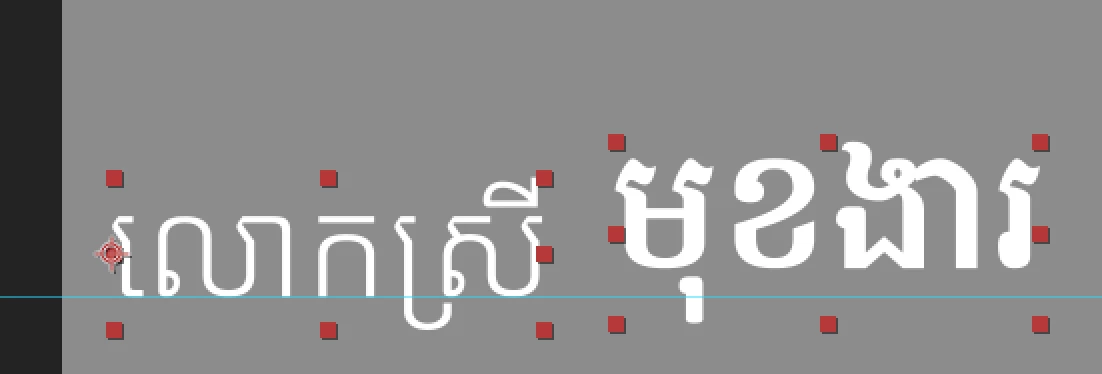
In the Khmer language, they have words that act as descenders and ascenders in the font, which change the height of the text box based on what's in it. Unlike in English where the baseline remains the same even with a difference in ascenders and descenders, Khmer's text boxes don't behave the same way. I'm trying to make it so that the text aligns with the guide, even when these characters are added/removed. Any idea how to solve this?
 AdChoices