
Inspiring
December 9, 2022
Answered

Bezier handles in Graph Editor - when do I know if I move both or just one?

  • December 9, 2022
  • 2 replies
  • 2888 views

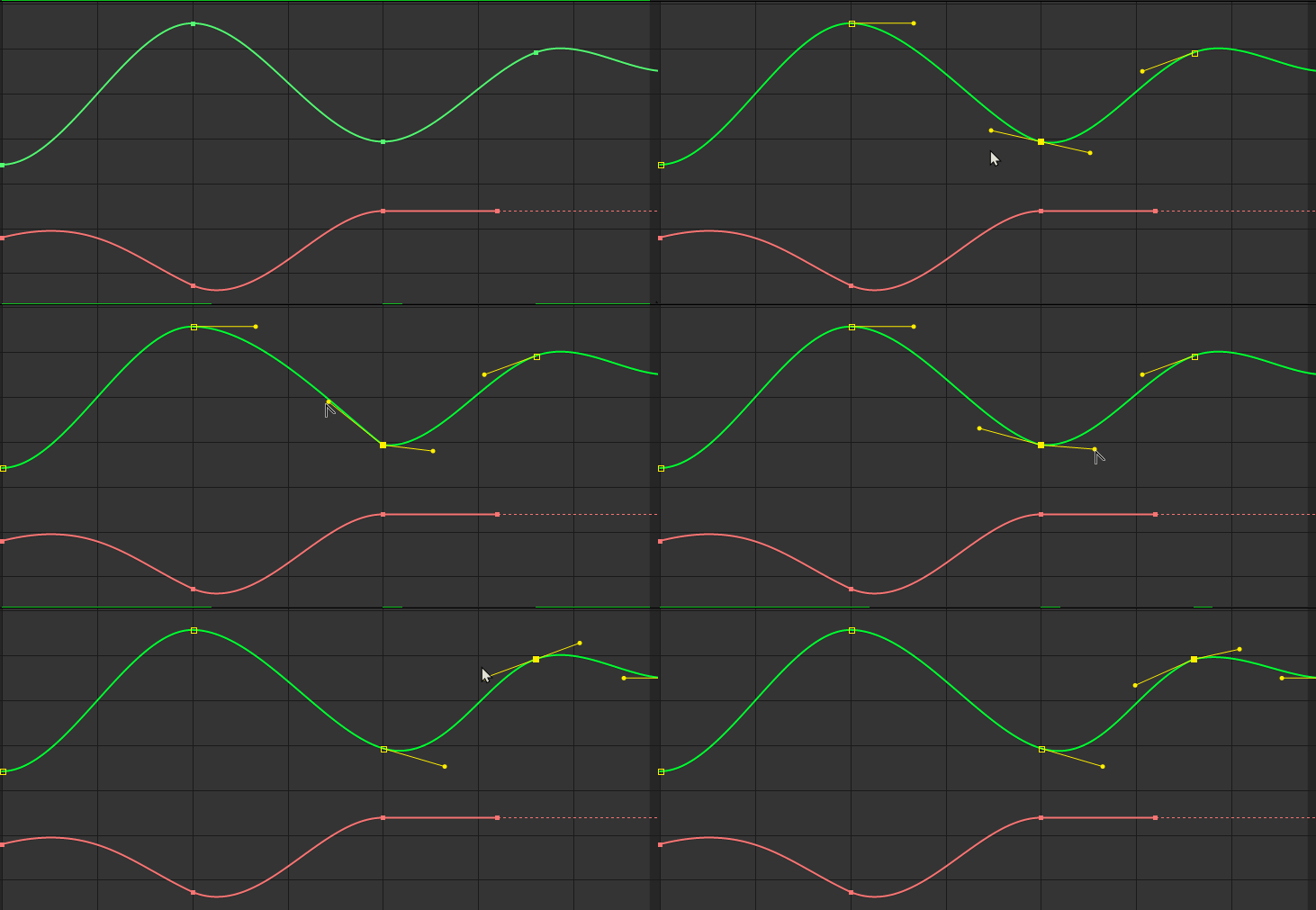
This drives me nuts: sometimes when I fine-tune the curves by adjusting the bezier handles in the Graph Editor, only one side is affected and sometimes both! I've tried to replicate the problem and in the gif below it works as it should: when holding down alt, I only adjust one side. But this happens sometimes even when I don't hold it down alt with handles that I know is not "detached" before (meaning previously adjusted with the alt-key, could be newly created). What's going on? What am I missing?


Thanks 


This topic has been closed for replies.
Correct answer Jose Panadero

There are some types of keyframes. The ones called Continuous Bezier have one control for the two handles. Once you hold Alt you "break" that continuous curve. If you create Bezier Keyframes using the F9 shortcut, you will always get a standard bezier curve where the handles are broken and you can manipulate them independently. The ALT key will broke or fix that behaviour: if the handles are broken it will "fix" them but if the handles are continuous the ALT key will "broke" them.

2 replies

Jose Panadero
Community Expert
Jose PanaderoCommunity ExpertCorrect answer
Community Expert
December 9, 2022

There are some types of keyframes. The ones called Continuous Bezier have one control for the two handles. Once you hold Alt you "break" that continuous curve. If you create Bezier Keyframes using the F9 shortcut, you will always get a standard bezier curve where the handles are broken and you can manipulate them independently. The ALT key will broke or fix that behaviour: if the handles are broken it will "fix" them but if the handles are continuous the ALT key will "broke" them.

Inspiring
December 12, 2022

Thanks Jose, 


I just came across the problem right before reading your comment and this is it! Having the selection tool and holding down alt when pressing on a linear keyframe in the grapheditor (to create continuous keyframe) gives me the option of moving both handles at the same time. Holding down alt again on one of the handles breaks it. And when I hit F9 on the linear keyframe, they are broken already from the beginning. Thanks!

Community Expert
December 9, 2022

Your example is showing position properties with separated dimensions. It's nearly impossible to manipulate a motion path in the Graph Editor accurately. Press Alt/Option + Ctrl/Cmnd + ; to open preferences, select Display, and turn on All Keyframes, and you can use the Pen tool to define the motion path accurately. The Speed Graph is a valuable tool for modifying motion paths, but the value graph, even with separated dimensions, is pretty useless for adjusting a motion path, and controlling the handles on a motion path is only available when you separate dimensions.


If you must use the Value Graph with separated dimensions, switching between the Pen tool (g) with modifier keys Ctrl/Cmnd and Alt/Option and the Selection tool (v) with modifier keys will give you almost the same control over the path that you would get when drawing a Bezier path. 


Maybe this tutorial will help:


Inspiring
December 12, 2022

Thanks Rick for you answer, 


I love the Value Graph and believe it's impossible to control smooth speed with the Speed Graph. Both work and either you go with one or the other.