Known Participant
December 7, 2016
Answered

Black bars on side of composition

  • December 7, 2016
  • 2 replies
  • 5782 views

Hello!

I've been pulling my hair out trying to figure out why I'm getting black bars on my project. Here are some screenshots and details of my problem:

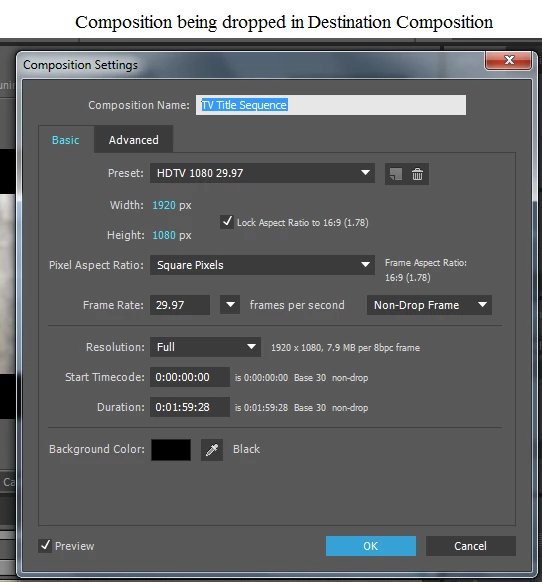
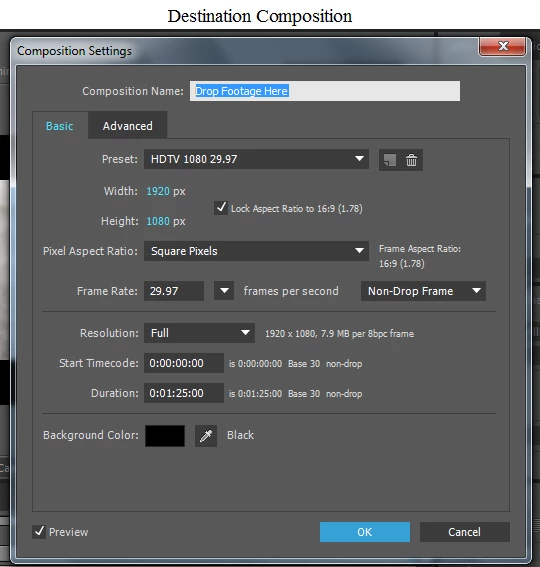
I'm pulling a composition into another composition. Both compositions have the same settings (except duration):


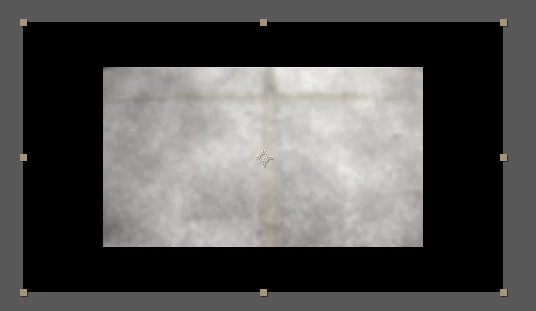
When I drag the TV Title Sequence comp into the destination composition--Drop Footage Here, however, I get this in the Composition panel:

I can resize the TV Title Sequence comp to fit the black window (I'm assuming this is the Drop Footage Here composition), but that doesn't seem to be a best practice. I've searched high and low for an answer to this but can't find one. They're the same dimensions so I don't think it's a problem with dropping something too small into something too big.

What do you think? Any help would be great appreciated! 

This topic has been closed for replies.
Correct answer Roei Tzoref

And when I pull up the TV Title Sequence comp in the Composition panel and choose Fit, I still get 33.3% and the black bars.


I'm sorry, but I don't understand. How would adding a solid fix this problem?

it won't. this is only to demonstrate that you have HD720 asset or assets (or scaled to about that size) in an HD1080 Composition. you are using a big box for an element or elements that don't fit the box. you can either make your box smaller or make your element or elements bigger. I assume you want your element or elements to be bigger.

The only question is - is this just that one asset that Szalam mentioned? or is the all of them? if it's just that element, go and do as Dave suggests and fit it to the comp. if not, read on because you need to scale your footage up* and there are a few ways to go about this:

here's one:

1. go to composition settings and change the width to 1280. it will change the height to 720.

2. select that composition in the project panel

3. go to scripts->scale compositions and click it

4. select new comp width and enter 1920 and click scale

DONE!

here's another way:

1. create a Null layer (layer->new->Null)

2. select all the layers Ctrl+Shift+A, deselect the null (Ctrl+click)

3. under the parent column select the null as the parent

4. scale the null to 150%

5. delete the null if you want

here's another for the really lazy

1. in "drop footage here" comp, scale "tv title sequence" to 150%

2. press the collapse switch. make sure things don't look funky. if they do - uncheck it
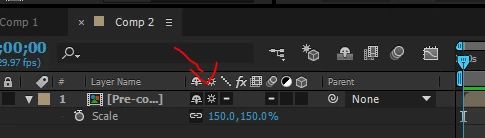
* of course scaling pixels to 150% of their true size will soften them. it depends if you have scaled down some footage - say scaled them in Ae to 60% to fit the composition (which upon re-scale will be about 100% scale i.e full quality), or if all your layers are 100% scale in the nested comp. anyways, maybe evening softening the images as a result is good enough for you because the other option is prepare all your assets from the start as HD1080 size and replacing them...

2 replies

Roei Tzoref
Legend
December 7, 2016

When I drag the TV Title Sequence comp into the destination composition--Drop Footage Here, however, I get this in the Composition panel:

it appears you are using an HD720 footage item inside an HD1080 composition. or at least one footage item that is scaled 66.6667% of an HD1080 dimensions (which is HD720). lets us see more screenshots of your full Ae interface. show your footage itemsand how they are placed inside the composition.

CETCAuthor
Known Participant
December 7, 2016

Hello, Roei!

Thanks for taking the time to help. Here's my interface:

Szalam
Community Expert
Community Expert
December 7, 2016

Go into your child composition and change the zoom information on the composition panel to "Fit".

CETCAuthor
Known Participant
December 7, 2016

Hello, Szalam!

Thanks for taking the time to respond and help. Do you mean the Magnification Ratio popup in the Composition panel? I changed it to Fit and got the same problem. Nothing is nested, so I don't have any parent-child relationships.

Szalam
Community Expert
Community Expert
December 7, 2016

Open your TV Title Sequence comp and show us that screenshot.