
Black frame occur when playback and export
Hello everyone,
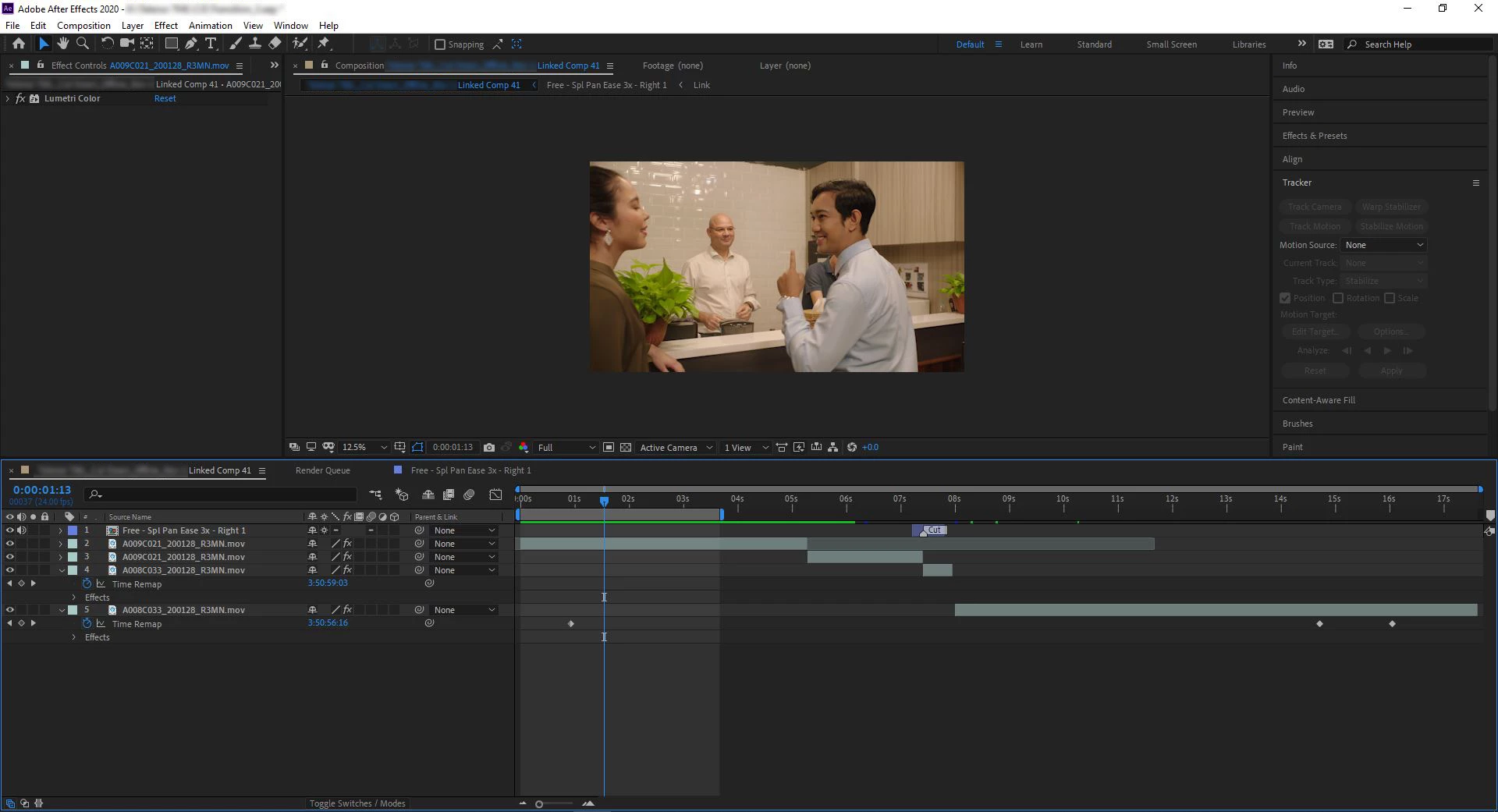
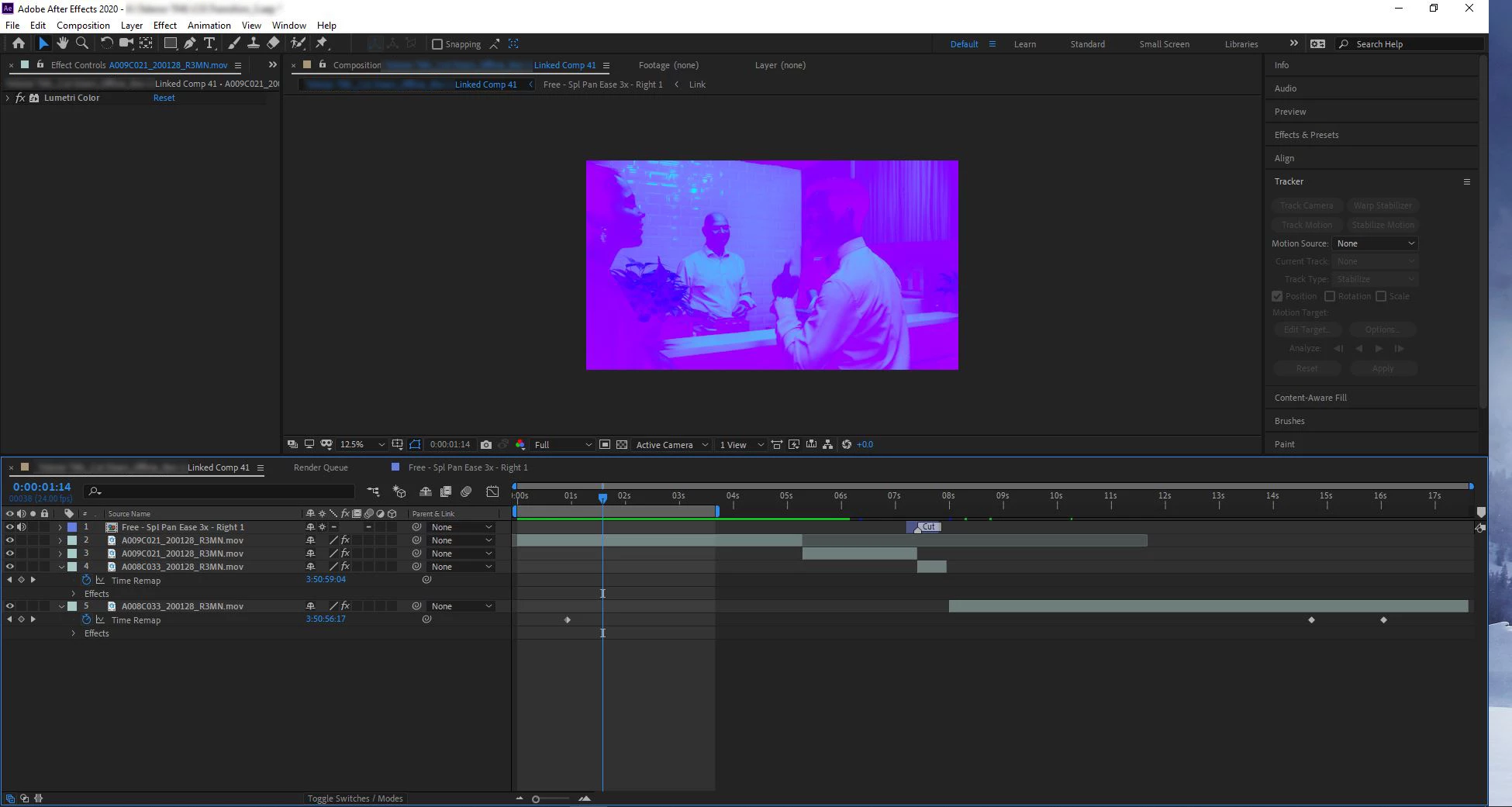
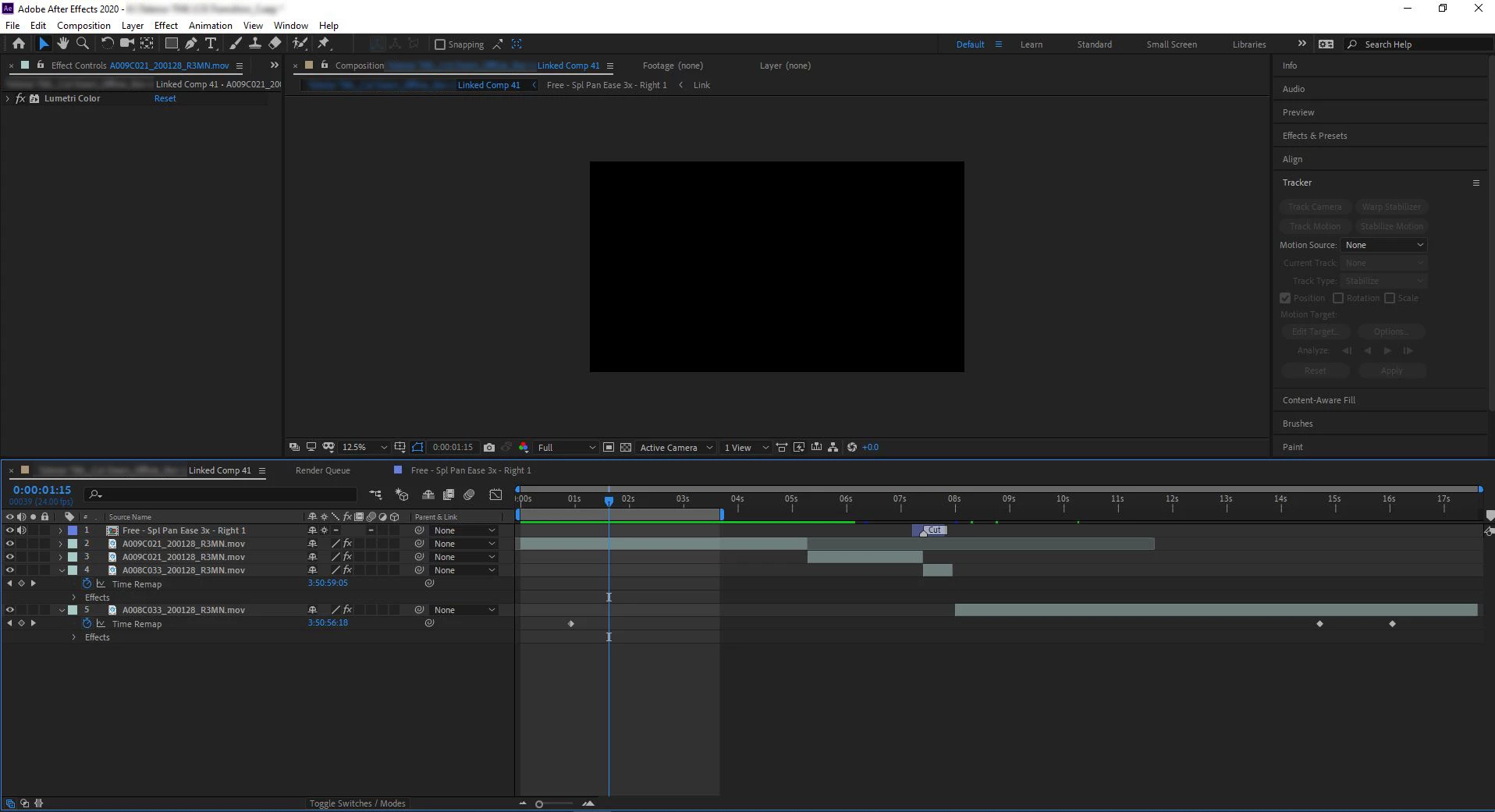
I found a error on After effects. Black frame and crazy color occur when playback and render out. I only used "lumetri Color" effect now but without effect same error too. This video footage fine on Adobe premier pro. Same result make new composition but change frames. But work on other mechine. I already clean Temp files, media catch files and peak files. Already restart Window and reinstall After effect. Problem still not solved. Do you know how to fix? Please help me.
This is video clip information
Type: QuickTime Movie
File Size: 1.88 GB
Image Size: 3840 x 2160
Frame Rate: 24.00
Source Audio Format: 48000 Hz - 24-bit - Mono
Project Audio Format: 48000 Hz - 32 bit floating point - Mono
Total Duration: 00:00:19:06
Pixel Aspect Ratio: 1.0
Alpha: None
This is my machine specifications.
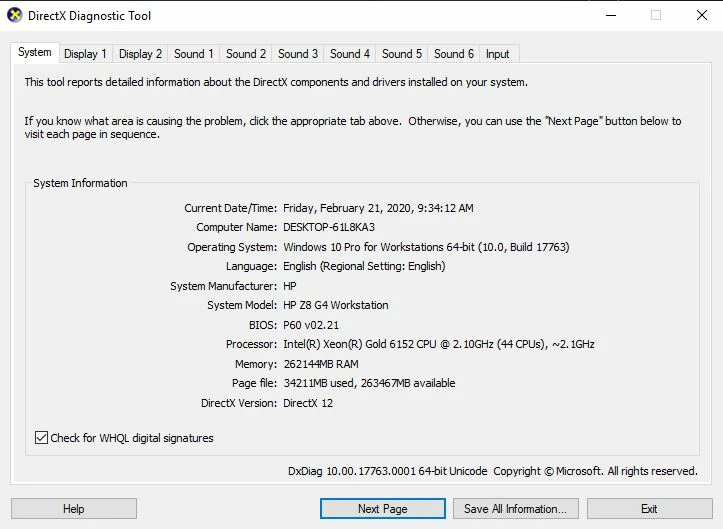
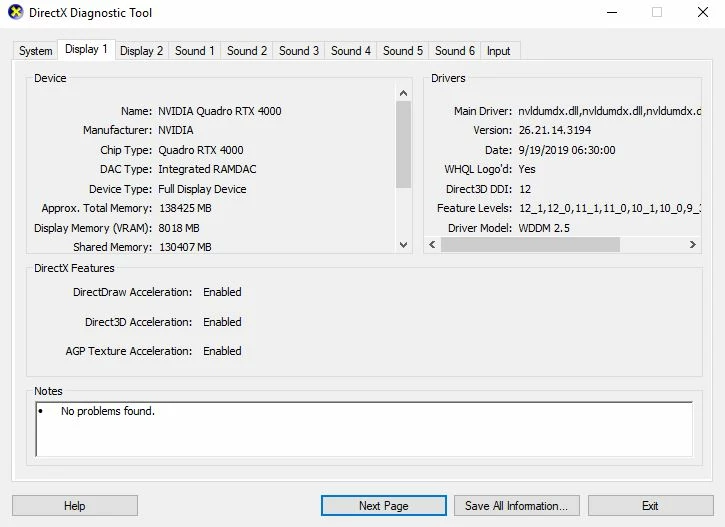
Graphic driver is latest update.
This is error
 AdChoices