
Inspiring
May 22, 2018
Question

Black screen problem in AE !

  • May 22, 2018
  • 4 replies
  • 6888 views

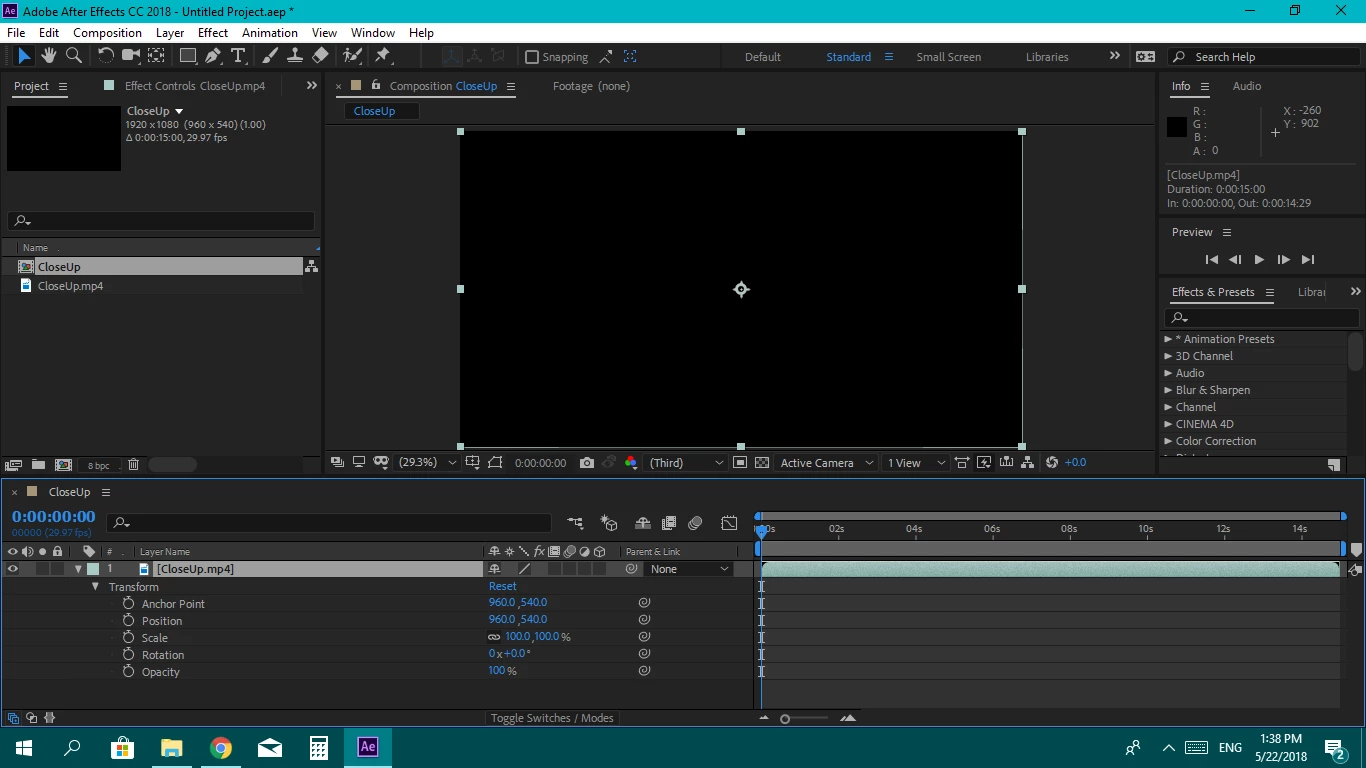
I see this black screen when I try to import photos or videos and I tried to solve it but unfortunately, I didn't...

I'm just a beginner and it's my third day in AE I hope that I can find help here

A screenshot :
This topic has been closed for replies.

4 replies

Participant
July 19, 2020

i have this issue right now pls reply asap


nishu_kush
Community Manager
Community Manager
July 23, 2020

Hi malak.samirrr,


Sorry to hear that. Could you share your system specifications (CPU, GPU, RAM, OS) and the exact version of After Effects you're using: https://community.adobe.com/t5/after-effects/faq-how-to-find-the-exact-version-of-after-effects-you-re-using/td-p/9972137?page=1

Also, are you using any third-party plug-in for After Effects? If so, what happens when you remove them? Does it help?

Let us know.


Thanks,

Nishu

Participant
July 19, 2020

i have this issue right now and i cant seem to fix it. pls reply asap


OussK
Community Expert
Community Expert
May 29, 2019

is this issue general or only with this MP4 file? so if create a solid or shapes are you able to see anything?

paulw53021543
Participant
June 4, 2019

Its a general problem with any file only in ae, if i open any video from previous ae projects on another softwear if works just fine.

Community Expert
June 4, 2019

Transcode the footage.

Rameez_Khan
Legend
June 21, 2018

Hi shimaa taha,

Sorry for your issue!

Try this:
Go to File > Project Settings > Video Rendering and Effects > Use Mercury Software Only.

Let us know if that helps.

Rameez

paulw53021543
Participant
May 29, 2019

Have the same problem

nothing works...

Rameez_Khan
Legend
May 29, 2019

Hey paulw,

Try updating the graphics driver on your computer and see if that works.

-Rameez