
Participating Frequently
December 8, 2017
Answered

Blender OpenEXR multilayer showing black in After Effects CC 17

  • December 8, 2017
  • 1 reply
  • 17463 views

Hello,

I just recently downloaded the ProEXR add-on for After Effects CC 17. When I import my EXR sequence (rendered in blender) into After Effects and use ProExr to set up a comp. The sequence is blank (everything black), but the combined pass looks perfect. The only problem with the combined layer is that I cannot edit the layers independent of each other. I am just wondering if anyone has any advice on how to fix this so I can use ProEXR properly. I have looked for hours online and tried everything that people have said but nothing works.

Thanks!
    This topic has been closed for replies.
    Correct answer Mylenium

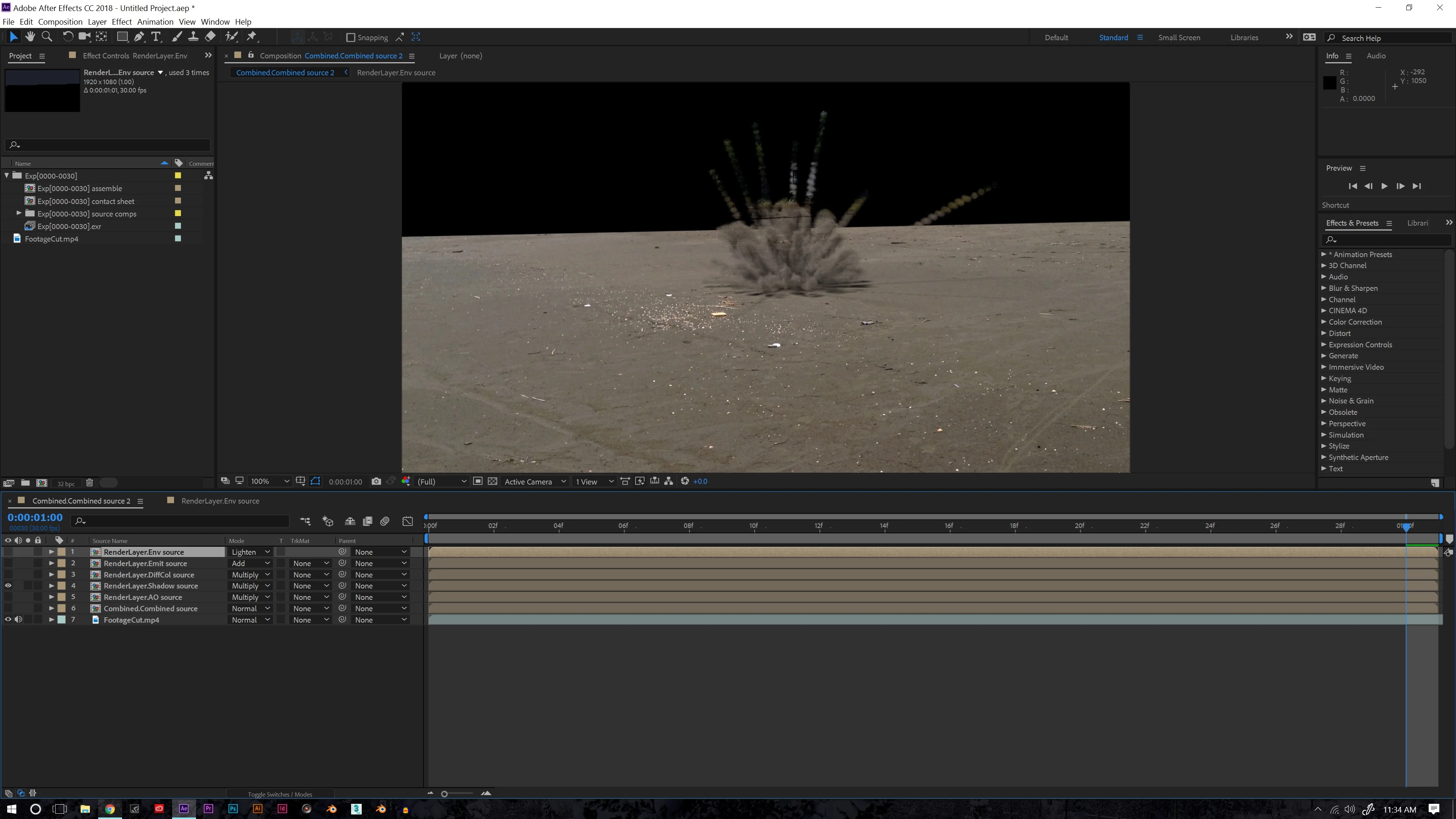
    This is the shadow layer, I'm not sure why it has that black rectangle there, could it be something wrong with my render in blender?


    This is the shadow color and it's multiplied with teh environment/ background color. You need a separate shadow density/ matte pass to isolate the actual shadows and/ or exclude the background for a palin black shadow. Depending on what look you're after you may even need to construct a separate pass based on a white "clay" render.

    Mylenium

    1 reply

    Mylenium
    Legend
    December 8, 2017

    Show us screenshots of the passes contained in the file as they are arranged in the timeline. Seems to me something is off with the channel assignments in the actual extraction effect. Did you change the naming of your passes?

    Mylenium

    lrmanAuthor
    Participating Frequently
    December 8, 2017

    The comp "Exp[0000-0030] assemble" after I have told after effects to create a comp using ProEXR.

    When only the combined layer is visible.

    When you say change the naming what do you mean? I haven't changed any file names or layer names. Is that something you need to do?

    Thanks!

    lrmanAuthor
    Participating Frequently
    December 8, 2017

    It seems like these are the only layers with any data. I have tried to arrange them but this is the best I can do, there always seems to be that black part there and the smoke doesnt have the light brown color I rendered it with. Any suggestions? Also yes I was thinking of just using the editor in blender to save all the diffrent passes seperatly but I just dont know enough about the compositor in blender yet. I will try what you said and just use the RGB with different blending modes, it's just a shame I cant use each pass separately.