

aarong40079571
Known Participant
April 4, 2021
Question

Blending mode disappears in 3D layer when using Cinema 4d. Any fixes available?

  • April 4, 2021
  • 2 replies
  • 3456 views

Hello,


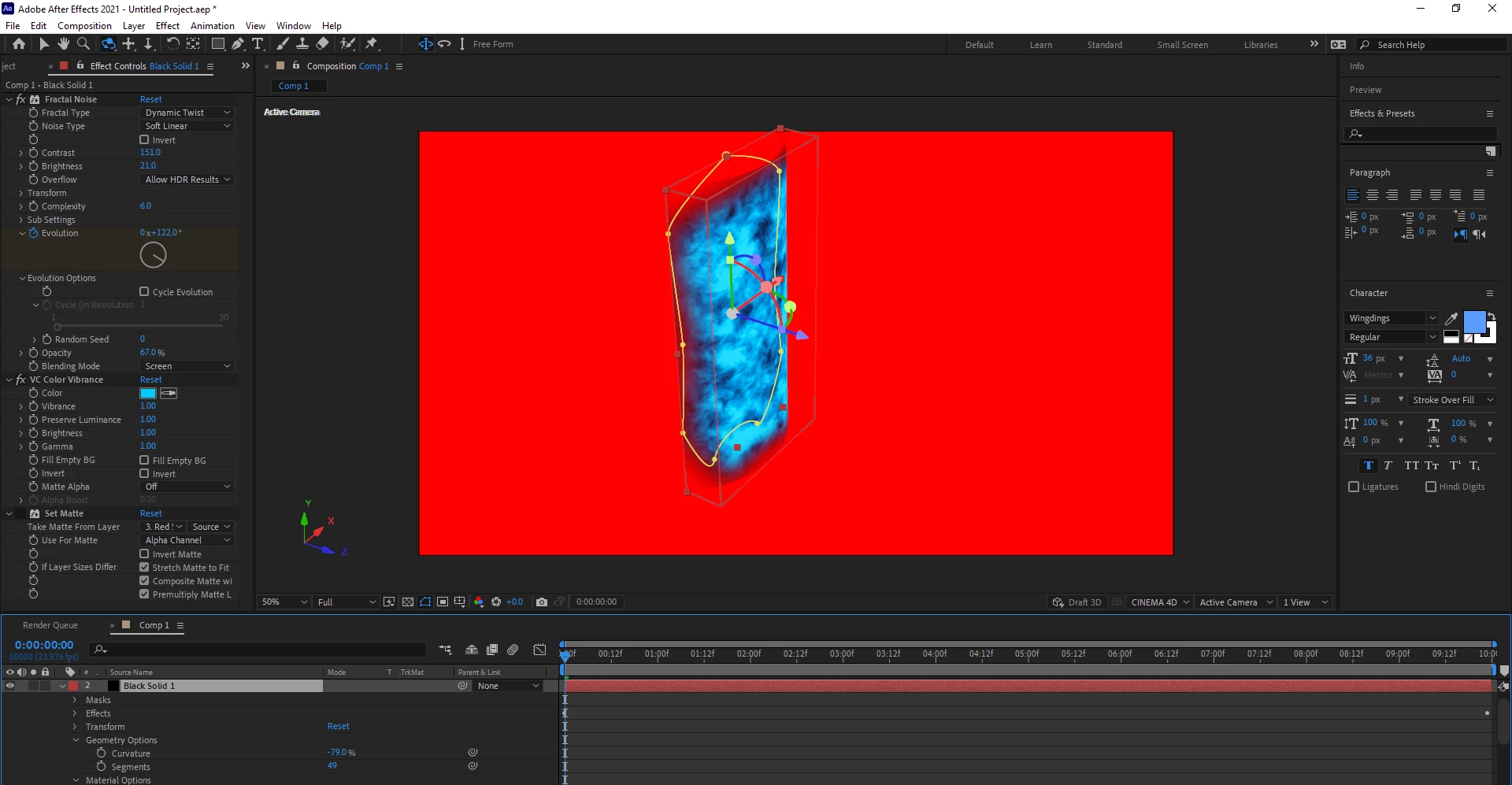
I have a layer that I created in after effects. I switched to the Cinema 4d renderer as that allows me to "bend" the entire layer in 3d space under the geometry options. Unfortunately the Cinema 4d renderer disables blending modes (why?). Is there a way to add a blending mode afterwards? I\'m really looking to change the blending mode to screen.

Hopefully this screenshot helps illustrate the issue
This topic has been closed for replies.

2 replies

Community Expert
April 5, 2021

There is a whole list of disabled features that always pops up when you enable the C4D rendering option. Blend modes and effects are the two biggies. 


There are a lot of workarounds. If I need to extrude text I almost always use the Classic 3D workspace and set up my entire animation with cameras and lights, then save the comp as a C4D file, import that file, then do my text extrusions using Cineware and C4D lite. You have a lot more options for extruding text. The same goes for bending layers and a bunch of other things. 


If using C4D to extrude a shape or text layer is the most efficient way to go I'll put it in a separate comp with duplicate camera and lights, then nest that comp in a Classic 3D comp and add my effects and use the blend modes. 


It is highly unlikely that much will change in the C4D rendering engine until the next release of AE because things like that are usually not on the to-do list for version updat4es. 


If you are doing a lot of 3D integration in After Effects VIDEO COPILOT | Element 3D V2 is a very affordable and powerful solution that renders a lot faster than C4D lite or the C4D workspace.

aarong40079571
Known Participant
April 5, 2021

thanks for the response. This is helpful indeed. I do have element 3d v2, I might have to try that route.

Community Expert
April 5, 2021

Yes you lose seveal features with the C4D renderer. One option might be to build out the movie and then use the screen blend mode.

aarong40079571
Known Participant
April 5, 2021

thanks! I get what you're saying, or at least I have figured out a round about way based on what you've said. I'm still hoping there is a simpler way to do this. For example, why does Cinema 4D disable blending modes? Is this something that will be available in the future? Is there something else that can be done in the meantime?

Roland Kahlenberg
Legend
April 5, 2021

AFAICR the C4D rendered has not added AE-centric features other than features that directly help in C4D and AE workflows/features. A workaround is to nest the C4D Renderer Comp and apply Blending Modes to layers, in the new comp.

Very Advanced After Effects Training | Adaptive & Responsive Toolkits | Intelligent Design Assets (IDAs) | MoGraph Design System DEV