
Participating Frequently
November 6, 2019
Answered

body movin (lottie)

  • November 6, 2019
  • 2 replies
  • 28905 views

I'm trying to make fake 3d bouncing ball for a website using CC Sphere in after effects.. The problem is:
Bodymovin doesn't recognize the cc sphere effect, it renders (Json) only rectangle ball texture used for cc sphere.. Does anyone have any idea how to do this? 
This topic has been closed for replies.
Correct answer Rick Gerard

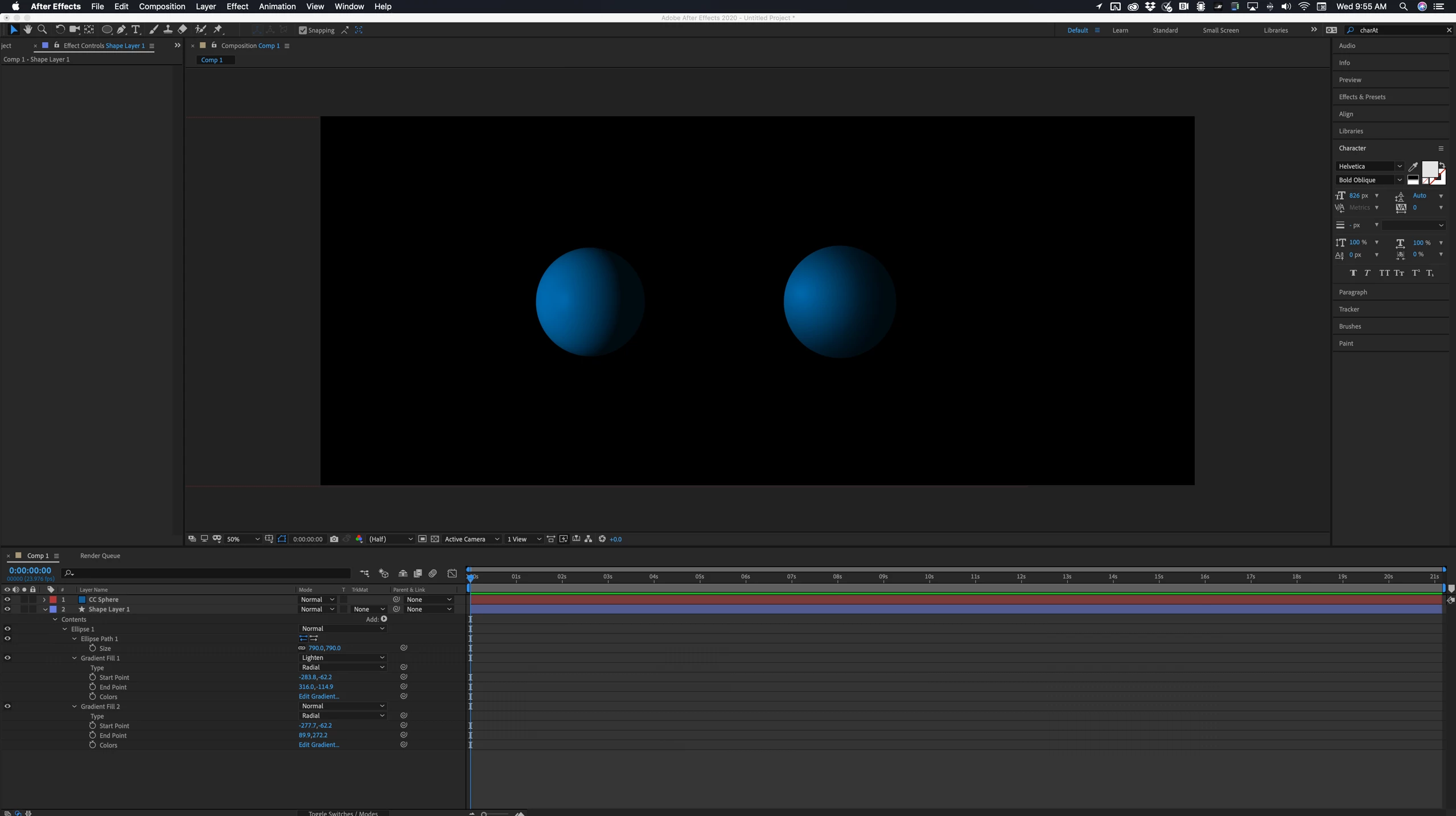
I am almost certain the Bodymovin only really exports vector graphics. I think you have run into a limitation of the system. 


If I was trying to export a simulated 3D ball to a website I would use a shape layer with a couple of gradient fills on a circle to simulate the sphere. You could even add a second shape layer to act as the shadow. This would give you a lot better chance of exporting a fully web compatible file. Can you tell which is which?


2 replies

Participating Frequently
January 17, 2020

Hi Likappvc,
have you teied using instead Adobe Animate for this animation?


Rick GerardCommunity ExpertCorrect answer
Community Expert
November 6, 2019

I am almost certain the Bodymovin only really exports vector graphics. I think you have run into a limitation of the system. 


If I was trying to export a simulated 3D ball to a website I would use a shape layer with a couple of gradient fills on a circle to simulate the sphere. You could even add a second shape layer to act as the shadow. This would give you a lot better chance of exporting a fully web compatible file. Can you tell which is which?


lukappvcAuthor
Participating Frequently
November 6, 2019

It's a shame.. But thank you very much, anyway.. 🙂

Community Expert
November 6, 2019

Try a shape layer. With a little work, you can create something that looks just like what you get in CC Sphere. You can even simulate the rolling of the ball and changing lighting.