
Participant
December 30, 2021
Question

Bodymovin plugin, AE --> illustrator document doesn't work

  • December 30, 2021
  • 2 replies
  • 1681 views

Hello,

I started using AE yesterday to create lotties. I tried to import vector illustrator documents, which I animated just for testing purposes.

The problem is that when I visualize and export with bodymovin, my image is not displayed. The animation works, but not the image.

Here is the link where you can see the animation:

https://akatek.akatest.fr/index.php/test/?preview_id=2302&preview_nonce=ef58f19d7c&preview=true 


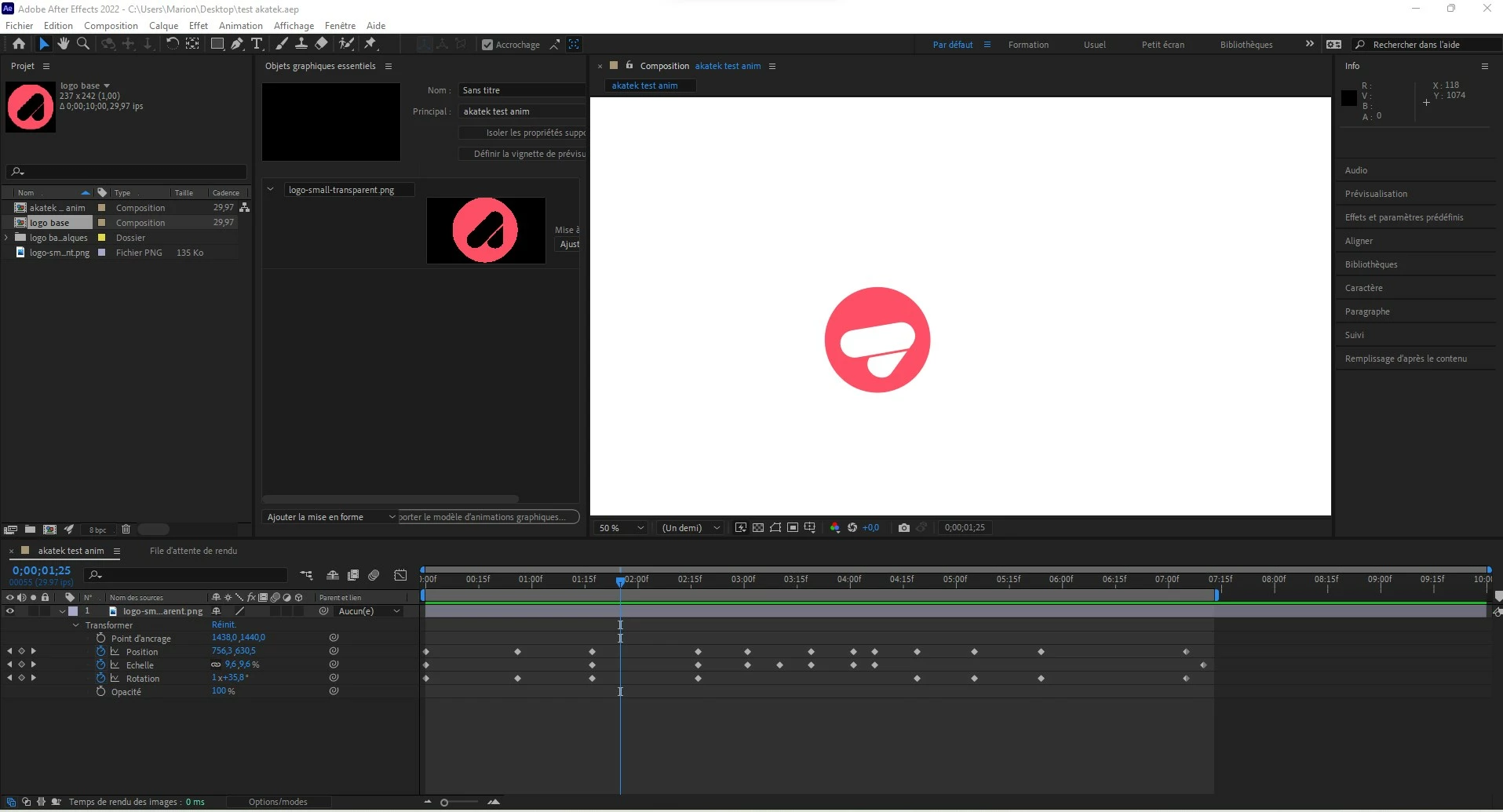
and a screenshot of the software to show you that the picture works into AE ( here it is with a .png, but with an .ai the problem remains the same )
 

Thank you in advance and please excuse my English ^^


This topic has been closed for replies.

2 replies

Participant
December 30, 2021

Hello,

I started using AE yesterday to create lotties. I tried to import vector illustrator documents, which I animated.


The problem is that when I visualize and export with bodymovin, my image is not displayed. The animation works, but not the image.

Here is the link where you can see the animation (The SSL certificate is not yet good but nothing dangerous 😞

https://www.chez-lolotte.marion-charbonnier.fr/lottie-test/


here is a screeshot of my illustrator document : 


here is a screenshot of my after effects document : 

Thank you in advance and please excuse my English ^^


(PS : J'ai recréé la publication après avoir refait tout mon travail pour être plus claire et précise, je suis désolé d'avoir créé un doublon)

nishu_kush
Community Manager
Community Manager
December 30, 2021

Merging the duplicate post.


Thanks,

Nishu

Mylenium
Legend
December 30, 2021

You need to actually publish your WP post or upload the files to a publicly accessible site. Otherwise I'm not clear what you are saying. why even use a PNG when you intend to output an SVG or canvas animation? The whole point of those formats is kind of lost by introducing pixel data. This is also explained in the docs for the extension, which you may want to revisit.


Mylenium

Participant
December 30, 2021

Hello, I was explaining that the screenshot was with a .png but only for a test. I am currently working with an .Ai ( to actually use vectors )

and indeed the site is not accessible I'm sorry I thought it was, so here is a screenshot of the animation on the internet (which works, but without the image).


The problem does not come from wp because it appears from the preview on after effects

Participant
December 30, 2021

I solved my problem by converting my .Ai layers by choosing "create shapes from vector layer", then I created a .zip containing the .json and the image folder generated by bodymovin.


Have a nice day 🙂