
Participant
March 22, 2020
Question

Bodymovin wont render

  • March 22, 2020
  • 11 replies
  • 24953 views

Hi, 

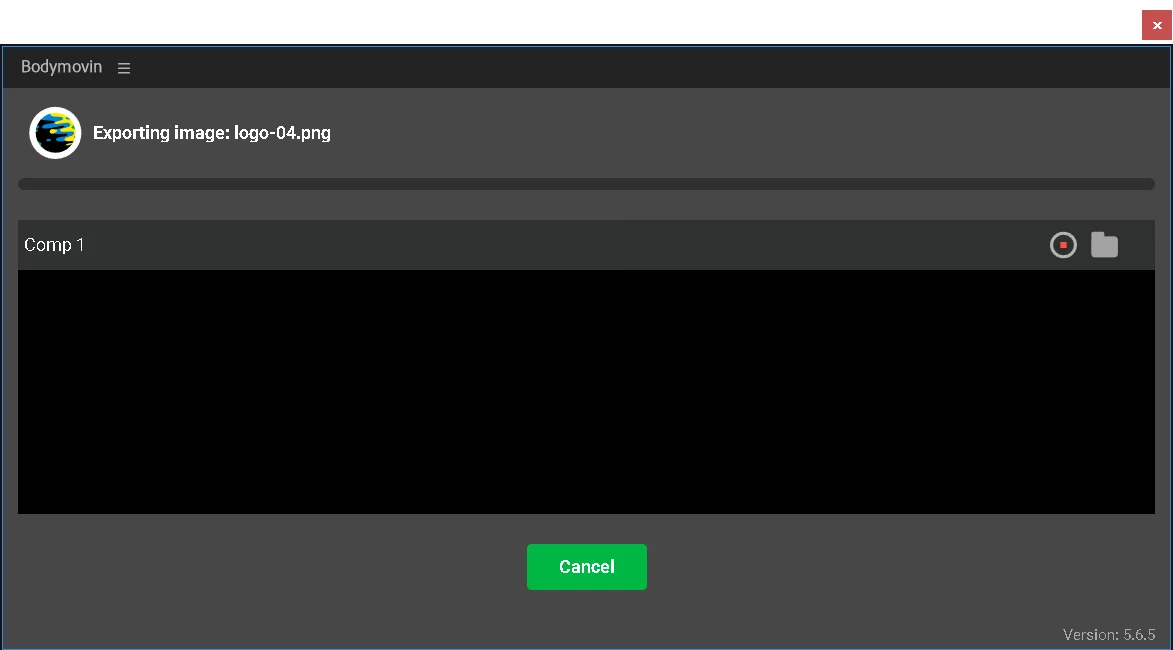
I have a problem with bodymovin exporting. I made a simple animation and I want to export it for my website. But when everything is ready and I press render button it wont render. It just keep loading and nothing is happening for a hours. Any solution please ? 
11 replies

Participant
January 29, 2025

Hey friends, if the allow to write solution doesnt work, there's probably an issue in how your files are animated. Ensure the following points are followed through: 

  • Masks should always be above when alpha matting

  • Only Fills & Strokes are applicable

  • Parented Null’s Scale should never be in negative (-)

  • Keep keyframes at 60 fps, and ensure all key frames are correctly placed exactly on timeline

  • Remove redundant keyframes

  • No extreme graph interpolation (No Auto Bezier interpolation only Linear, Ease In, Ease Out & Easy Ease)

  • Ensure there are no expressions (convert expressions to key frames) 

  • Json files do not support the following functions of After Effects, and should not be used in animation preparation:
    • Gradients
    • Effects
    • Blending Modes
    • Luma Mattes, and
    • Layer Effects.

Hope this helps someone 😄

Participant
August 9, 2024

I had the same issue while creating Telegram Stickers files. I tried the "allow to write..." solution, tried updating both After Effects and Bodymovin' but none of these fixes helped me. The solution is rather simple - Bodymovin' requires the layer structure being strict. In my case, I had several layers using the same layer as alpha matte. Don't do that. Duplicate the alpha matte layer so every masked layer has its own mask. Also, the layers should be structured in pairs - you put your mask first, then a layer that uses alpha matte on it, after that you put the next pair, and the next, and so on. If you move those layers in any other order, Bodymovin' will get stuck at "Starting render".


Participant
September 24, 2024

yeah! so THIS is the real bugfix!
Saved me several hours of searching, thank you very much!

Participant
September 24, 2024

You're very welcome!
Glad my solution is helpful.

Participant
February 23, 2024

lets be blunt, you're rude 


Participant
May 2, 2023

 I am having the same issue, it shows it is starting, but does not finish. I have been waiting for a few minutes. And I have already set the scripting as required.  

Any suggestion? 

Participant
November 28, 2022

I was almost pulling my hair out because my PNG sequence would not render with Bodymovin anymore. Also set the preferences to allow scripting. Turned out to be the import of the sequence of images. To import, only select the first image and not the whole range. The sequence is then shown with the numbers between brackets '[]' and not '{}'. After that Bodymovin will render as set (images included in the json). Hope this helps someone.

Participant
May 1, 2024

Oh my god, thank you a million times, I was about to pull my hair out too

Bailey35540701de6r
Participant
March 12, 2026

I was losing my mind thank you so much

Participant
March 29, 2022

I have been experiencing the same issue and have gone and updated both my AE as well as the Bodymovivn plugin to the latest version and it was still happening.

I fixed this by unticking the "allow scripts" under preferences in AE, quitting AE, and then relaunching and reticking that box. it has worked fine now.

Known Participant
June 8, 2021

I've noticed using Bodymovin in a project with lots of compositions, say 30+ makes the plugin unstable.

Reducing the number of comps in your project seems to make it work better and be less prone to crashes.

Participant
September 24, 2020

You're the best thank U so much

Participant
September 14, 2020

תודה רבה!!

עזרת לי מאוד 

Participant
September 1, 2020

Wanna add, this fix also took care of my issue where the render would fail. If you're a webflow user following their tutorial and your render fails, try this fix.

Participant
September 4, 2020

Perfekt if you are trying to follow the WEBFLOW tutorial on "Animate a video on scroll".

Once you enable the option "Allow Scripts to Write Files and Access Network" it will all work perfectly. 

Thank you very much!!!! 

hampusc39147581
Participant
May 14, 2021

Hi! I ran into this issue and trying to export for Webflow as you say. 

I tried to do the fix, but it still showes up black... I run CC on the M1 ship, might it be to early for that?