
Known Participant
April 25, 2021
Question

Can't export single composition from one project, all files are collected?

  • April 25, 2021
  • 1 reply
  • 363 views

Hello,


I am trying to copy one composition from one project to another. I select the comp I want to collect, then go File > Dependencies > Collect Files and make sure 'Only selected comps' is ticked.
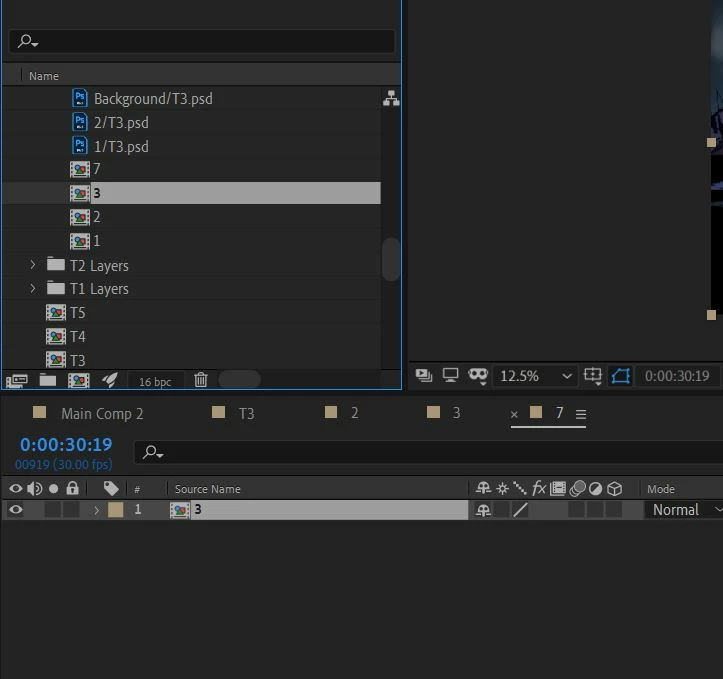


But when I proceed the whole project and all the files of that project are saved, not just the files needed for the composition I need.


What is this sorcery? I thought this would be a simple task! Any help would be appreciated

This topic has been closed for replies.

1 reply

Community Expert
April 26, 2021

What does the flow chart for Comp 3 look like? You have Comp 3 selected in the Project Panel and 7 open in the timeline, but 7 shows only comp 3 as a single layer. Without a view of the flowchart, I have no idea of which files are included in Comp 3. 


I've never had a problem collecting files. Without seeing the flowchart and the folder and its contents that are created when you collect files I have no idea whether or not you are having a problem either. 


Known Participant
April 26, 2021

Thanks for taking the time to respond Gerard and apologies for the delay in response I was in bed when you replied.


Here is another screenshot - it doesn't matter what composition is selected/highlighted, the collect files window, with 'reduce files' selected, always says all the files in the project (including total 3GB size) will be collected:


Temporary solution to the problem is to go File > Reduce Project > Save, then just collect the files that are left. Basically delete everything that is not highlighted (everything aside from composition 3 in the image above), save in a new name, then collect the files in a new folder.