Inspiring
August 8, 2018
Question

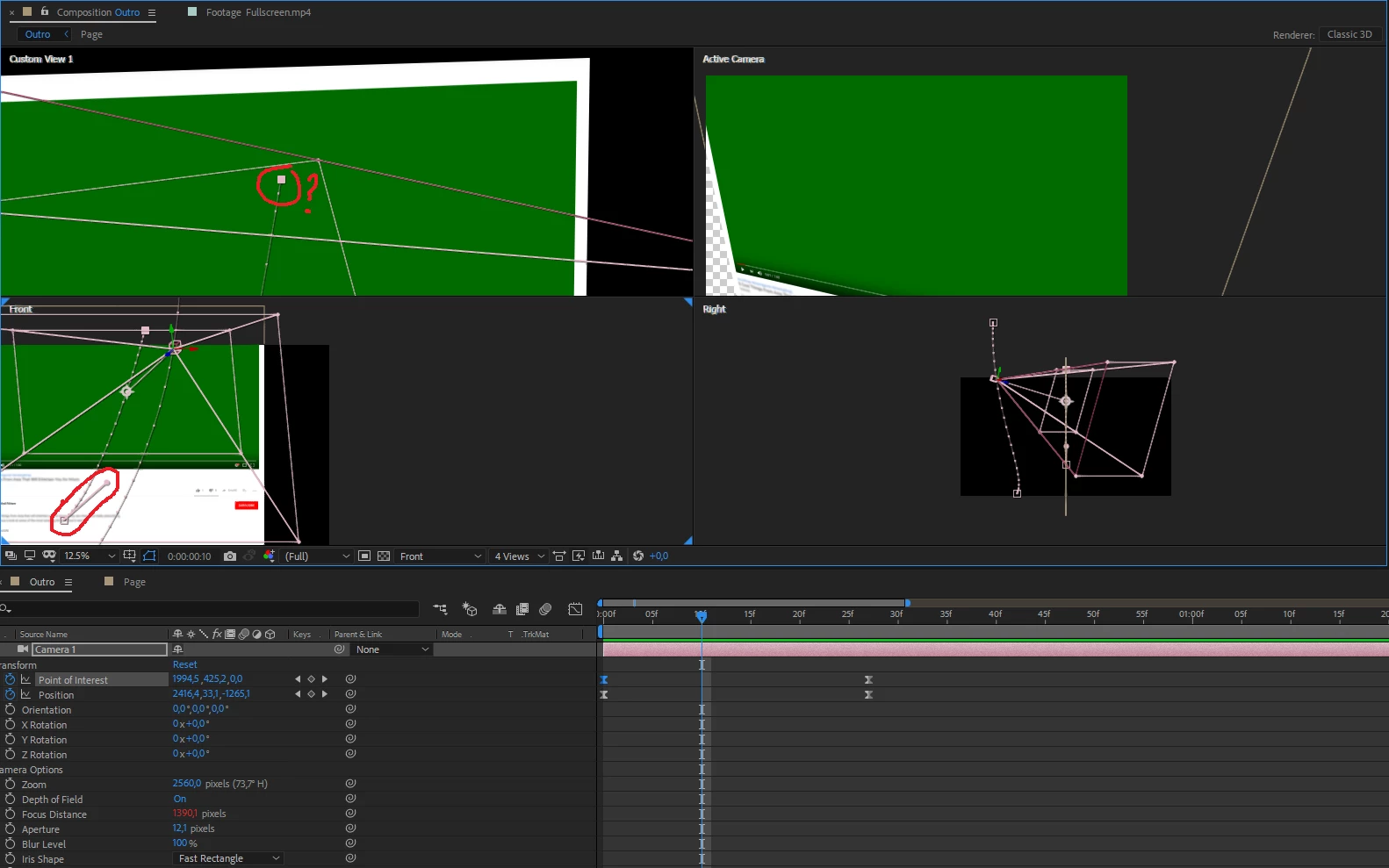
Can't grab bezier handle

  • August 8, 2018
  • 2 replies
  • 4577 views

I managed to grab it for one key frame (at the bottom of front view) and can't do the same for the other. Is there any way to fix that?

    This topic has been closed for replies.

    2 replies

    Community Expert
    August 9, 2018

    Activate the Convert Vertex Tool, click on that point and if Handles do not appear, click again on that same point.

    Regards!

    Byron.
    P.M.B
    Legend
    August 9, 2018

    byroncortezh  wrote

    Activate the Convert Vertex Tool, click on that point and if Handles do not appear, click again on that same point.

    Ahhh.   I said to hold alt & click which automatically activates the convert tool if the pen is selected.

    But I was only assuming they already had the pen tool selected.  I need to be more specific. 

    ~Gutterfish
    Community Expert
    August 9, 2018

    Hahahah do not worry Gutterfish, after all the issue is that we give a solution to these guys here

    Byron.
    P.M.B
    Legend
    August 9, 2018

    Try ALT+Click on the vertex

    ~Gutterfish
    JupersAuthor
    Inspiring
    August 9, 2018

    Nothing happens

    P.M.B
    Legend
    August 9, 2018

    It could be that you created a non bezier path.  Twirl open the shape layer until you expose the path, right click on it and convert to bezier path.

    ~Gutterfish