
Inspiring
May 13, 2023
Answered

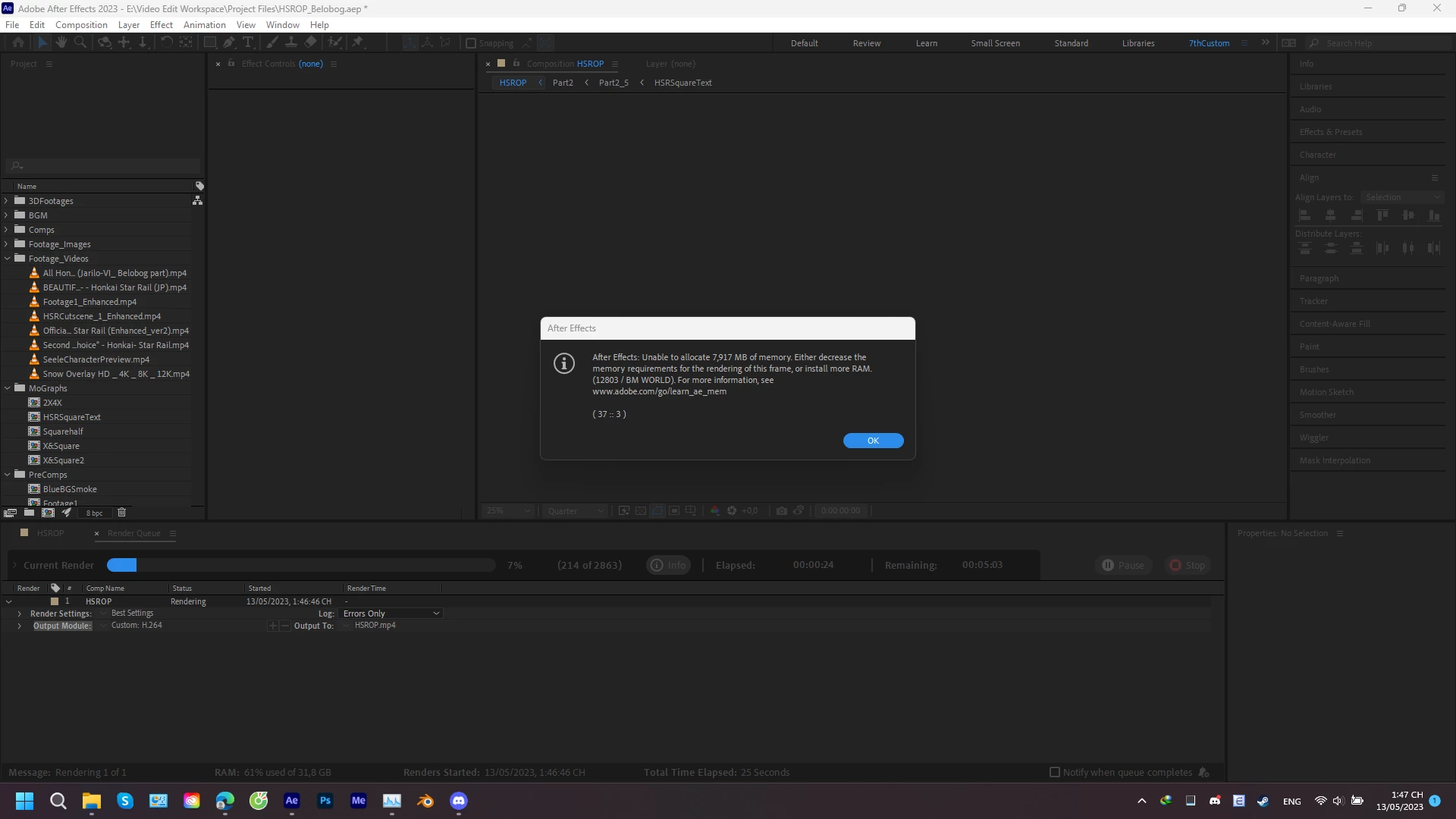
Can't render in After Effect because it can't clean RAM while rendering

  • May 13, 2023
  • 3 replies
  • 1882 views

Hello everyone!

After updating After Effect to version 23.4, I met a very serious problem that didn't happen to me in version 23.3. When rendering the same project in version 23.3, I met a problem where all my RAM was eaten up by After Effect, and only about 5-10s after starting rendering, the app will inform me that there is not enough RAM for the app to render. This didn't happen in version 23.3 since Ae only uses about 10GB of RAM to render or so. What should I do about this? Do I need 200GB RAM to be able to render in Ae? I don't want to use Media Encoder since it's slow and the Dynamic Link won't always work.

My NVIDIA driver is Studio Driver and it's up-to-date.

I attached my system info in the post.
 

This topic has been closed for replies.
Correct answer SaturdaySeventh

I found a workaround for this problem. First, disable the Layer Cache by holding Shift while opening the General tab in Preference. Then adjust the purge of every x frame into 400 or 500 depending on how much RAM you have (in my case 300 for heavy projects) so that the app will free the RAM automatically after every x frame you have set.

3 replies

dparsons85
Legend
October 5, 2023

Thanks for sharing! I've been having a lot of memory problems in AE 23 and nothing I've tried yet has worked. Hoping this is the fix

SaturdaySeventhAuthorCorrect answer
Inspiring
May 13, 2023

I found a workaround for this problem. First, disable the Layer Cache by holding Shift while opening the General tab in Preference. Then adjust the purge of every x frame into 400 or 500 depending on how much RAM you have (in my case 300 for heavy projects) so that the app will free the RAM automatically after every x frame you have set.

ShiveringCactus
Community Expert
Community Expert
May 14, 2023

Nice workaround and thank you for coming back to share it.  

Mylenium
Legend
May 13, 2023

Without any info about your system, the contents of the project, render settings and so on we can't realyl tell you much. as a start turn off multiframe rendering and check your hardware acceleration.


Mylenium

Inspiring
May 13, 2023

I did attach the dxdiag file as the system info, render setting is an Ae template in H.246. My project indeed has a lot of effect, but I think I do well in compositing so I don't think it's a problem.