
Participant
September 24, 2024
Answered

Cannot import PSD file to AE.

  • September 24, 2024
  • 2 replies
  • 1445 views

Hi!

I'm having an issue importing an PSD file to AE. It just freeze my AE and nothing happen. My rainbow wheel just spins forever, so my only option is to force quit the app at the manager. I've tried it in two projects with no sucess.
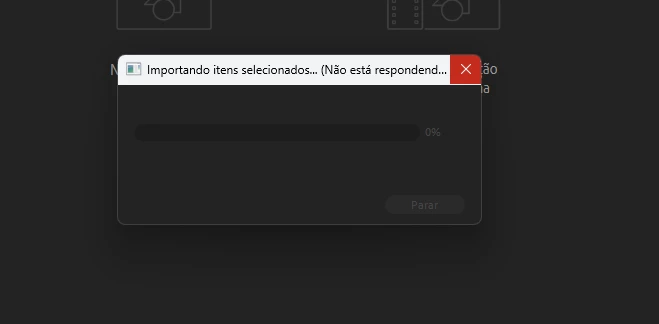
This topic has been closed for replies.
Correct answer rodrigo339448951elv

What happens if you start After Effects in Safe Mode and then try to import the layered PSD?


Well...


In safe mode, it worked. Any idea of what could be causing the problem?

Wish I could import my PSD files normally. ^^

2 replies

Participant
December 3, 2024

Hi, I cannot import any .psd file in to Adobe Premiere -Versión 25 compilacion 61-.

Anyone having the same problem. Any advice is being welcome.

thanks in advance.

Warren Heaton
Community Expert
Community Expert
September 24, 2024

Sorry to hear that this is happening.  The hardest part is usually selecting which options want (as footage merged, as footage choosing a layer, as a Composition retaining layer sizes, as a Composition retaining the canvas size for each layer).

To troubleshoot this, it would help to have more information:

  • Which version of After Effects are you using?
  • Which version of Photoshop are you using?
  • What is the Color Mode of the layered Photoshop document?
  • What is the image size in pixels of the document, and more importantly, what does Photoshop show for document Efficiency on the Photoshop side?
  • Which OS are you using?
  • What are your system specifications (amount of RAM, type of storage media and capacity, type of GPU and amount of display RAM)


Participant
September 25, 2024

Hey there! Thanks for the help!


So the information you asked for:


  • 24.6.2 (Up to date);
  • 25.12 (Up to date);
  • RGB;
  • Resolution of 300px (couldn't understand how to verify the "document Efficiency on the Photoshop side")
  • Windows 11;
  • My specs are:
    • 32gb RAM memory 3000hz;
    • GTX 660 (kinda old, but I'm willing to change it);
    • 2TB SSD;
    • Ryzen 5 3500x;


Let me know if you need any more informations.

Warren Heaton
Community Expert
Community Expert
September 25, 2024

I'm not sure a late 2019 AMD Ryzen 5 3500X with 32GB RAM, 2TB SSD, and 2GB of display ram is going to win any render races, but it should be able to finish the race - and import a layered PSD.  Unless, maybe, if the layered PSD is what's referred to as a "heavy" Photoshop document.

It would be helpful to know what Photoshop shows as the Document Sizes, Document Dimensions, and Efficiency.

This animated GIF shows how to find that information.