

Answered
Cannot select "Leave all Attributes.." when pre-comping / option is grayed out
Hi,
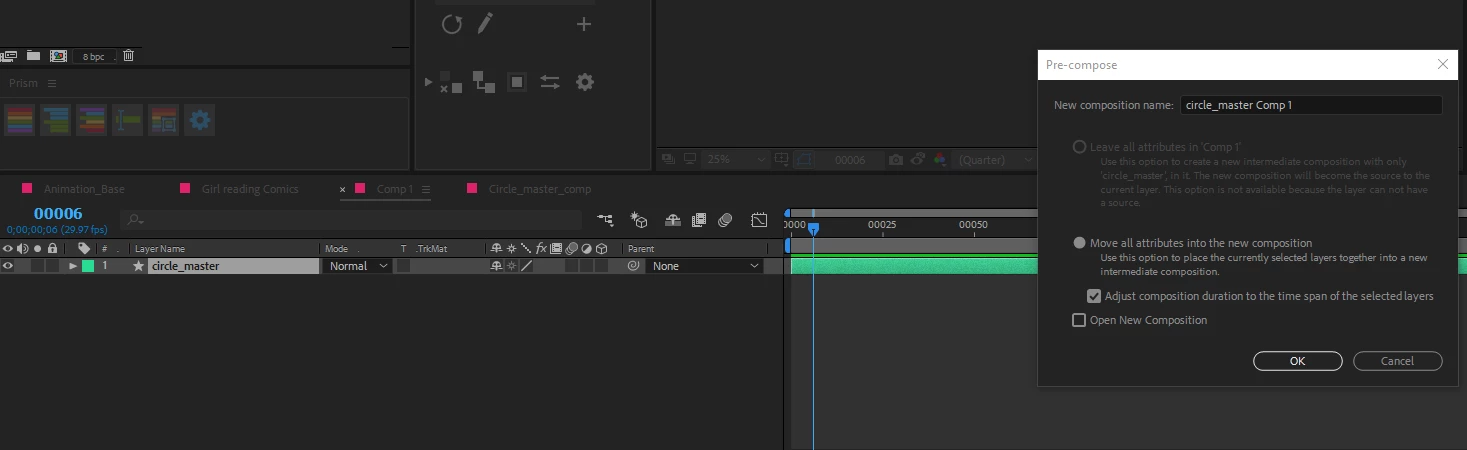
I'm working in Adobe After Effects CC 2018 and am having an issue with creating pre-compositions. I have one layer selected (a shape layer) and I would like to pre-comp it and leave all attributes in the composition. However when I go to pre-comp the layer that option is grayed out and it reads at the end "This option is not available because the layer can not have a source."
I'm not sure what that means?? I'm trying to follow along a tutorial - everything I've found so far online seems to be able to select this option no problem when pre-comping.
Any ideas how to fix this / why it's happening? Much appreciated!
 AdChoices