
tracyb40812317
Participant
December 1, 2017
Answered

CC Vignette artifacts my comp

  • December 1, 2017
  • 2 replies
  • 1260 views

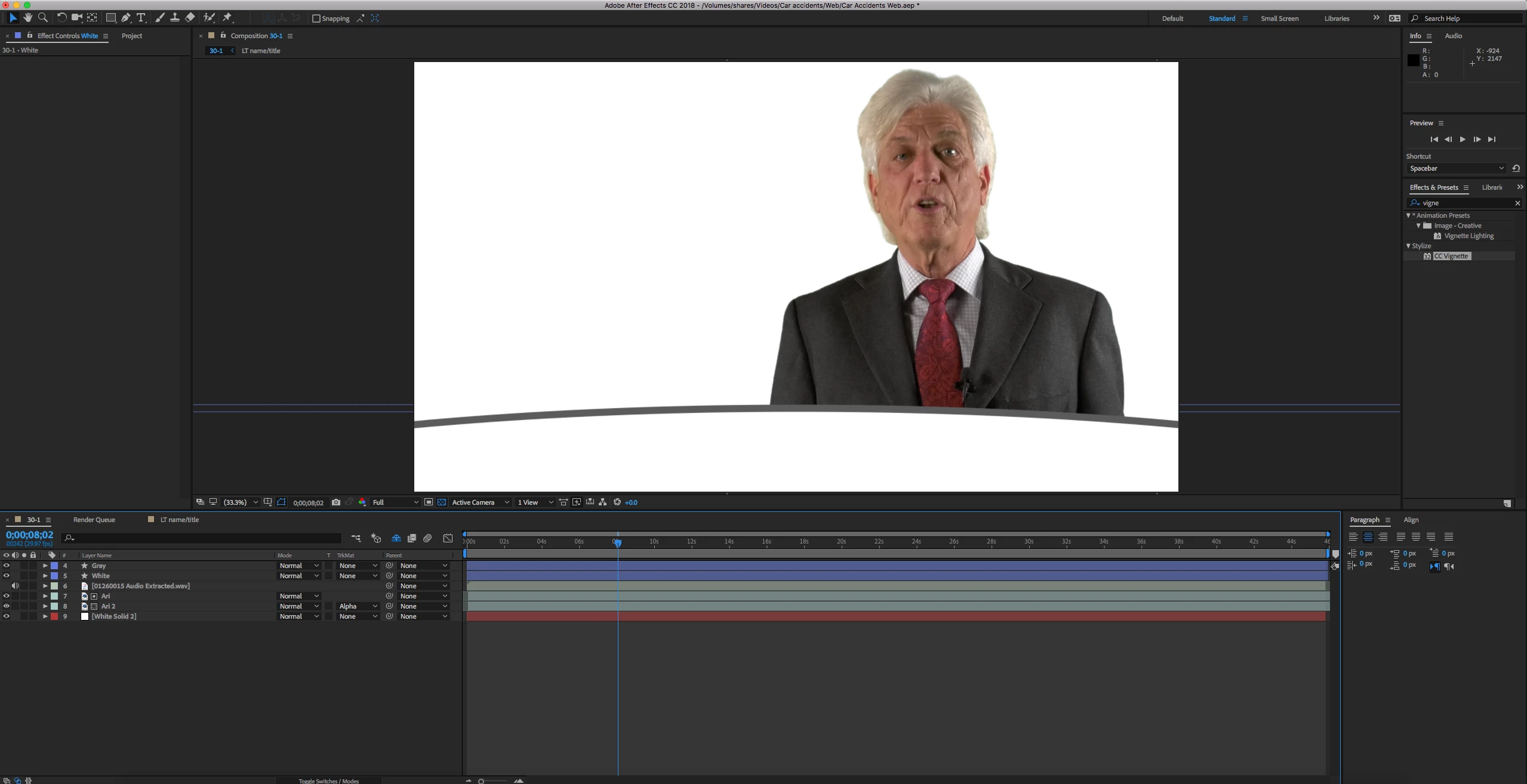
I have been having an issue using CC Vignette.  About 50% of the time I add it to a comp, it ruins it.  I don't know exactly how to explain it, but considering that I haven't found anyone else with this issue, I am assuming it is user error in my project.  Here are some screen shots.

Before:
After:
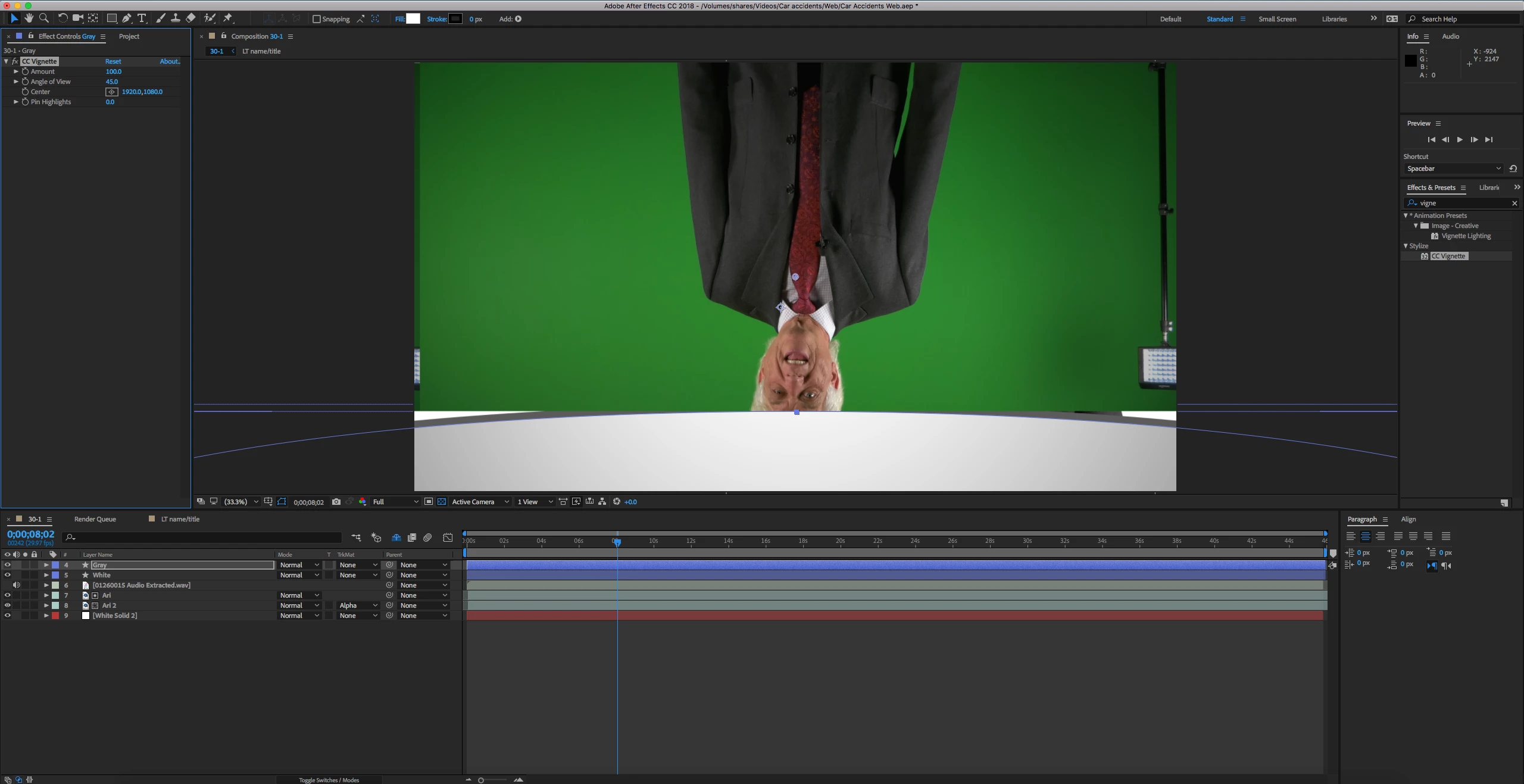
Why would this happen?

I am running 15.0.0.

If you need any more information please let me know!

This topic has been closed for replies.
Correct answer Mylenium

You are employing a wrong workflow. All that is required is to pre-compose your keying and then use the resulting pre-comp as a layer. Furthermore it makes totally no sense to use shape layers instead of conventional solids for covering an entire comp due to how some specifics of how shape layers render may interfere with effects. So there you go - you are messing up the render order. That's all that's going on and easy to straighten out.

Mylenium

2 replies

Roei Tzoref
Legend
December 1, 2017

keep in mind CC Vignette needs pixels. if you have transparent areas in your full frame it won't work properly and you are better off using a black solid layer with an inverted ellipse mask and some feather and reduce opacity. or you could use the vignette that comes with lumetri effect. simply change the amount for darken or lighten.

tracyb40812317
Participant
December 1, 2017

I didn't know that the lumetri effect had a vignette effect loaded in.  Thanks for the info and ideas on how to better create this effect!

Mylenium
MyleniumCorrect answer
Legend
December 1, 2017

You are employing a wrong workflow. All that is required is to pre-compose your keying and then use the resulting pre-comp as a layer. Furthermore it makes totally no sense to use shape layers instead of conventional solids for covering an entire comp due to how some specifics of how shape layers render may interfere with effects. So there you go - you are messing up the render order. That's all that's going on and easy to straighten out.

Mylenium

tracyb40812317
Participant
December 1, 2017

Thank you for straightening me out! I assumed it was something I was doing, as I am self-taught on this software and learn something new every day!

The fact of using a mask on a Solid to create a simple lower third, instead of the shapes that I have been using, has never even crossed my mind.  That is very interesting that the shapes would mess with effects differently than solids!  I wonder why that is?