
Participant
November 4, 2020
Answered

Center Mask With Text path. After Effects

  • November 4, 2020
  • 3 replies
  • 1131 views

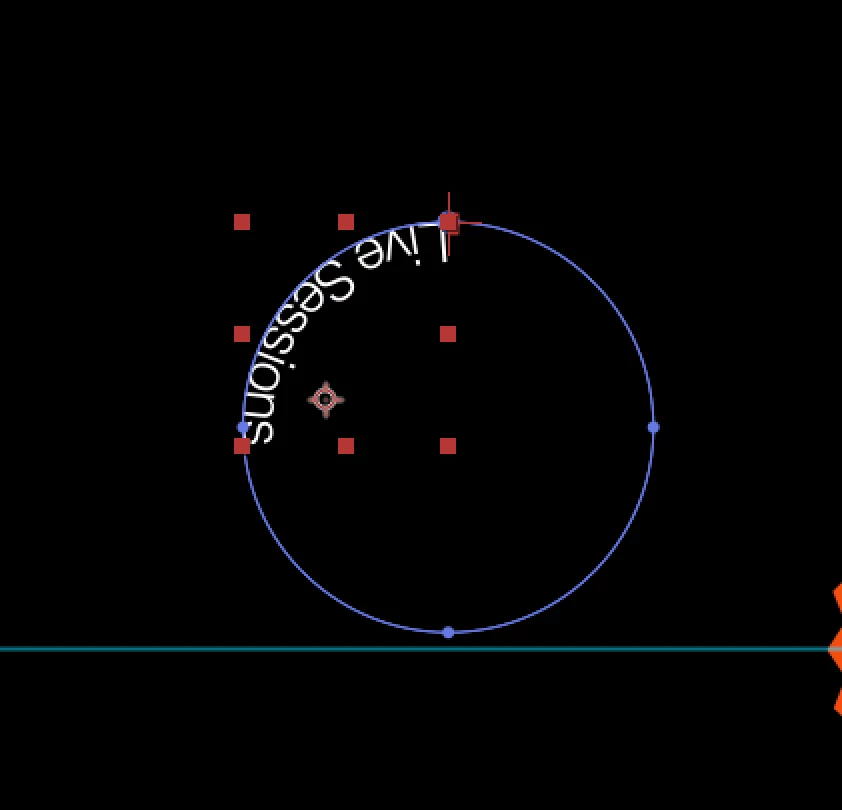
Hi, how could i center my anchor point of a text to the center of the mask insted to the center of the text?

I want the anchor point centered with the blue circle (mask)


Moved from Using the Community (which is about the forums) to a better forum... Mod
To find a forum for your program please start at https://community.adobe.com/
This topic has been closed for replies.
Correct answer Rick Gerard

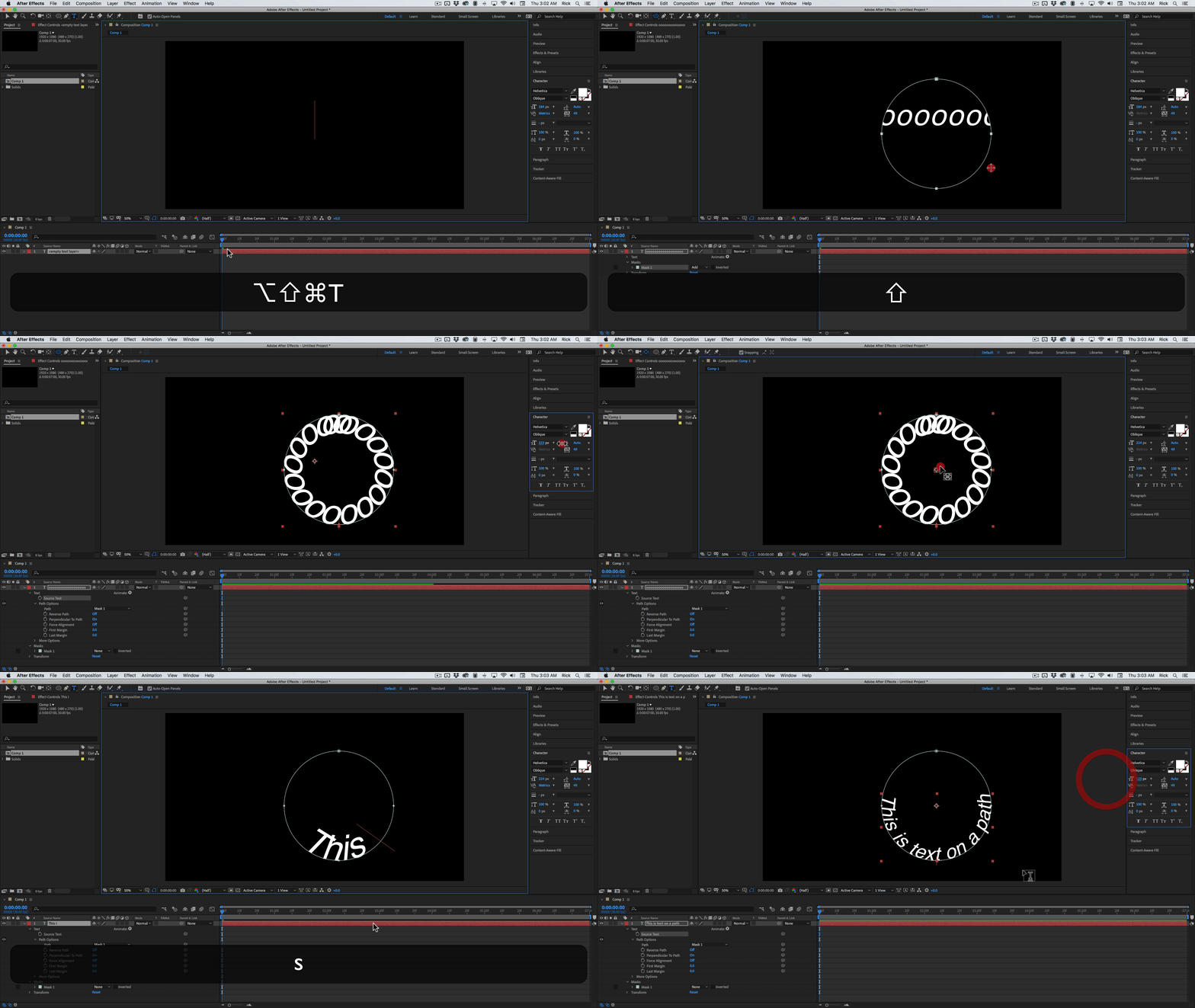
The only way to get snapping to work when you put text on a mask path is to fill the entire path with text. I would use a string of iiiiiiiiii or ooooooooo, make sure snapping is turned on, move the Anchor Point to the center, then double click the text layer to select all the type and enter the words you want. Something like this:

3 replies

Rick GerardCommunity ExpertCorrect answer
Community Expert
November 5, 2020

The only way to get snapping to work when you put text on a mask path is to fill the entire path with text. I would use a string of iiiiiiiiii or ooooooooo, make sure snapping is turned on, move the Anchor Point to the center, then double click the text layer to select all the type and enter the words you want. Something like this:

Roland Kahlenberg
Legend
November 5, 2020

Use AE's Snap Feature BUT first ensure you enable the first option (snap along edges, extending beyonf layer boundaries). See image below

HTH


Very Advanced After Effects Training | Adaptive & Responsive Toolkits | Intelligent Design Assets (IDAs) | MoGraph Design System DEV
miquelp96Author
Participant
November 5, 2020

But snapping doesn't work with the mask on text layers. The anchor point is referenced to the text, not the circle (mask).

Roland Kahlenberg
Legend
November 5, 2020

Read Carefully -


Use AE's Snap Feature BUT first ensure you enable the first option (snap along edges, extending beyonf layer boundaries).

Very Advanced After Effects Training | Adaptive & Responsive Toolkits | Intelligent Design Assets (IDAs) | MoGraph Design System DEV
Community Expert
November 4, 2020

Probably the easiest pixel perfect solution is to create a new square solid that is the same size as the circle, double click the Ellipse tool to create a circular mask, press Alt/Option + m to set a mask keyframe on the solid, then select the mask keyframe and cut it or copy it.


Now make sure that the baseline shift is set and your paragraph is set to center on the text layer, select the pen tool, start a mask on the text layer anywhere by a single click of the pen tool and paste. This will put your mask in the center of the text layer. You can then adjust the layer position as needed.


The other option is to zoom in (magnify) the comp panel, carefully align the ellipse tool with the anchor point, then hold down the Ctrl/Cmnd and Shift key to draw a circular mask by hand. Sometimes setting guides will help. This technique is not pixel perfect but it is what I usually do when I need to center a mask on a text layer.


Unfortunately, snapping does not work with masks on text layers.