
Exit
  • Global community
    • Language:
      • Deutsch
      • English
      • Español
      • Français
      • Português
  • 日本語コミュニティ
  • 한국 커뮤니티
0

Centered wave warp

New Here ,
Dec 07, 2018 Dec 07, 2018

Hi,

I'm animating the wave length of a wave warp but would like the animation to be centered so that additional waves comes from both sides. Right now the wave is left aligned and all the additional waves come in from the right.

I've tried to have two lines to animate and to flip one horizontally but the wave warp effect seemt to disregard the orientation of the line.
3.2K
Translate
Report
Community guidelines
Be kind and respectful, give credit to the original source of content, and search for duplicates before posting. Learn more
community guidelines

correct answers 1 Correct answer

Guide , Dec 07, 2018 Dec 07, 2018

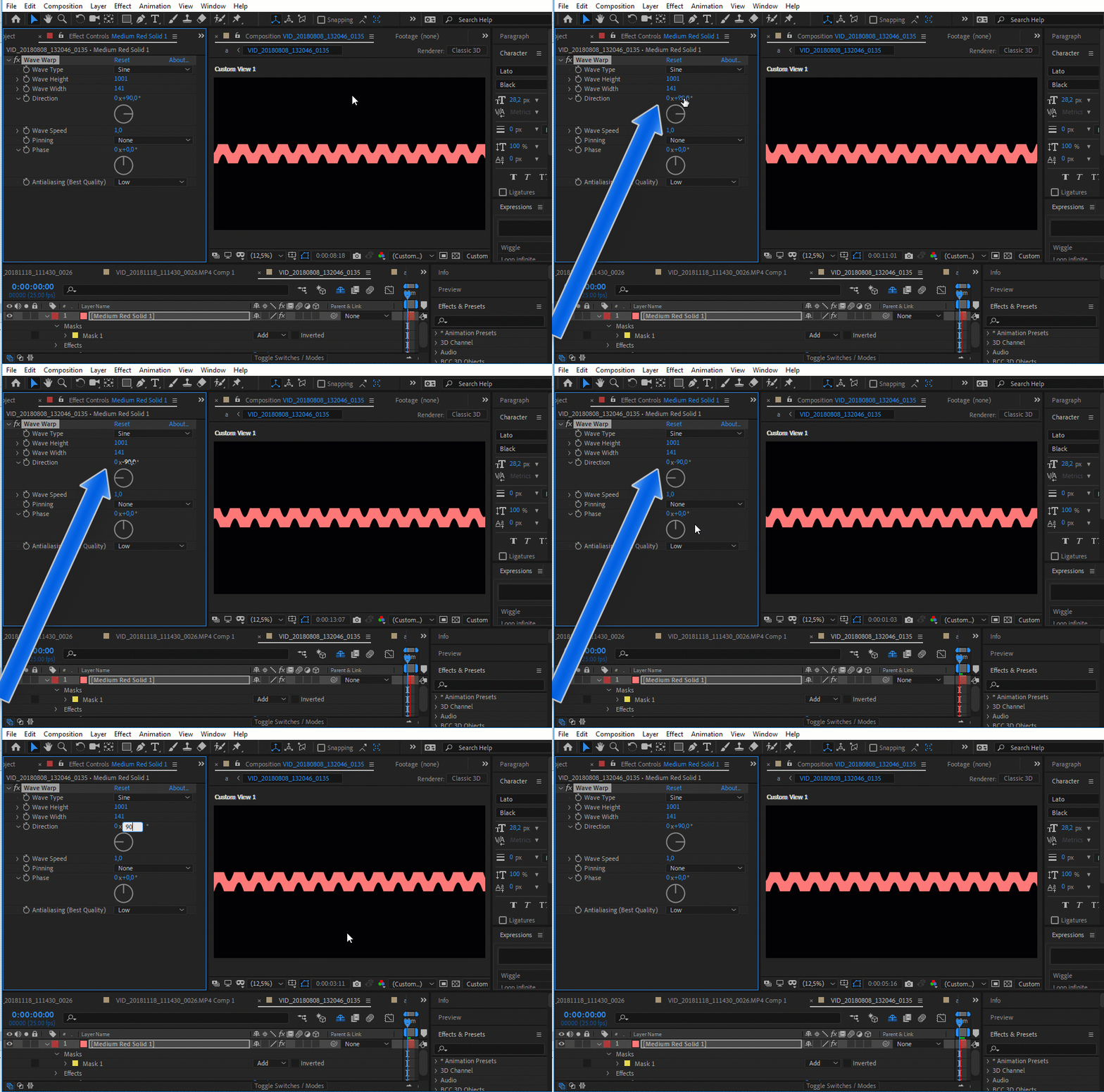
To change direction of wave you have to change Direction value in Wave Warp effect settings

direction.gif

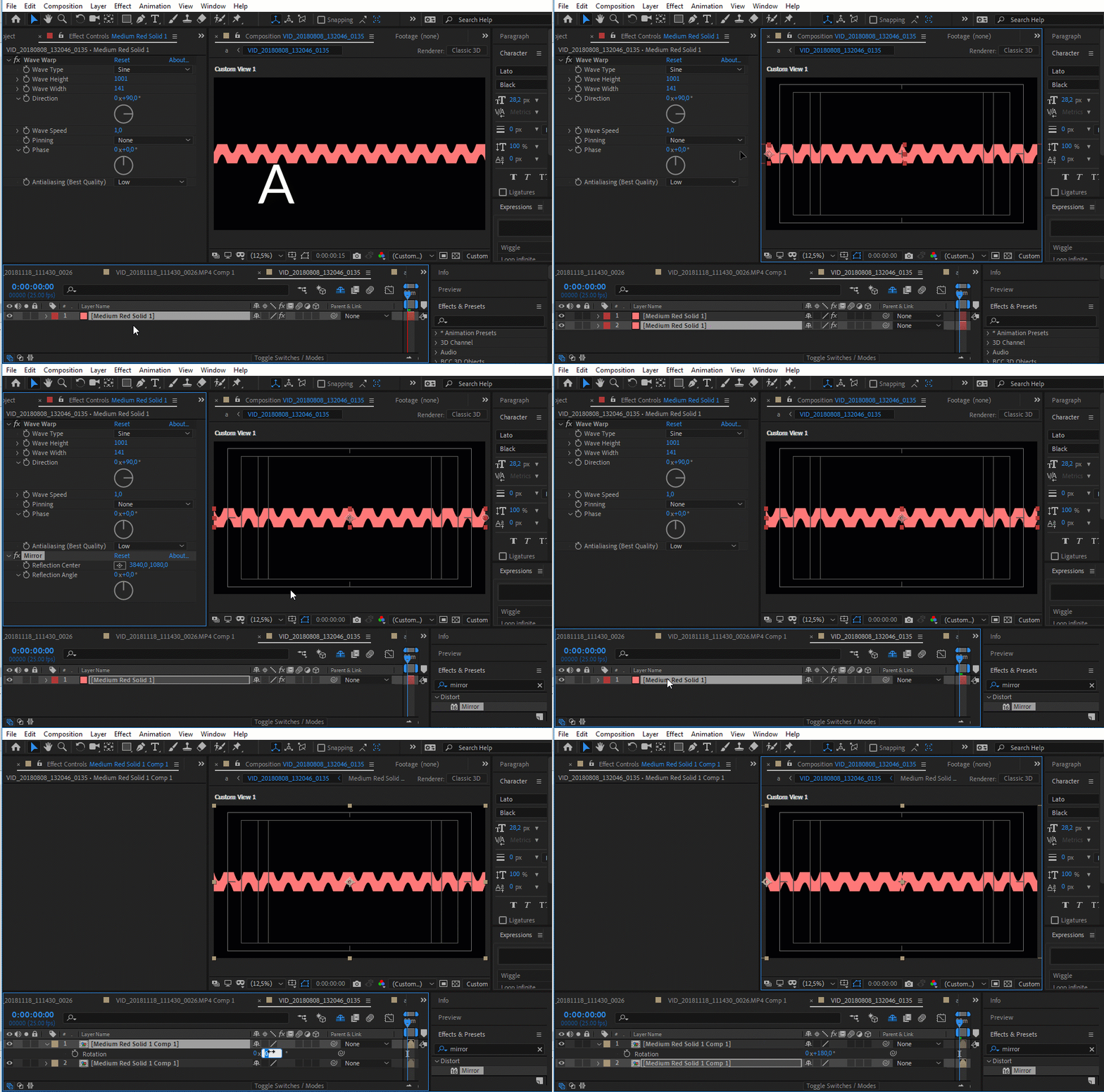
As for making wave warp to generate waves from left and right to the center you have several choices. Three of them are:
a) duplicate your layer and change direction of Waves on second layer. Then move or mask parts that you dont need to see (depends of what you animating)
b) use Mirror effetc on top of Wave Warp
c) put Wave Warp on layer, pre comp that layer, duplicate, rotate that duplicated layer. After th

...
Translate
Guide ,
Dec 07, 2018 Dec 07, 2018

To change direction of wave you have to change Direction value in Wave Warp effect settings

direction.gif

As for making wave warp to generate waves from left and right to the center you have several choices. Three of them are:
a) duplicate your layer and change direction of Waves on second layer. Then move or mask parts that you dont need to see (depends of what you animating)
b) use Mirror effetc on top of Wave Warp
c) put Wave Warp on layer, pre comp that layer, duplicate, rotate that duplicated layer. After that move or mask depend on what you ar actually warping.

mirror.gif

Translate
Report
Community guidelines
Be kind and respectful, give credit to the original source of content, and search for duplicates before posting. Learn more
community guidelines
New Here ,
Dec 07, 2018 Dec 07, 2018

Thank you for your answer!

I tried direction and mirror effect but neither worked as I'm animating the width.

The pre comp worked but the two ends don't line up unfortunatly.

sine.gif

Translate
Report
Community guidelines
Be kind and respectful, give credit to the original source of content, and search for duplicates before posting. Learn more
community guidelines
People's Champ ,
Dec 07, 2018 Dec 07, 2018
LATEST

Maybe try the ripple effect.

~Gutterfish
Translate
Report
Community guidelines
Be kind and respectful, give credit to the original source of content, and search for duplicates before posting. Learn more
community guidelines