
Participant
January 31, 2022
Question

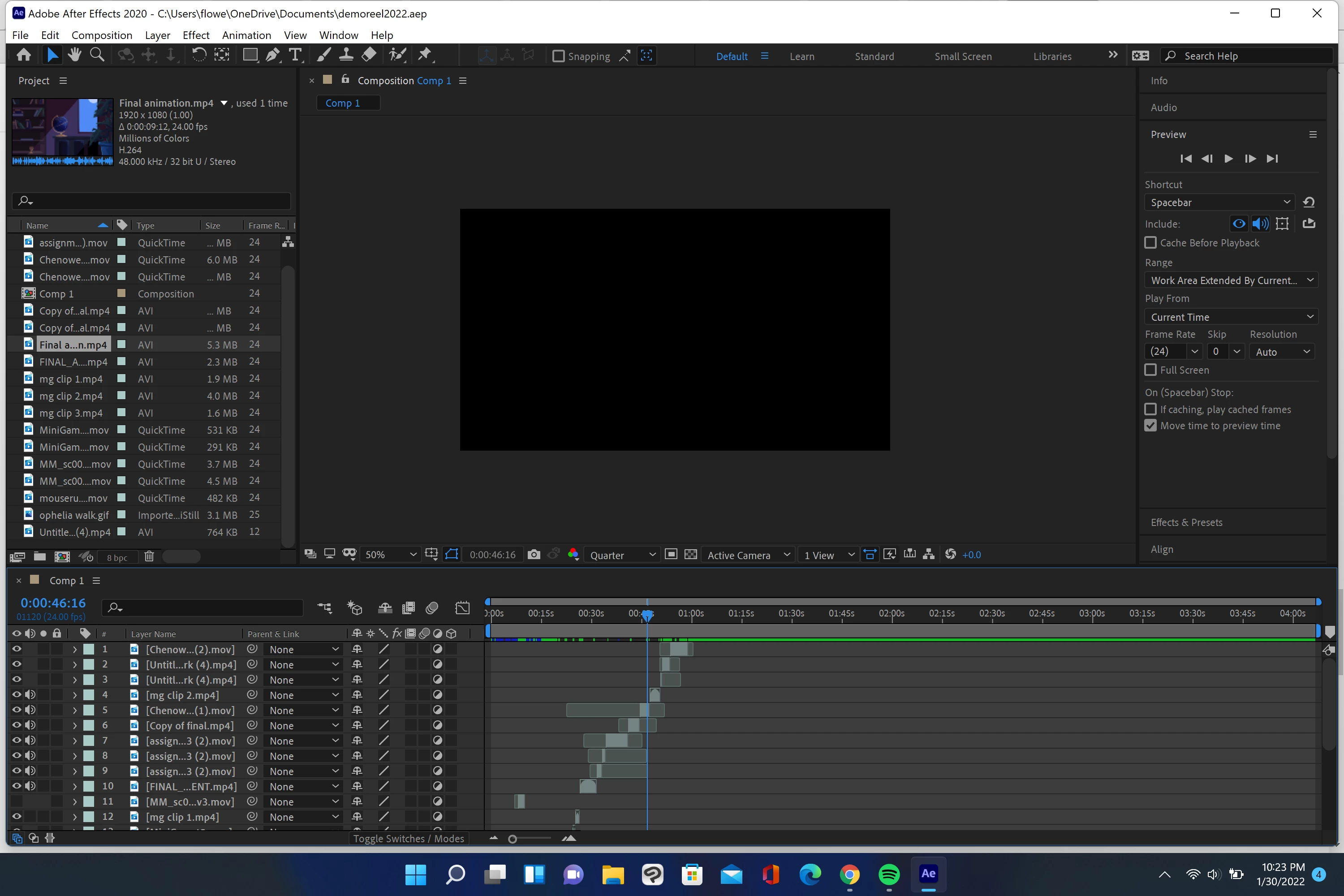
Certain Frames showing up black

  • January 31, 2022
  • 2 replies
  • 290 views

I was working on my demo reel and when I tried to shift some clips over, the clips I shifted turned black. The others play just fine and the black clips play fine in layer view but not on the main comp view. I made sure wireframe isn't on and I cleared my cache. Any help would be greatly appreciated!
 

This topic has been closed for replies.

2 replies

Kyle Hamrick
Community Expert
Community Expert
January 31, 2022

This isn't exactly an answer to your question, but I'll add the recommendation that if you're doing straight editing work, that's what Premiere is for! You'll be much happier with the playback and flexibility of moving things around. 

If you create a Premiere timeline with the correct settings, you can actually just copy/paste your clips into there. 🙂 

Participant
February 2, 2022

I ended up redoing it in premier, it was much easier, thank you!

Mylenium
Legend
January 31, 2022

Standard answer: Check your hardware acceleration options and update your graphics driver. Disable hardware acceleration if nothing else fixes the issue.


Mylenium

Participant
January 31, 2022

Unfortunately I didn't have any luck with these! I updated my driver to the most recent NVIDIA driver and also tried disabling the hardware acceleration but the clips are still not showing up. Thank you for your suggestions!