
Certain layers 'go bright' when exporting from After Effects, to PPro, to disc.
Very frustrating problem.
Here is the work flow:
Dark scene, imported a couple png images made in photoshop. (Blinds and Chairs)
I corrected the layers, made them nice and dark to match the scene. Looks great on timeline.
1) exported the comp using ProRes (also used GoPro)
2) Imported that video into PPro. (also looks great on the PPro timeline)
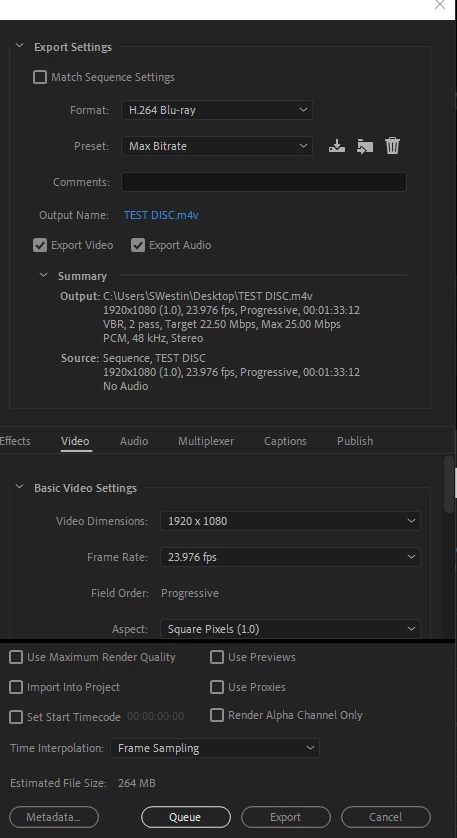
3) exported using h.264 bluray.
Here is what the scene looks like on the timelines: (blinds and chairs looks good, nice and dark)
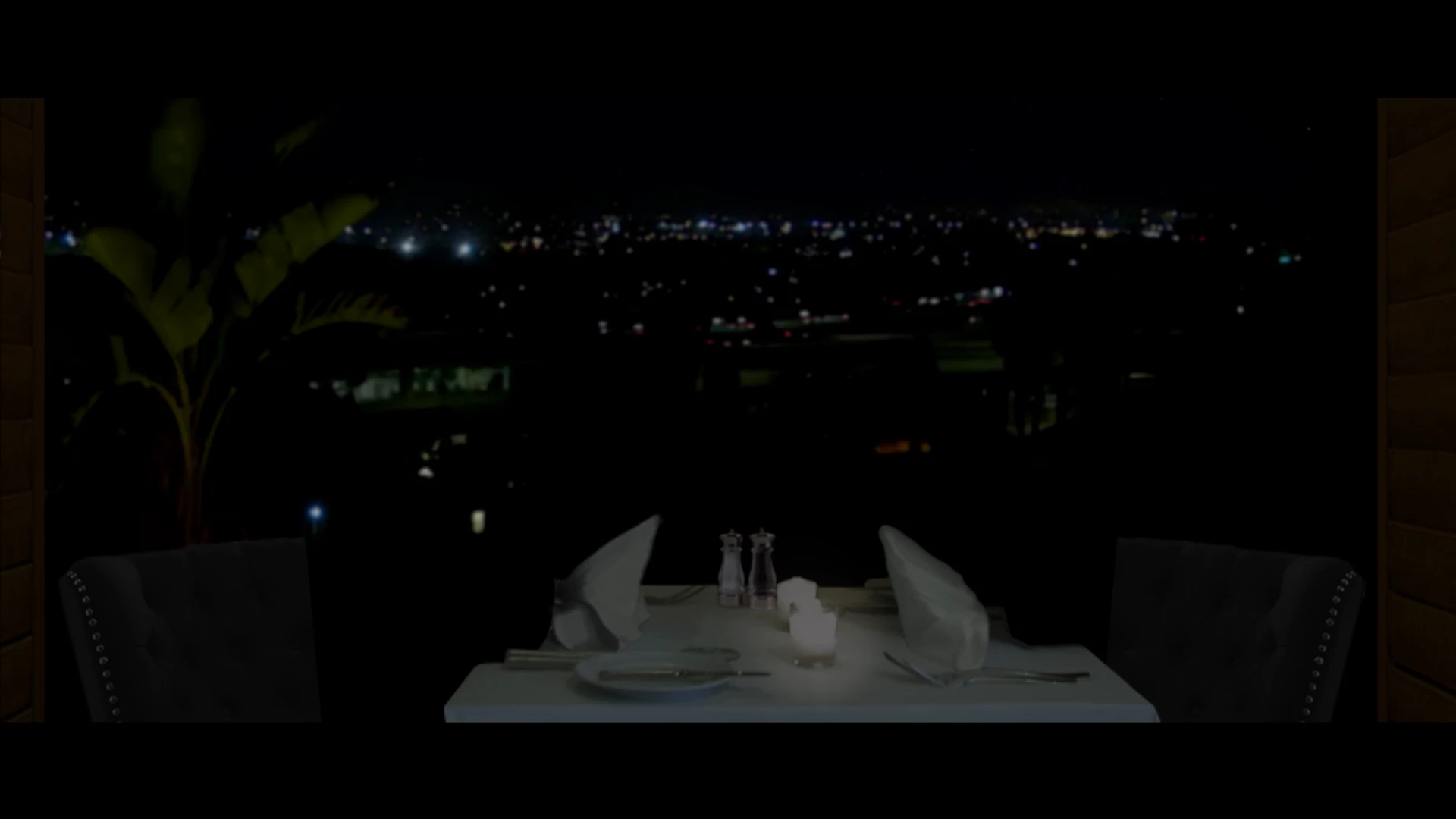
Now, I pop the bluray into the player and I get this below: (Not sure how it looks on your monitor, but the chairs and blinds are brighter and stick out.
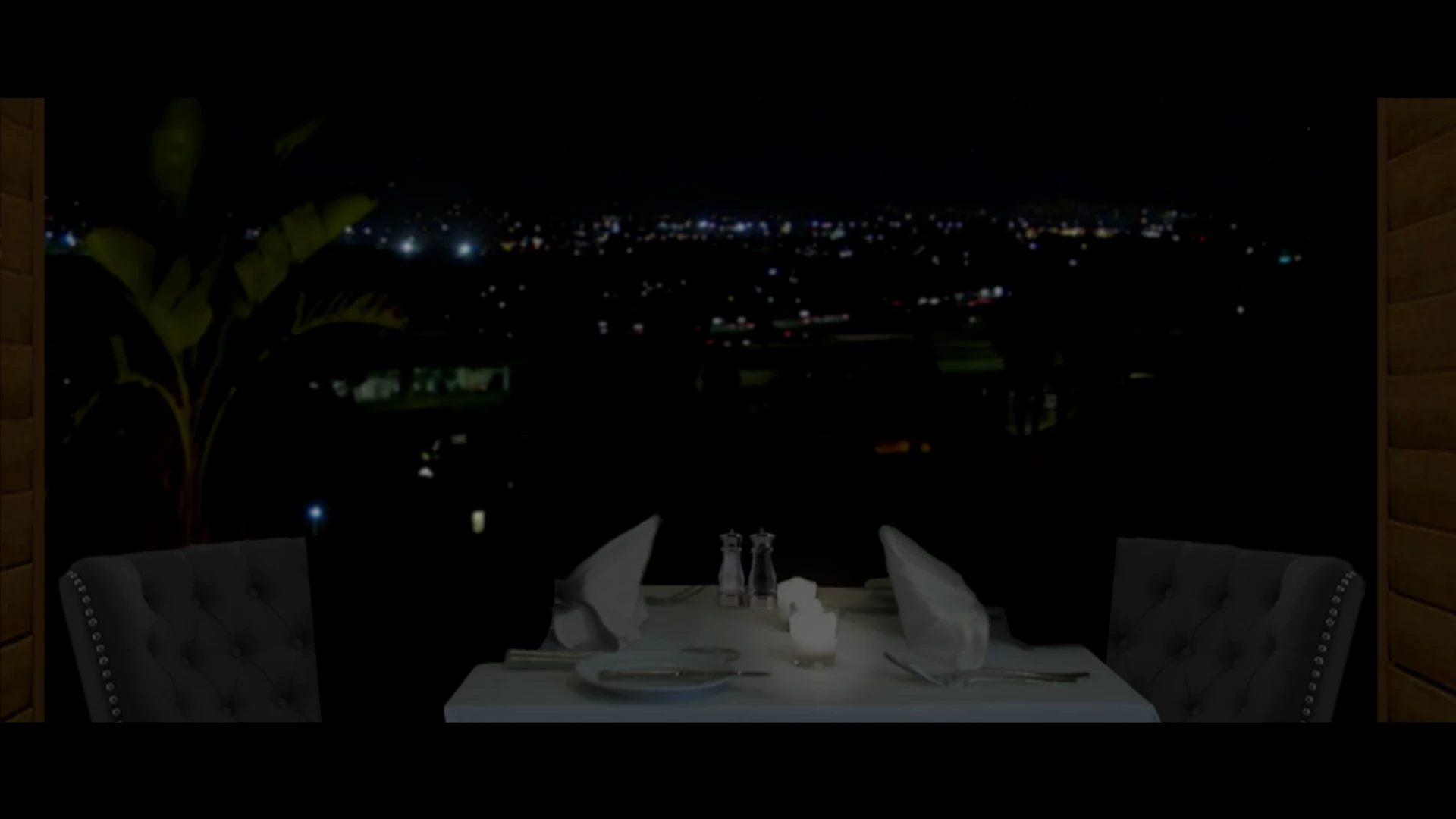
On the HDTV ONLY the blinds and chairs are much brighter than shown in this photo.
The HDTV calibrations are decent. Plays commercial discs fine, and other exports I make from the PPro timeline look fine on the tv. A pinch bright, but otherwise, fine.
I have tried multipe tests for days:
1) lower opacity (w/a solid black background)
2) darken
3) change the AE project bit (currently 16bit) , tried 32 and 8bit, same results.
4) lowered the black levels
5) lowered the exposure, lowered the image gamma in 'levels' NO CHANGE!!! ???
6) deleted, reinstall. wash, rinse, repeat....
7) ran it with and without color management!
It's always bright! is it possessed?
Monitor is calibrated at rec709 gamma 2.4
Standard Video 8bit (old school) latest AE, PPro, AME GTX1050ti gpu 32gb Ryzen 7. Solid computer set up, working fine.
What is agravating is, only the blinds and chairs are bright on the HDTV screen. The background and table are dark.
Here is the kicker:
When I export an MPG2, the video looks great watching it on the computer.... The chairs and blinds are both dark, just like in the timeline.
Here are some more settings:
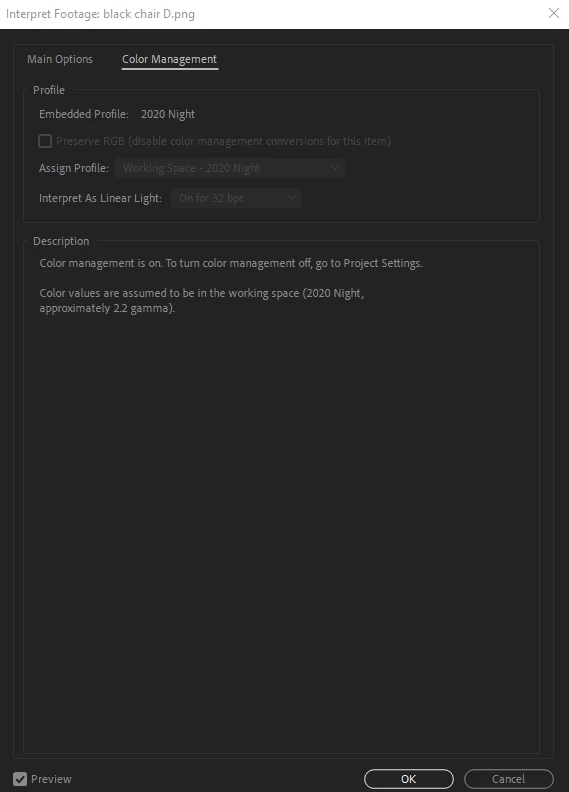
The Working Space "2020 Night" is the name of the icc profile I made using calibration software. It's rec.709, 2.4 gamma.
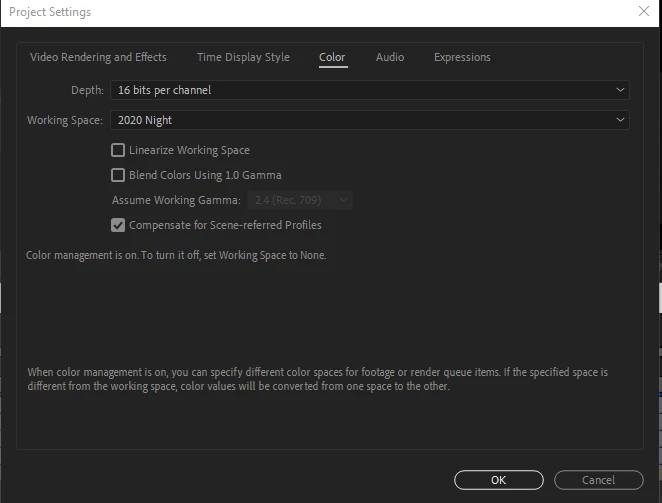
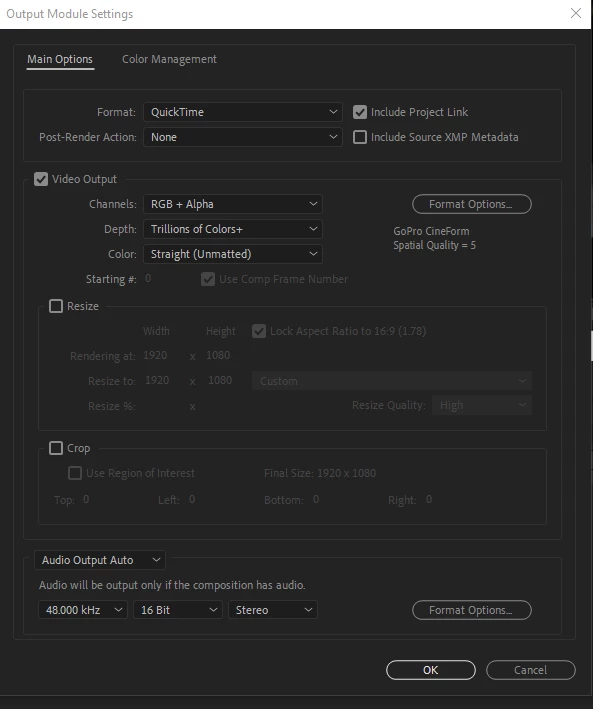
I exported from AE using ProRes... also I tried GoPro using the 'straight unmatted' color and the matted setting. both... same results.
Here is the info for each image:
Blinds jpg: (I also turned the png into a jpeg 8 bits to squash everything and make it dark) Didn't work!!! LOL this is crazy.
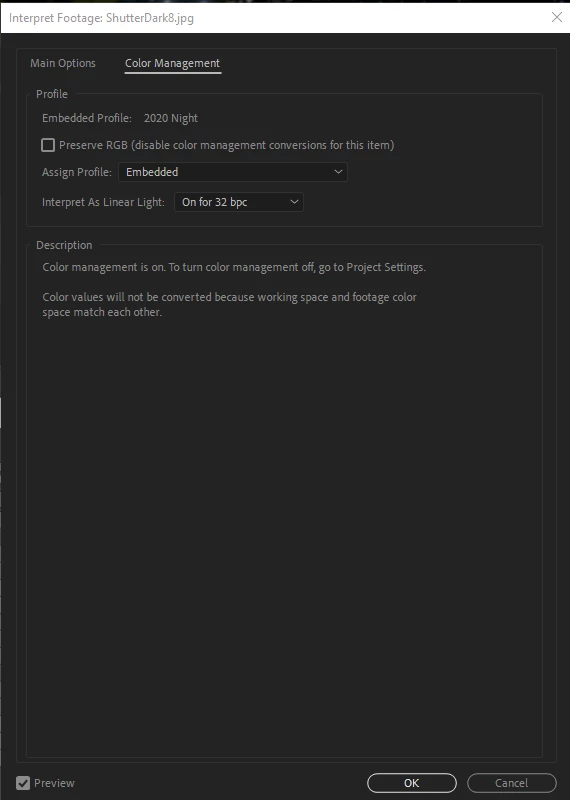
And the chair, I notice they read a little different from each other, but both have my icc profile in them.
And here is the export from PPro to disc... I tried different ones, all the same results...
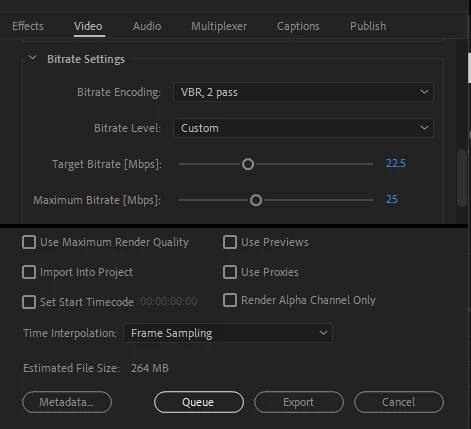
Thanks very much for reading all this and for your advice.
It seems like a simple issue, I just can't figure this out. Beyond agravated!!
Please help!
Letty
 AdChoices