cmykfangirl
Participating Frequently
April 17, 2023
Question

Changing color of individual words with a background in MOGRT template

  • April 17, 2023
  • 1 reply
  • 319 views

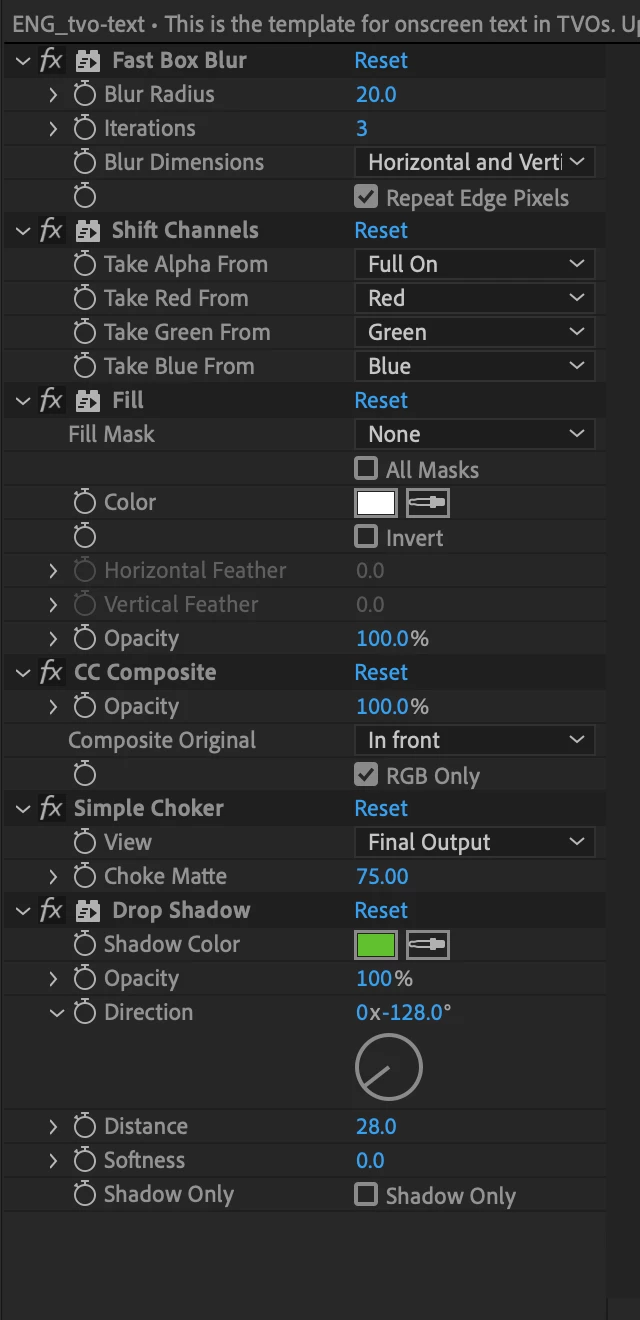
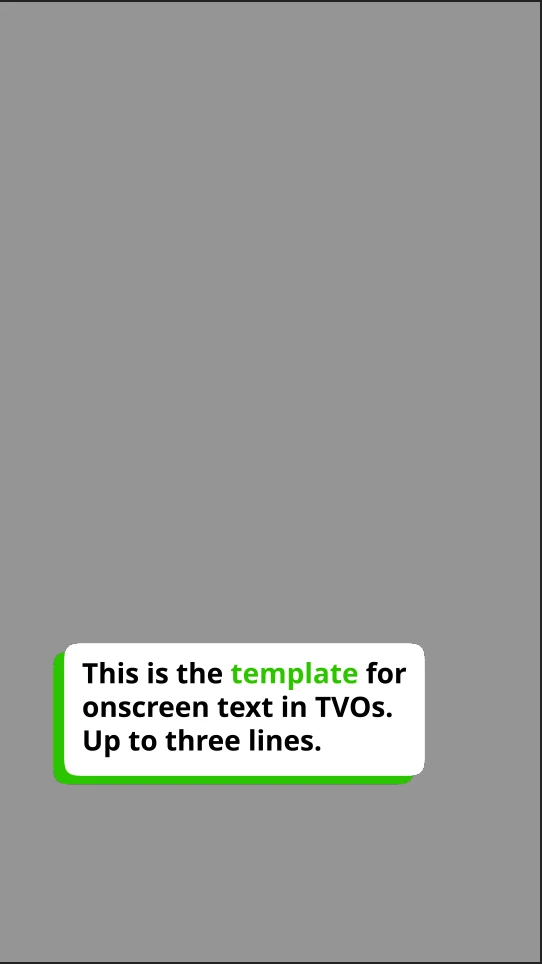
I'm trying to create a text template that allows the editor to highlight individual words in the text block. I've tried changing the fill and selecting a range of characters, but that will only change the fill of the white box areound the text based on the way I've created the background. 


Here's the YouTube video I followed on how to create the bkgd: https://www.youtube.com/watch?v=hjxGLOWrmD4&list=PLn2vEPRR3XPlDushmuvhGq-1n_ZIsUpL8&index=7


Here are some screenshots showing the effects I have on the text block and what I want it to look like in the end. I am exporting this to MOGRT so other editors at my company can easily change/highlight colors of words. 


BONUS POINTS: How do I change the opactity of the background box without changing the opacity of the text within the box?


Thanks in advance!!
 

This topic has been closed for replies.

1 reply

Community Expert
April 17, 2023

Unfortunately, there is no way to retrieve a specific word from a text string and change the color of only that word. You would need to work out a track matte and size adjustment for a fill layer if you were going to highlight just one word in a line. The workflow is complicated by multiple lines. Adding a Point Control that changes the position of a shape layer that is defined by the sourceRectAtTime() value for the text layer along with a height and width Slider control to resize the track matte layer would make it doable. 

Another option would be to use multiple text layers for each word and work out a multi-line alignment expression, but that would be a pain to edit and create a huge graphics UI in Premiere Pro. 


You can select the comp with the background layer, use the Extended Graphics Panel to solo all properties, then just grab the background opacity for the background layer and drag it to the EGP and give it a good name. 


That gives me another idea. You could use two Point Controls to change the size and position of a shape layer background that uses the text as a Track Matte to position your highlight over any of the words in the text field. That's probably the way I would handle it. An expression for size generated by the point controls, and an expression for Shape Layer position based on the actual position, left, and top values for the text layer derived by sourceRectAtTime. That would probably present the Premiere Pro user with the easiest interface.