This topic has been closed for replies.
Correct answer davem76153631

Thanks very much for your very helpful and quick reply. I am not quite following the instructions.

I have Trapcode suite and Optical Flares. Would it be really cheeky to ask for an AE sample file, with the basics applied.

Dave

2 replies

imeilfx
Inspiring
May 5, 2019

Just to add what Rick said you can also try to use (with a separate shape layer/masked solid for the floor shape) CC Radial Fast Blur

davem76153631AuthorCorrect answer
Participant
May 5, 2019

Thanks very much for your very helpful and quick reply. I am not quite following the instructions.

I have Trapcode suite and Optical Flares. Would it be really cheeky to ask for an AE sample file, with the basics applied.

Dave

Community Expert
May 5, 2019

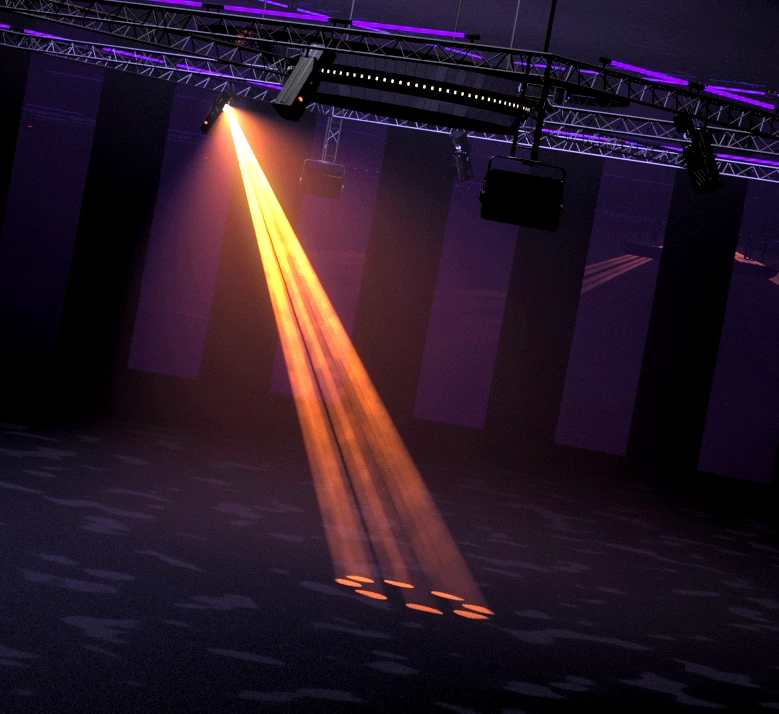
Trapcode Lux from Red Giant - first and most obvious choice. Part of the Trapcode Suite that ever professional should have in their tool box.

If you have no budget, Fractal Noise + Fill + a shape layer with a gradient fill for the light beam + screen or add blend mode + a shape layer with the Add or Screen blend mode for the circle on the floor, then possibly a lens flare for the light source.

Here's one I created with all modified properties of the layers showing. It should give you a starting point to simulate a spotlight in a smoky room (the expression on fractal noise evolution: time*100) without any 3rd party solutions. Lay this over the right background and it could be fairly believable.