
nathanc3728540
Participant
December 29, 2017
Answered

Color Control -> Fill Color to Gradient problem

  • December 29, 2017
  • 1 reply
  • 9456 views

Hello,

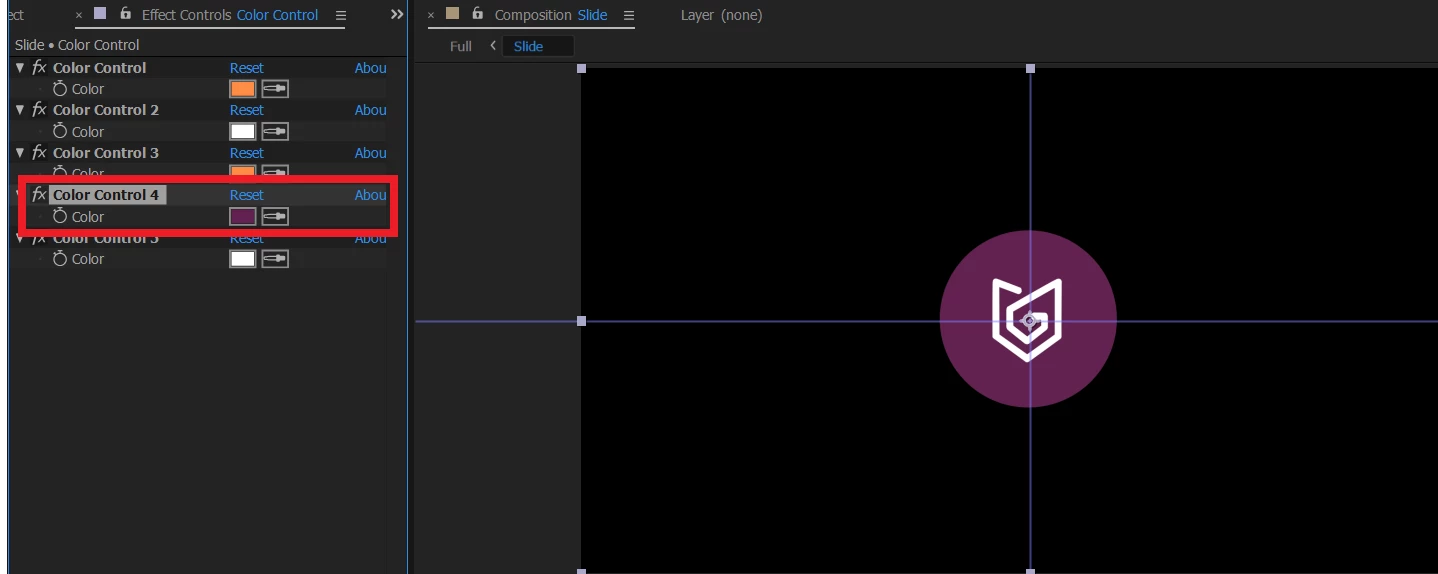
I'm rather new to Adobe After Effects and I'm trying to change a simple color (purple) to a gradient one in the Color Control effects.
I've tried to apply a gradient fill effect, but the gradient color then "takes over" all other colors of color control effect.

Can someone help me?
Thanks in advance!
Correct answer Mylenium

Color controls themselves have no gradients nor does the mere auxiliary color control for expressions do anything by itself. You need to start reading the help and watching basic tutorials.  Gradients can be created in a multitude of ways using effects or e.g. shape layer fills, but not like you attempted.


Mylenium

1 reply

Mylenium
MyleniumCorrect answer
Legend
December 29, 2017

Color controls themselves have no gradients nor does the mere auxiliary color control for expressions do anything by itself. You need to start reading the help and watching basic tutorials.  Gradients can be created in a multitude of ways using effects or e.g. shape layer fills, but not like you attempted.


Mylenium

Participating Frequently
June 26, 2019

You're right but could be a little more constructive, instead of belittling - is there a way to apply colour controls to a gradient overlay in a layer style?