If you're working with templates/MoGRTs or an AEP that contains Expressions, you should enable the Show Warning Banner when Project Contains Expression Errors . This Checkbox option is in AE's Prefs>Scripting and Expressions.
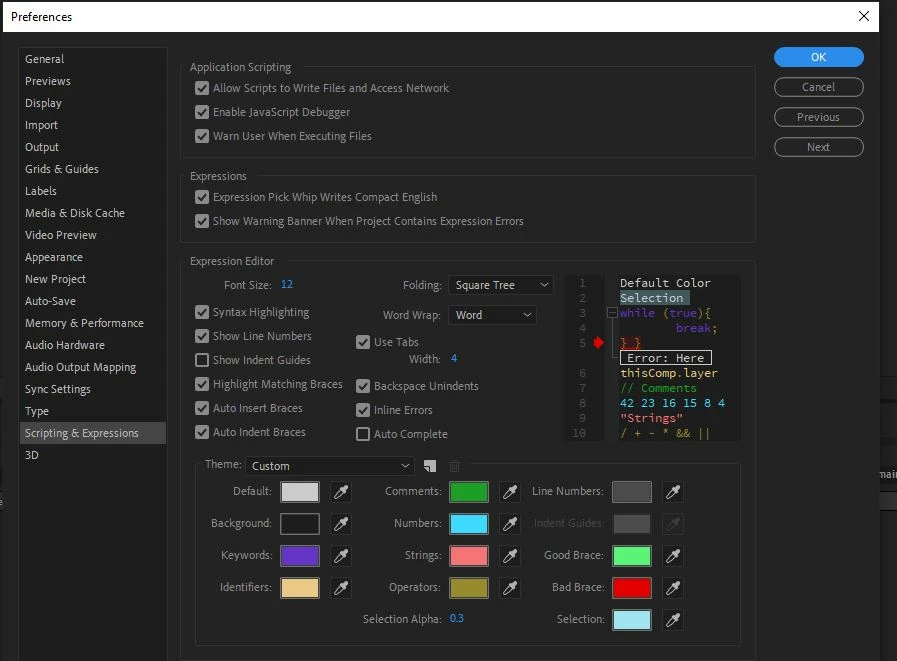
I do have that checkbox ticked, but this particular situation wasn't throwing up any expression errors for me.
Here's why:
Whoever designed our brand templates years ago created separate comps for left-align and right-align lower thirds. Each of these comps has a control layer full of sliders for various parameters (height, opacity, logo scale, etc). Each of these comps also contains separate precomps, "strap background" and "strap background2", which themselves contain all of the elements of the lower thirds (upper & lower highlights, background color, etc) except for the text and the logo.
The mistake that the designer made was in the expressions on the layers of these precomps, which are supposed to tie them to the sliders on the corresponding control layers. The designer linked all of the expressions for both "strap background" (for left-align) and "strap background2" (for right-align) to the control layer of the right-align composition. This didn't trigger any expression errors because After Effects is thinking, "If you want to control your left-align highlights and colors with your right-align sliders, be my guest."
In our old workflow this didn't cause a problem because we were told to import the comps via PPro Media Browser and then change the live text via the effect controls tab (the brand team didn't want us editors to have access to the control sliders), so the dynamically linked comp had access to the whole AE project and ran without a problem. However, about 18 months ago I took it upon myself to create MOGRTs from the original AE project in order to create a more flexible and efficient workflow. This is where the mistaken expressions first were revealed thanks to Dacia. Now, a year and a half later, I've thought of some additional controls to add to the MOGRTs, but instead of jumping off from where Dacia led me in Jan 2020 I've mistakenly backed right up into the problem project and blindly started off from there.
I swear I've learned my lesson this time!

 AdChoices