
Color Management - Media Encoder vs After Effects?
I'm trying to render an AE project in AME and for some reason the colors are always different.
I read in CreativeCow a reference to an explanation here on this forum (that I can't find anymore):
"There is no color management in Premiere Pro or the Adobe Media Encoder application.
You can use the Color Profile Converter effect to do the color space conversion that would normally be done by the output module in After Effects.
For example, you could create a new composition with nothing in it but an adjustment layer and a nested composition that is the composition that you want to output. Onto that adjustment layer, apply the Color Profile Converter effect and manually set up the color space conversion. Then send the new, containing composition to AME or Dynamic Link to Premiere Pro or whatever."
But for the life of me I can't get it working right.
I have these settings in my After Effects project: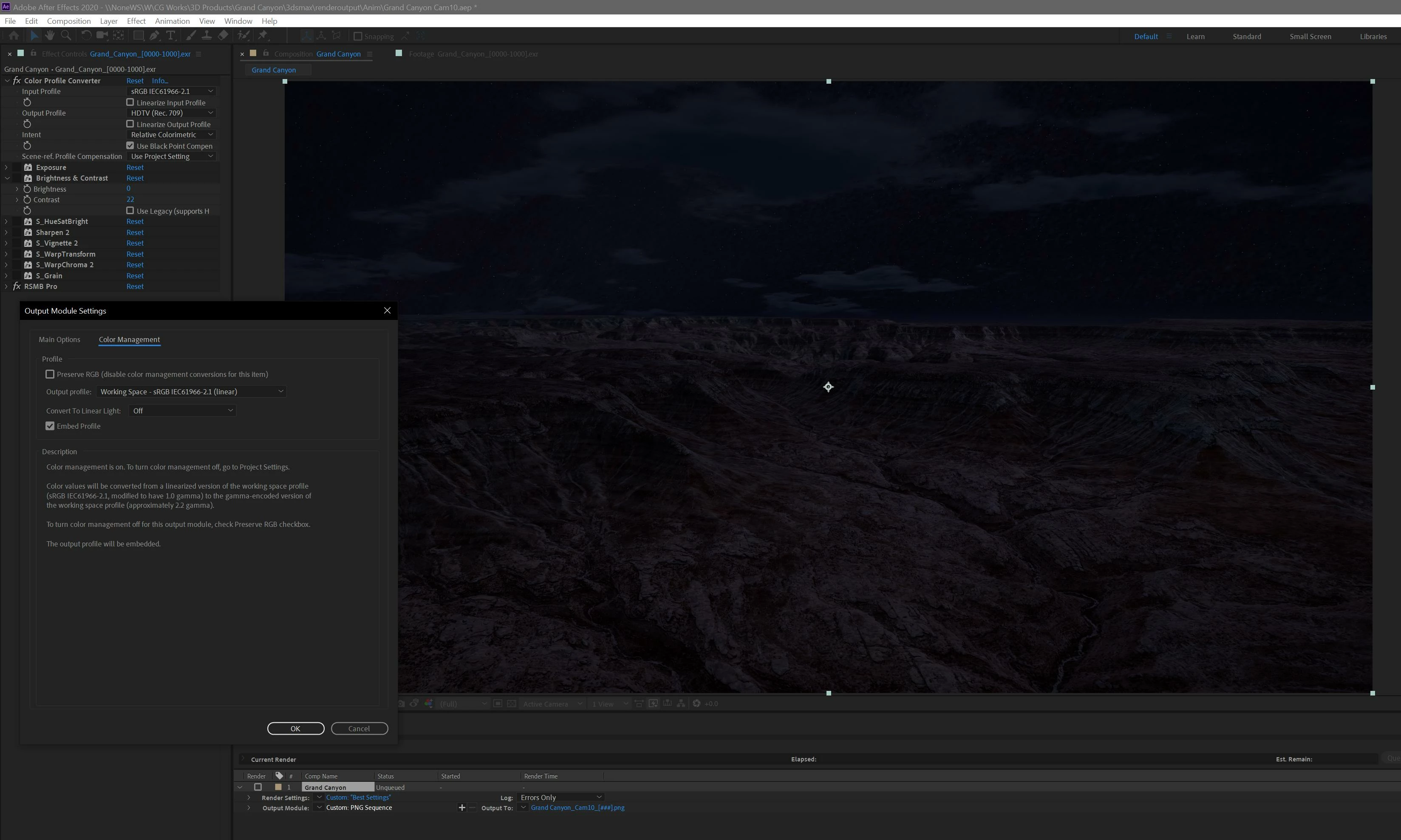
But even using the Color Profile Converter (tried in each layer, in a nested comp, in an Adjustment layer... it doesn't matter) the colors in AME shows badly washed out: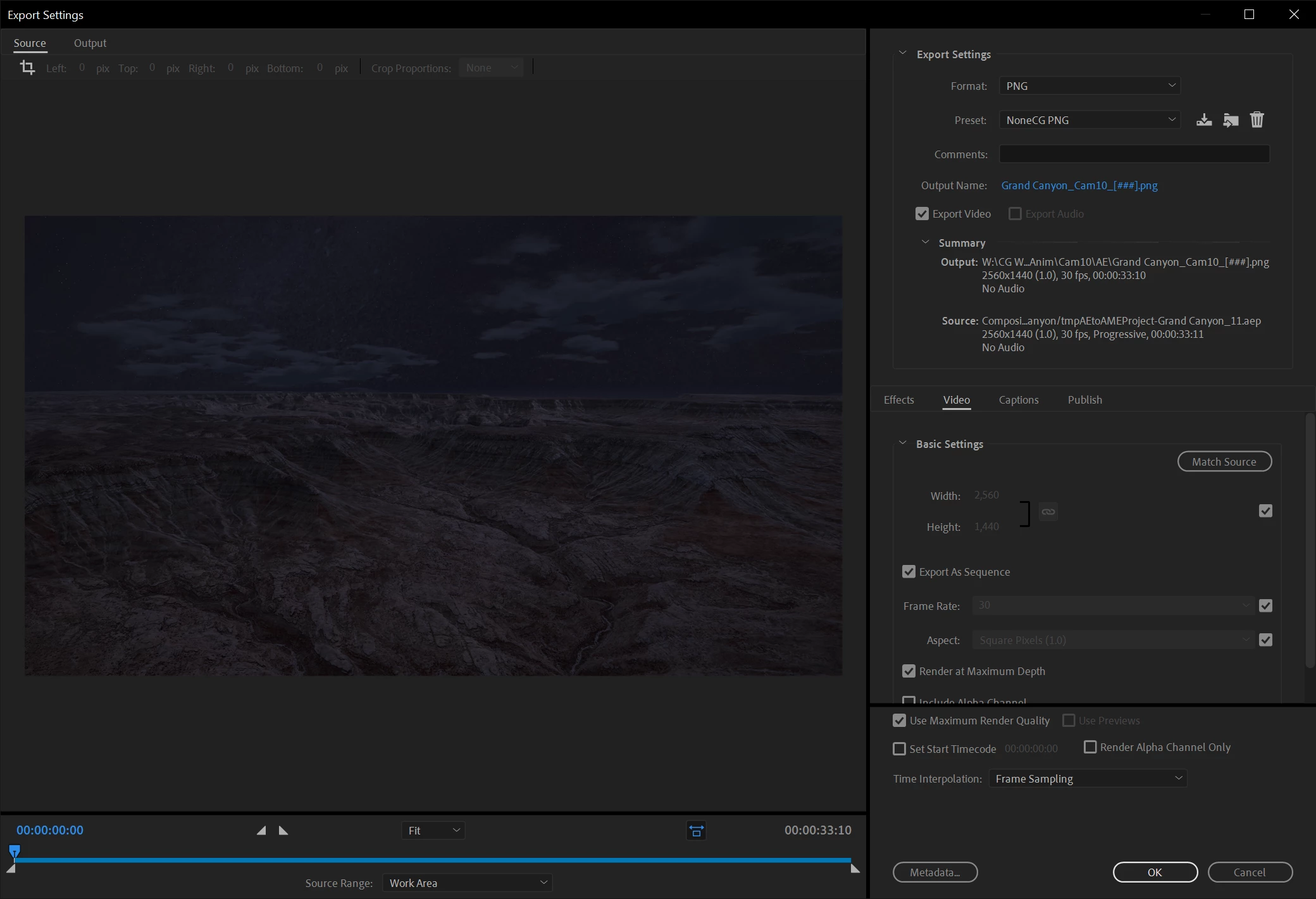
If I activate the "Enable Display Color Management" option in AME Preferences it looks ok: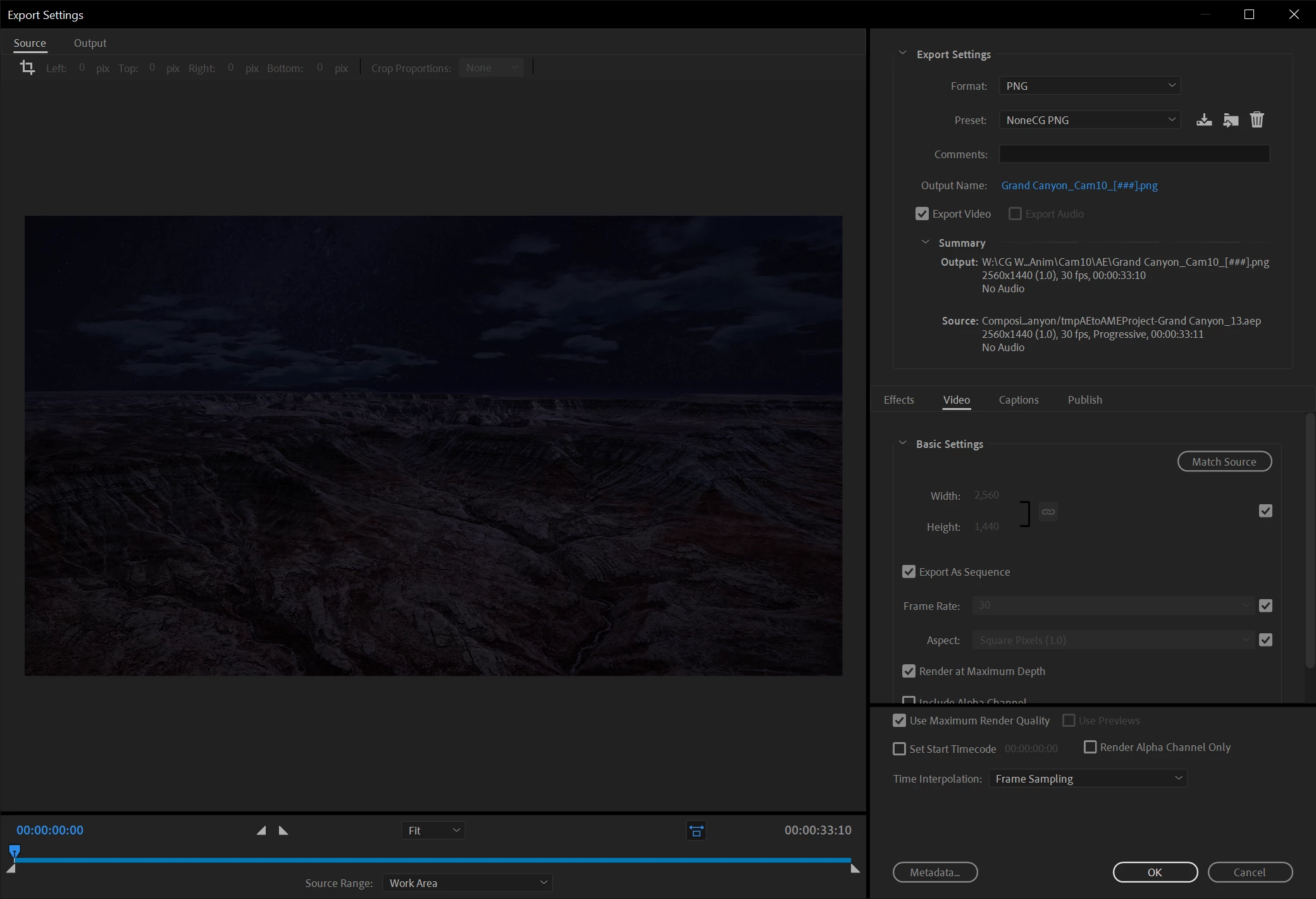
But the output files look bad anyway.
After many days banging my head against this problem it's driving me insane... what the hell am I doing wrong?
 AdChoices