MahaB82A
August 15, 2022
Answered

Colour Information

  • August 15, 2022
  • 2 replies
  • 596 views

I assume this information gives colour combination of Grey colour at this point.

R means Red colour

G means Green colour

B means Blue colour

What is A mean? & what is the unit of 147, 26, 255.
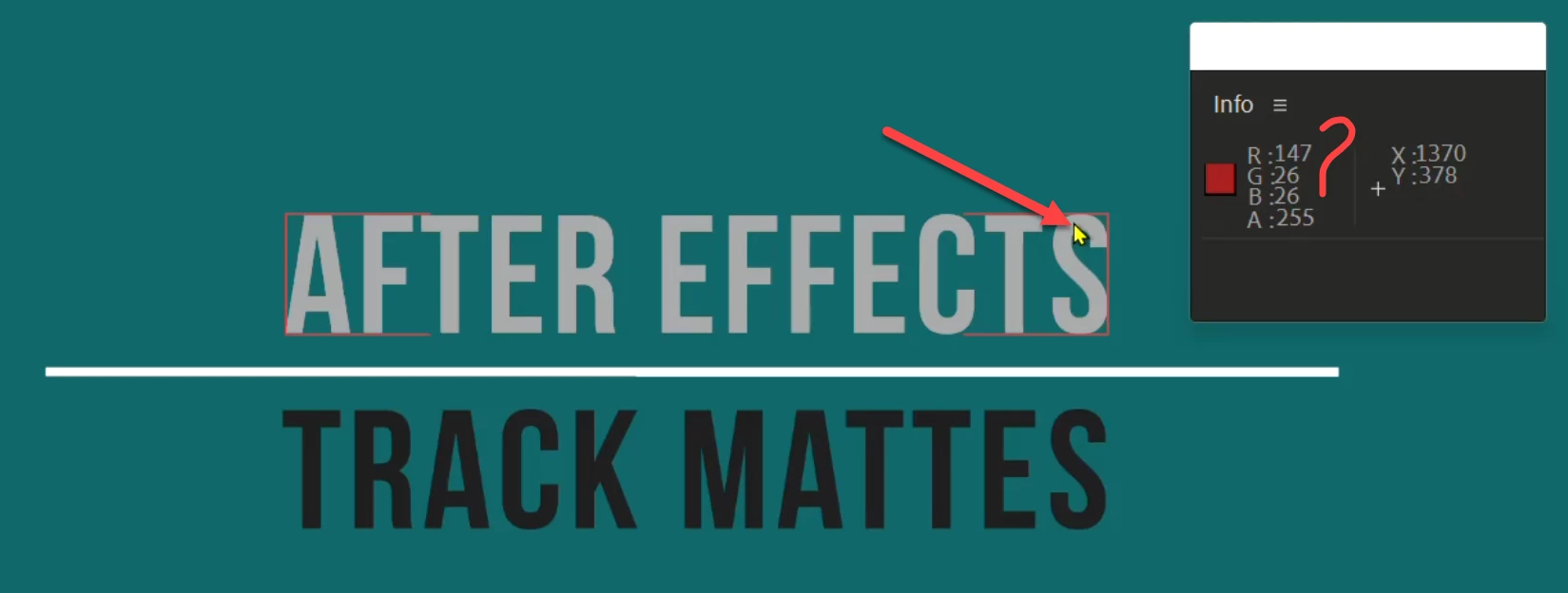


This topic has been closed for replies.
Correct answer Rick Gerard

Alpha channels are only black and white. A White alpha channel equals no transparency. 255 is white in 8-bit color space. 1 is white in 32-bit. 0 is black, which means there is 100% transparency in any bit depth.


Only a few video formats support RGBA. That's Red, Green, Blue, and Alpha. Most are only RGB. If you have transparency in a composition, and you verify that by looking at the transparency grid or by using the Show Color Chanel tool (three little RGB circles about in the bottom middle of the Composition Panel), you can see the Alpha Chanel of any layer. Try to render that comp to an MP4, and you won't get transparency. Everything that is transparent in the comp will be black in the render.

2 replies

MahaB82A
MahaB82AAuthor
August 16, 2022

I am working on a tutorial where A is messured to use transperency. If A=255 (no transperency at all). What is the reason behind this?


Rick GerardCommunity ExpertCorrect answer
Community Expert
August 17, 2022

Alpha channels are only black and white. A White alpha channel equals no transparency. 255 is white in 8-bit color space. 1 is white in 32-bit. 0 is black, which means there is 100% transparency in any bit depth.


Only a few video formats support RGBA. That's Red, Green, Blue, and Alpha. Most are only RGB. If you have transparency in a composition, and you verify that by looking at the transparency grid or by using the Show Color Chanel tool (three little RGB circles about in the bottom middle of the Composition Panel), you can see the Alpha Chanel of any layer. Try to render that comp to an MP4, and you won't get transparency. Everything that is transparent in the comp will be black in the render.

MahaB82A
MahaB82AAuthor
August 17, 2022

Thanks for the explanation.

Community Expert
August 15, 2022

Alpha Channel. Zero means the area under the Mouse Pointer (selection tool (v)) is transparent. If you are using 8-bit color, all values are 0 to 255. That can be confusing because 8-bit color is 256 values per channel. The info panel display only goes to 255 because the first number is zero instead of 1.


I almost always have my Info Panel set to Decimal because most projects are 16 or 32-bit. The values in a 32-bit project go from 0 to 1. I'm never confused. 1, 0, 0 1 is 100% red. .5, .5, .5, 1 is 50% gray.


I rarely work only in 8-bit. I mostly do compositing and visual effects, and that kind of project requires a wider color spectrum. You can change the Info Panel display settings using the Panel menu. It's the three horizontal bars in the upper right corner of every panel or just to the right of a Composition name in the Comp panel or timeline.

MahaB82A
MahaB82AAuthor
August 16, 2022

In this case RED is selected. Alpha Channel is not selected, means it is zero? vide is attached.
