
Comp motion blur changes position of 3d layers
I've noticed that whenever I have motion blur enabled for a comp the masks do not align, even for the layers with motion blur switched off.
Here is an example:
I have a comp with a 3d camera that has some movement and a 3d layer that has some other movement. I draw some paths for rotoscoping purposes with the Pen tool and used the Stroke effect to create a white matte.
- So, if I have motion blur enabled for the comp (Shutter Angle 173º/Shutter Phase -86º) and for the layer, here's what happens:
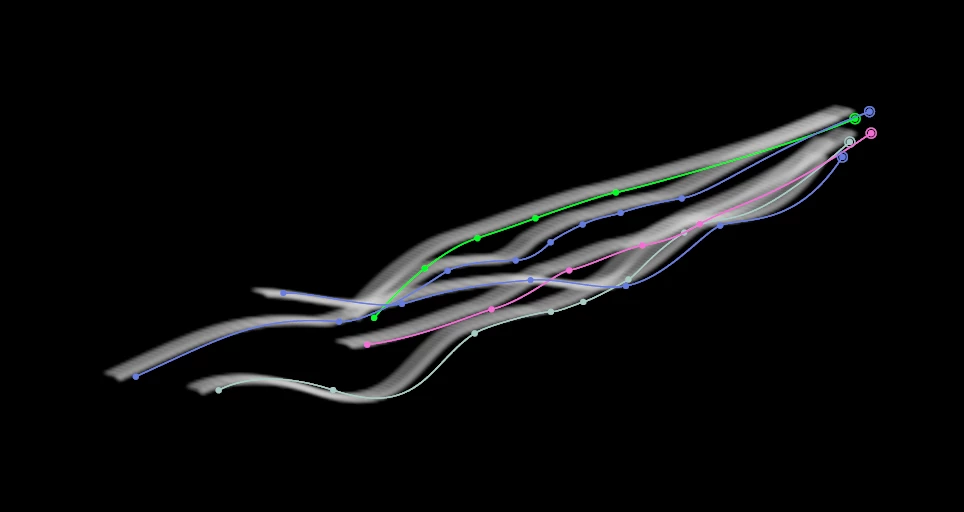
- If I then disable the motion blur for the layer, it is still misalligned, but without the motion blur:
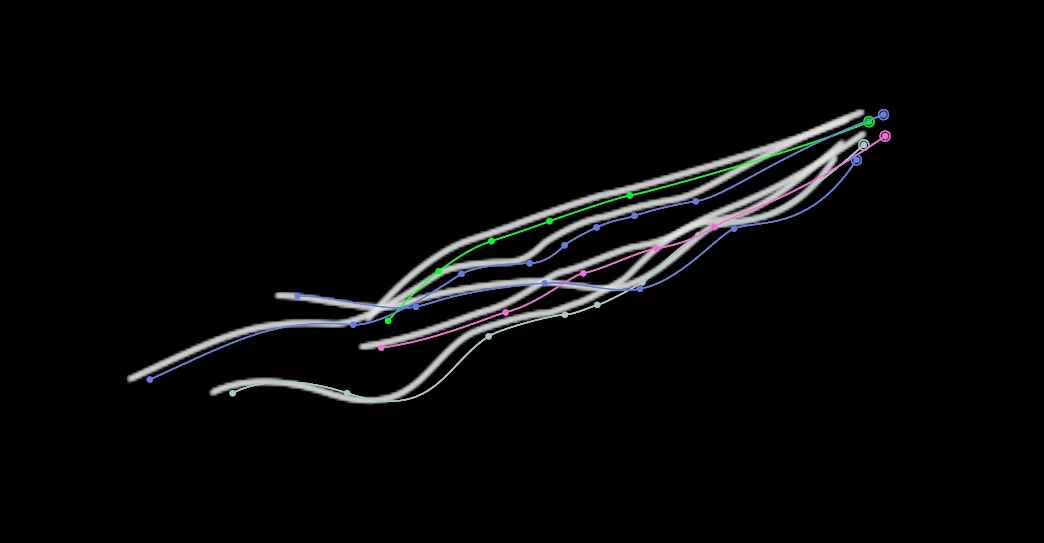
- However, if I disable motion blur for the whole comp, the path and the strokes allign, but in the position where the strokes were being presented in the last two scenarios. So the strokes never appear where I first drew them while I was rotoscoping. It's hard to tell from the screenshot, but the difference between picture 2 and picture 3 is that the paths of the mask have moved to the left towards the white strokes, not the other way around.
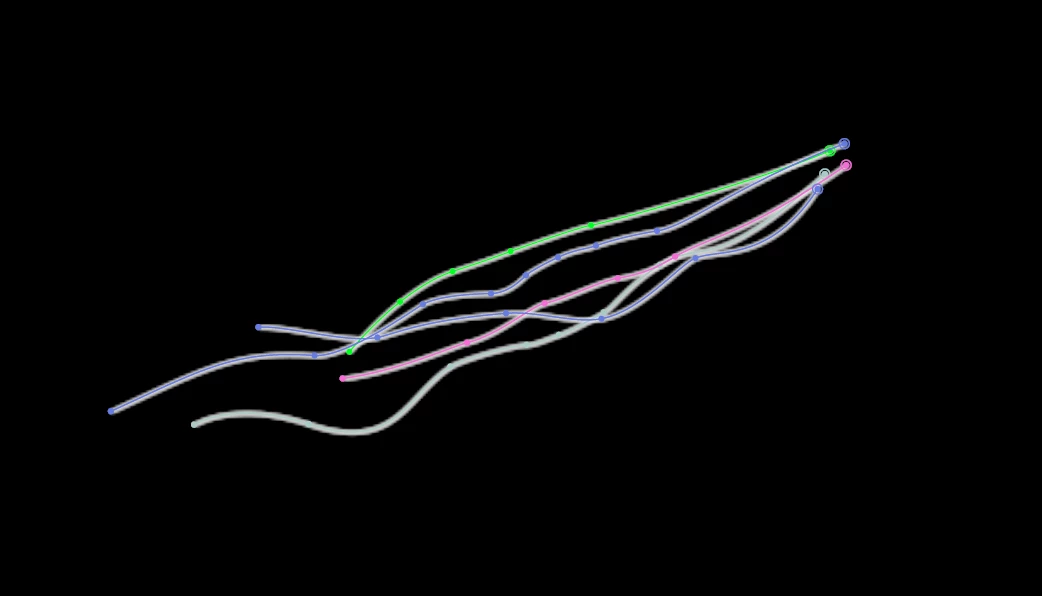
I have noticed that it's not just the mask paths, but the whole layer what moves, since the 3d anchor point of the layer moves too when I disable the motion blur for the comp. The position values are not changing, it's just the "apparent position" from the camera view.
I have been looking for a solution for this that keeps the comp motion blur... The only idea I can think of is drawing the paths with the motion blur disabled and then enabling it afterwards, but I'm sure there's some better way.
Does anyone know why this happens or how I can avoid it?
Thank you!
 AdChoices