
New Participant
June 15, 2020
Question

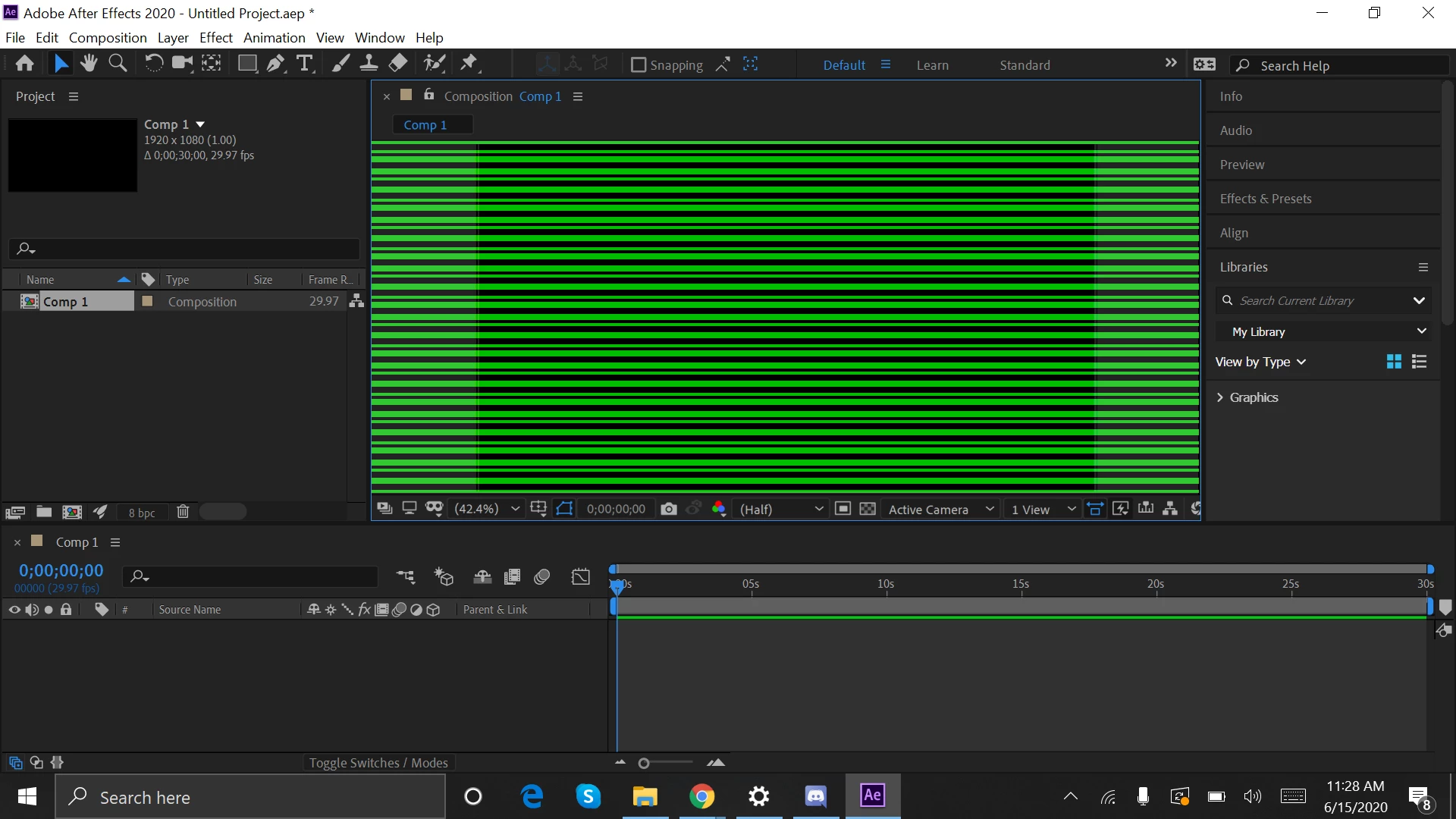
Composition in after effects is having black and green lines

  • June 15, 2020
  • 2 replies
  • 806 views

Hello...I came across a problem in after effects version 2020........where when i start a new comp.....or even open  my previous comp..the screen is bombarded with green and black lines...I did not encounter this problem when i had opened the software after updating it...i tried everything..even reinstalling..but it remains the same...heres what it looks like
This topic has been closed for replies.

2 replies

nishu_kush
Community Manager
Community Manager
June 16, 2020

Hi there, 


Sorry for your issue.

Other users have solved this problem by rolling back the Intel GPU driver. Please check if installing a previous version of the Intel GPU driver helps.

Let us know how it goes.


Thanks,

Nishu

zadimatorAuthor
New Participant
June 23, 2020

hey thank you for answering....the problem is that premier pro wouldn't work if i downgrade my graphics driver...and even after effects would constantly give me messages to update the driver...


nishu_kush
Community Manager
Community Manager
June 23, 2020

That's strange. After Effects and Premiere Pro, both are working fine at my end with the previous version of the Intel GPU driver. Could you share more details on what happens when you try to use Premiere Pro? Also, please share a screenshot of the message that you get in After Effects.

Looking forward to your response.


Thanks,

Nishu

Mylenium
Legend
June 15, 2020

Same old, same old... Update your system's graphics driver, check your hardware acceleration settings.


Mylenium