
Composition window is not aligned with content
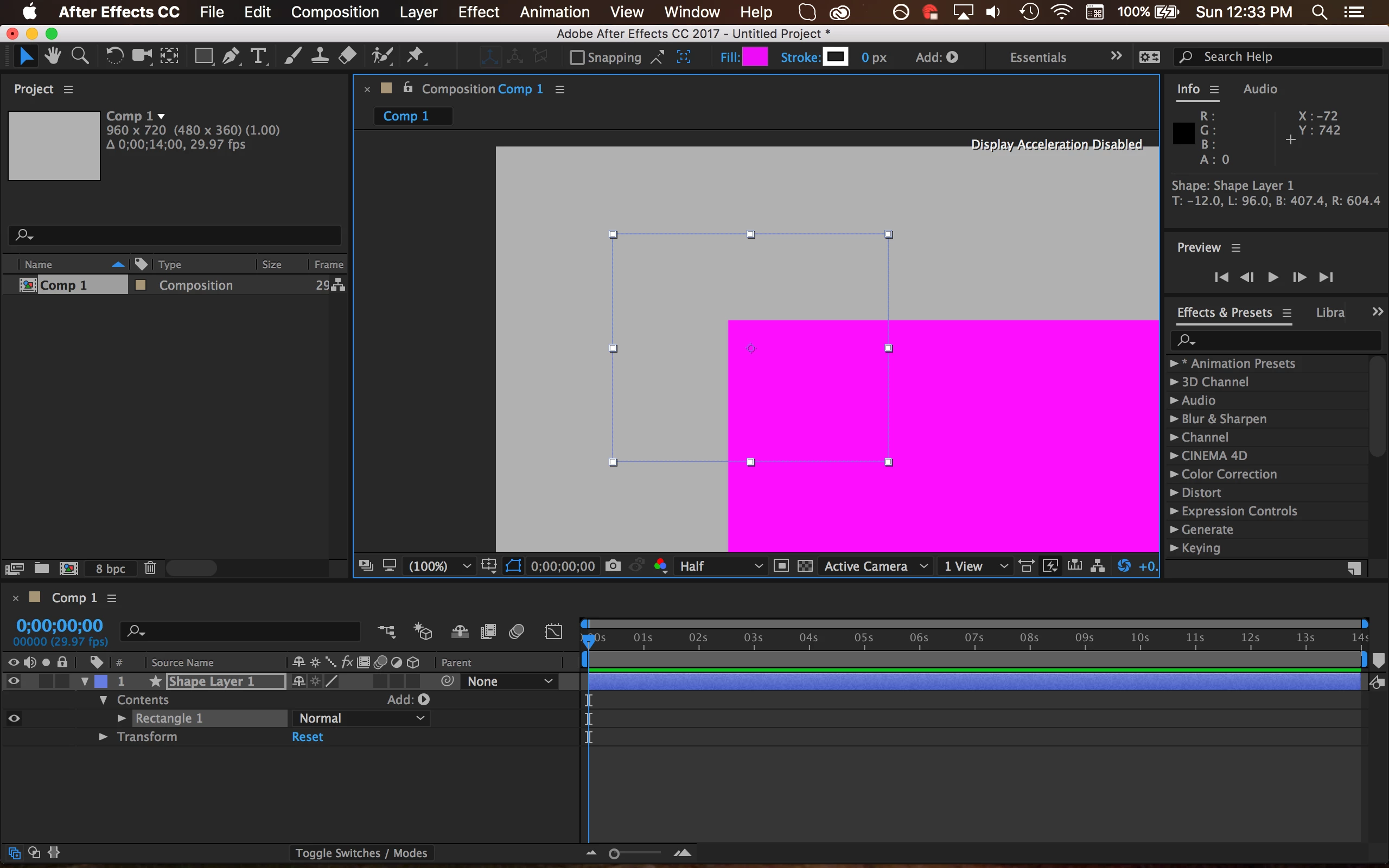
I'm not exactly sure how to describe this. Basically, the center of the composition is offset in my window, and because of this offset, working in AE is impossible. When I make a new composition, the display centers the upper left corner of the composition. I can use the hand tool to manually move the composition and visualize the entire project, but the issue of offset shape creation remains.
I'm also not sure what the "Display Acceleration Disabled" part means in the comp window, and I couldn't find anything online that described its purpose. (The display preference is checked, for the record.)
Even more strangely, when I render the composition, the video is properly formatted and includes the entire thing. So there's clearly something wrong with the workspace, not the content.
Here's what it looks like in AE after I create a shape. You can see that the pink rectangle is completely offset from its selection:
Thanks for the help!
 AdChoices