
Known Participant
August 29, 2023
Answered

Convert Solid into vector ?

  • August 29, 2023
  • 2 replies
  • 1722 views

Hi everyone, 

I am struggling a bit to convert my Solid layer into another format. The issue is that I am creating a 1-2sec animation that will be used as a Telegram sticker. Telegram provides an AE plugin called Bodymovin to export files into their .tgs format but this extension only works well with vector source files. 

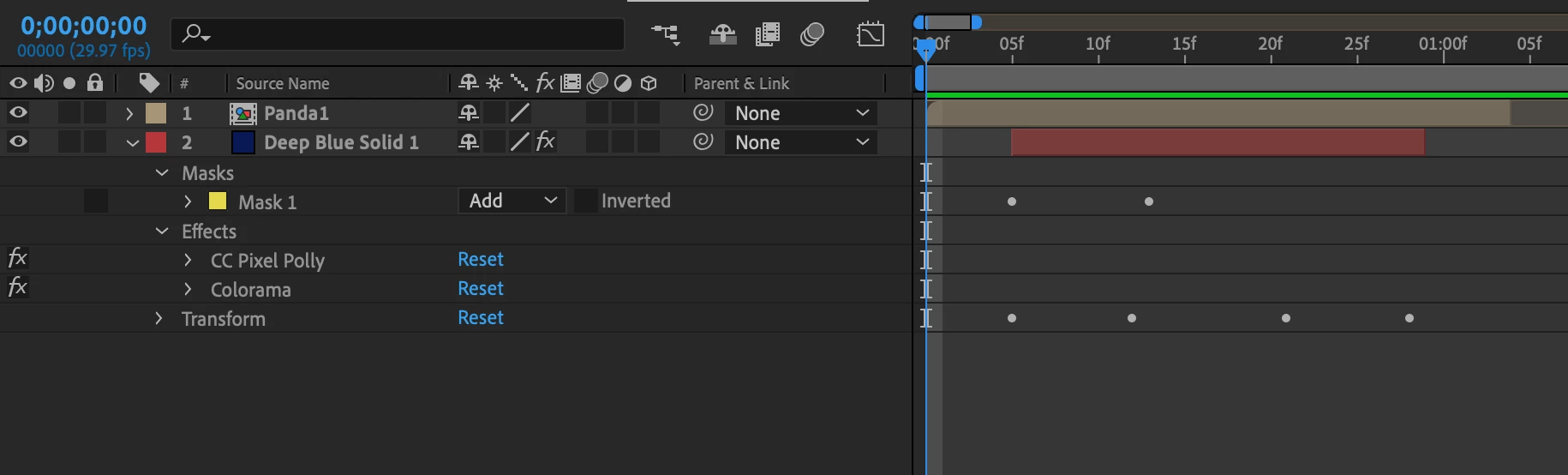
What I have is 1. An animal character celebrating in a pre-comp (named Panda1) containing Adobe Illustrator vector files 2. A confetti animation made with a Solid layer (named Deep Blue Solid 1) + CC Pixel Polly and Colorama effects. 


• How could I change my Solid layer into a vector file so it can be exported by the Telegram plugin? 
• If it's not possible how could I export my "Deep Blue Solid 1" image by image to put each frame into different layers in Adobe Illustrator ?  

I am currently working AE 23.5.0 and a Ventura 13.3 MacBook Pro

Thanks for your help, 


This topic has been closed for replies.
Correct answer Andrew Yoole

Pixel Polly and Colorama are pixel based effects, so they can't be exported in any type of vector format.  


You can solo your solid layer and export it as a PNG sequence to get individual images of each frame, but I'm not sure that's going to help you down the work pipeline.


The guidelines for creating Telegram stickers are stringent, and you'll need to design your animation with no layer effects at all to work with their plugin. From their directions:


  • You must not use the following Adobe After Effects functionality when animating your artwork: Auto-bezier keys, Expressions, Masks, Layer Effects, Images, Solids, Texts, 3D Layers, Merge Paths, Star Shapes, Gradient Strokes, Repeaters, Time Stretching, Time Remapping, Auto-Oriented Layers.

2 replies

Mylenium
Legend
August 29, 2023

What Andrew said. Your workflow makes no sense. Whatever swirly particle effect you want to create will have to be done the hard way by animating them individually and controlling the fill color of the shape layers directly, not using effects.


Mylenium 

Known Participant
August 29, 2023

Thanks for your help!

Andrew Yoole
Andrew YooleCorrect answer
Inspiring
August 29, 2023

Pixel Polly and Colorama are pixel based effects, so they can't be exported in any type of vector format.  


You can solo your solid layer and export it as a PNG sequence to get individual images of each frame, but I'm not sure that's going to help you down the work pipeline.


The guidelines for creating Telegram stickers are stringent, and you'll need to design your animation with no layer effects at all to work with their plugin. From their directions:


  • You must not use the following Adobe After Effects functionality when animating your artwork: Auto-bezier keys, Expressions, Masks, Layer Effects, Images, Solids, Texts, 3D Layers, Merge Paths, Star Shapes, Gradient Strokes, Repeaters, Time Stretching, Time Remapping, Auto-Oriented Layers.
Known Participant
August 29, 2023

Thanks a lot, it helps me visualize what I need to do! As Mylenium said I need to make it the hard way by animating them individually 👍