
Participant
October 6, 2021
Answered

Could not Create Outlines (AE ver 18.4.1)

  • October 6, 2021
  • 3 replies
  • 6566 views

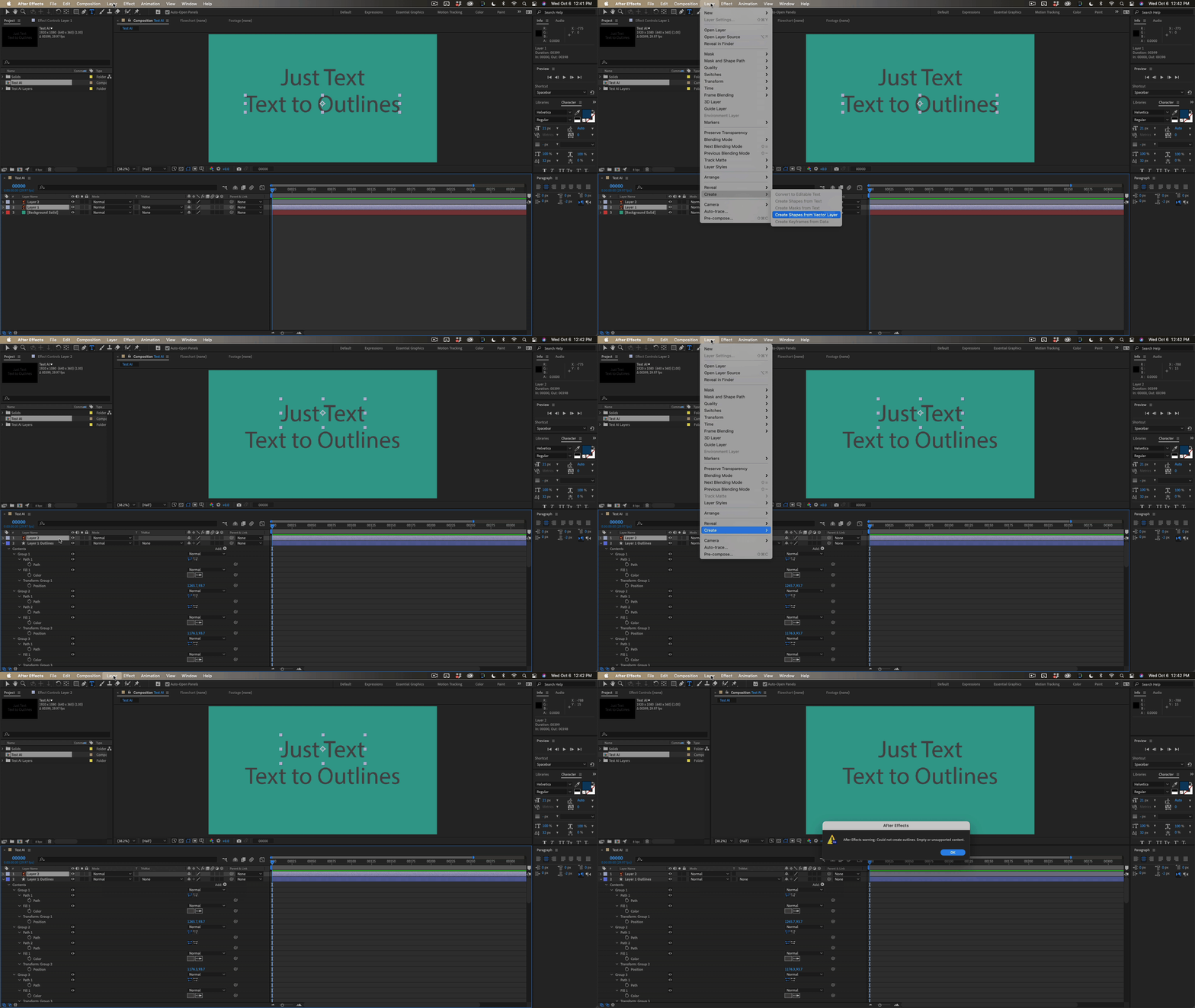
I'm troubleshooting why I'm receiving the error "After Effects warning: Could not create outlines. Empty or unsupported content." Seems to be a somewhat common error after searching the forums but I tried to follow the advice like in the post below with no success.


My original goal was to convert some AI text to shaper layers so I could control the stroke size and color in AE. For testing purposes, I created a brand new RGB Illustrator file and added my text with just a simple black fill. In other words, I didn't add any gradient fills, brush strokes, drop shadows, clipping paths or any additional embedded objects.
I also created a brand new AE file for testing. I imported my AI as footage (double checked Illustrator Sequence was not checked) but still receive the error even in these stripped down test files.
I've updated both Illustrator and After Effects to their most recent versions.

Previous Advice Post: https://community.adobe.com/t5/after-effects-discussions/could-not-create-outlines-empty-or-unsupported-content/m-p/12211427
This topic has been closed for replies.
Correct answer Rick Gerard

Your workflow and expectations are incorrect. There is no bug.


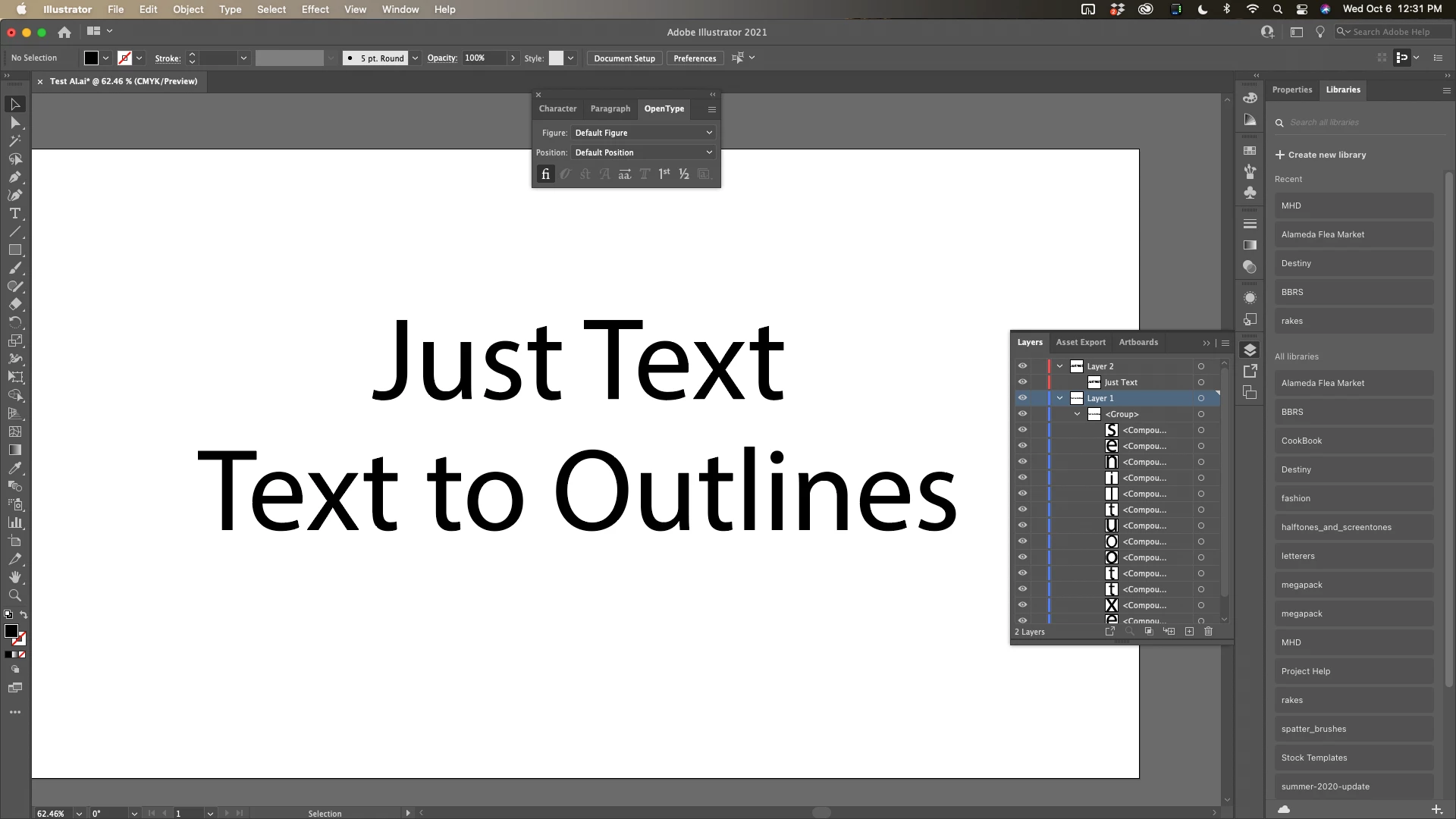
Text Illustrator must be converted to Outlines before it can be converted to shapes in After Effects.


Here's a test AI file:

Here's the result:

In the future please embed your images using the toolbar instead of using the "Drag & Drop here..." icon. You can drag the screenshots to the reply field, or copy them from their folder and paste, or use the toolbar. 


3 replies

Participant
March 14, 2023

Good


Rick GerardCommunity ExpertCorrect answer
Community Expert
October 6, 2021

Your workflow and expectations are incorrect. There is no bug.


Text Illustrator must be converted to Outlines before it can be converted to shapes in After Effects.


Here's a test AI file:

Here's the result:

In the future please embed your images using the toolbar instead of using the "Drag & Drop here..." icon. You can drag the screenshots to the reply field, or copy them from their folder and paste, or use the toolbar. 


Participant
October 6, 2021

I guess I got mixed up with my workflows and didn't realize the inconsistency of text layers between Photoshop and Illustrator. Recently, I've been turning PSD text layers into editable text (for the reasons I previously described) and I guess I just assumed Illustrator could do it as well. Am I correct in assuming the reason why AI can't handle the functionality I thought it had is because AI layers can support a mix of multiple shapes and/or text in one layer? Perhaps this functionality could be added in the future.


Regardless, thank you for the quick answer and apologies for attaching my screenshots using one of the methods available on the forum.

Participant
October 6, 2021

Just an update, but I went back to an older file where the "create shapes from vector layer" had previously worked. This older file had the text I'm trying to create shapes from in addition to other shapes that had some of the problematic elements like gradients. The shapes that had gradients imported fine. Granted they lost their gradients and just became gray shapes, but they still converted to shape layers. However, the text which previously became shape layers, now just disappears or doesn't become shape layers.