
Resuelto
Counter with jumps of 2 numbers
Hi,
I want to create counter with jumps of 2 numbers from 0 to 100, jumps like: 0,2,4,6,8,10....
I know how to create counter with slider control etc.. but i need help how i can jump numbers..
Thanks.

Hi,
I want to create counter with jumps of 2 numbers from 0 to 100, jumps like: 0,2,4,6,8,10....
I know how to create counter with slider control etc.. but i need help how i can jump numbers..
Thanks.
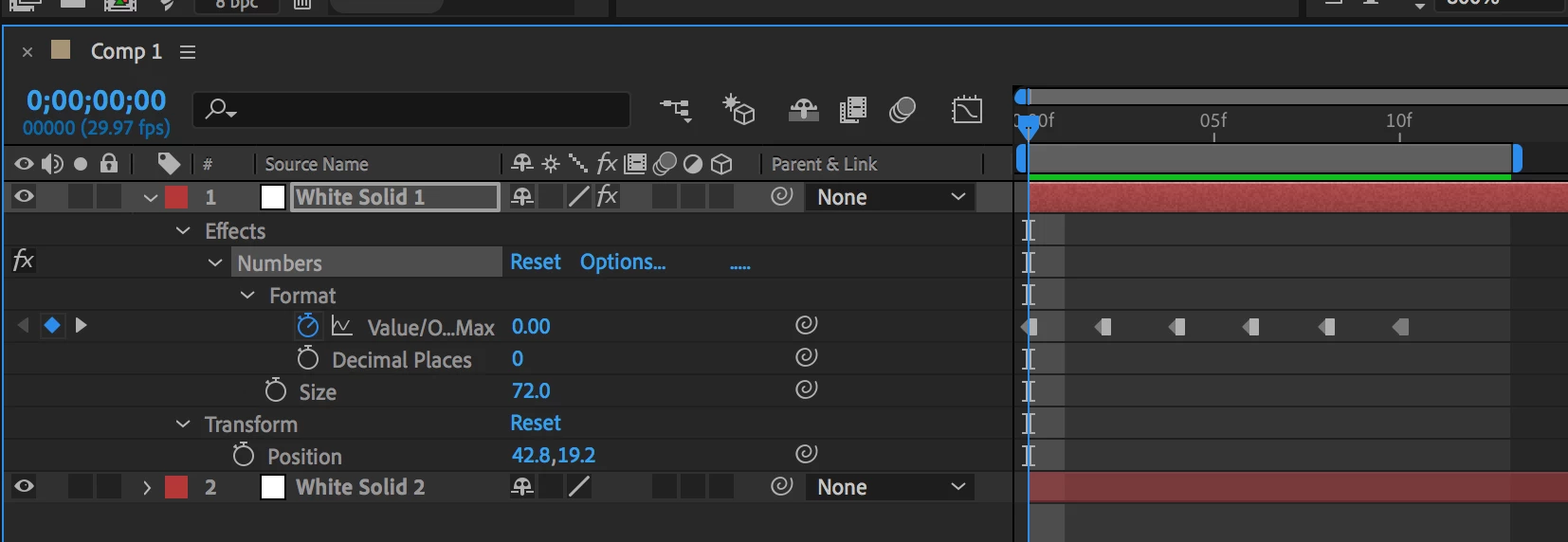
Add a keyframe for each whole, even number and then toggle to Hold Keyframe.
So, 1st keyframe at 0:00:00:00 is "0.00", 2nd keyframe at 0:00:00:02 is "2.00", 3rd keyframe at 0:00:00:04 is "4.00", etc.
Just apply Math.floor to the slider value then multiply by 2. When the slider is at 1.9 it's value will still be 1 which becomes 2 when multiplied by 2, then 4, then 6 and so on. This works for any count up. You can count up by 10 by multiplying the value by 10.
If you apply the expression to the slider then the slider will only return even numbers:
Math.floor(value) * 2
The slider value in the timeline will always be an even number. Doing this will disable the slider in the Effects Control Panel but you can still click and drag on the numbers in the timeline or the ECP.
You could also attach the slider to the text layer and to the math there.
For example, let's say you wanted to count up from 11 by three. Add an Expression Control Slider to the text layer and this expression to Source Text:
v = effect("Slider Control")("Slider");
8 + Math.floor(v) * 3
When the slider is at 1 the source text will be 11. When the slider reaches 2 the number will be 14, then 17 and so on.
Let's say you wanted to count up by 1000, just write the expression like this:
Math.floor(value) * 1000
You get the idea. Nothing to it. It is just simple math.
If you want to make it look like a clock, or count money, or just about anything else take a look at Dan Ebbert's Universal Counter and apply the Math.Floor() method to the result.
Enter your E-mail address. We'll send you an e-mail with instructions to reset your password.
 AdChoices