Participant
January 29, 2025
Question

crashing problems

  • January 29, 2025
  • 4 replies
  • 427 views

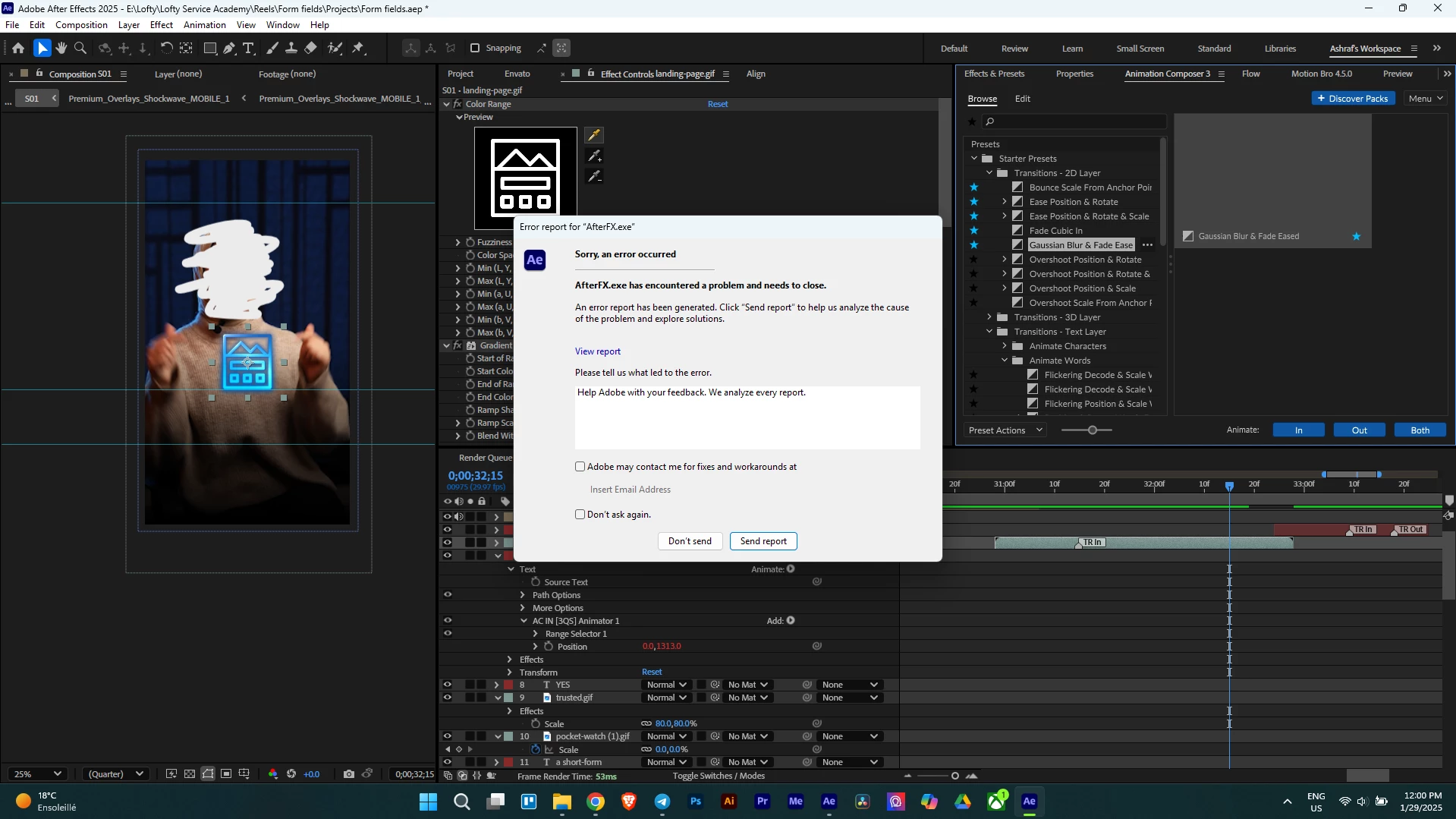
After effects crashes a lot when editing even though I have really good specs for video editing and does not give me the possibility to save the projects, i have just lost morethan 3 hours of editing.

4 replies

Participant
March 13, 2025

I tried the solutions mentioned there nothing worked. Normally as an adobe support you should give me the right solotion not give me a bunch of solutions which is listed in a whole page. I dont have the time to go through all the page and read all peoples comments. 

Participant
March 13, 2025

And now its premier pro crashing in a very simple edit. just cuts and color grading. is there any email that i can contact adobe support. i think the issue is with the software itself not my laptop.

Participant
January 29, 2025

Hi Nishu,

Thanks for your response. Here are the requested details:


Crash Trigger: The crashes seem to occur randomly, but they are more frequent during timeline scrubbing, preview rendering, applying effects, and exporting 4K compositions with multiple layers. When using third party plugins like Animation Composer and Motion Bro. Lastly, when working 3d.
System Specifications:

  • Laptop Model: MSI Thin 15 B13VE
  • Processor: Intel 13th Gen i7-13620H (16 CPUs)
  • GPU: NVIDIA RTX 4050
  • RAM: 40GB
  • Storage: 512GB SSD
  • Operating System: Windows 11
nishu_kush
Community Manager
Community Manager
January 29, 2025

Thanks for sharing the details.

Can you try running After Effects in Safe Mode with third-party plug-ins disabled and test? It'll help us narrow down the issue.


Thanks,
Nishu

nishu_kush
Community Manager
Community Manager
January 29, 2025

Sorry to hear about the crash. Please share the following details.

1. Is there a specific action/command that triggers the crash or is it random?

2. What are your system specifications (CPU, GPU, RAM, OS version)?

3. Check the "Adobe may contact me for fixes and workarounds at" in the crash reporter and insert your email id. We'll be able to find your crash report on our end.


Thanks,
Nishu