

Participant
September 11, 2018
Answered

Create this letter morphing effect in AE

  • September 11, 2018
  • 2 replies
  • 1031 views

Hi! i was wondering how this effect was created, especially the part when the stroke is traveling in the top of the letter.

Im attaching the gif.

Thanks in advance!
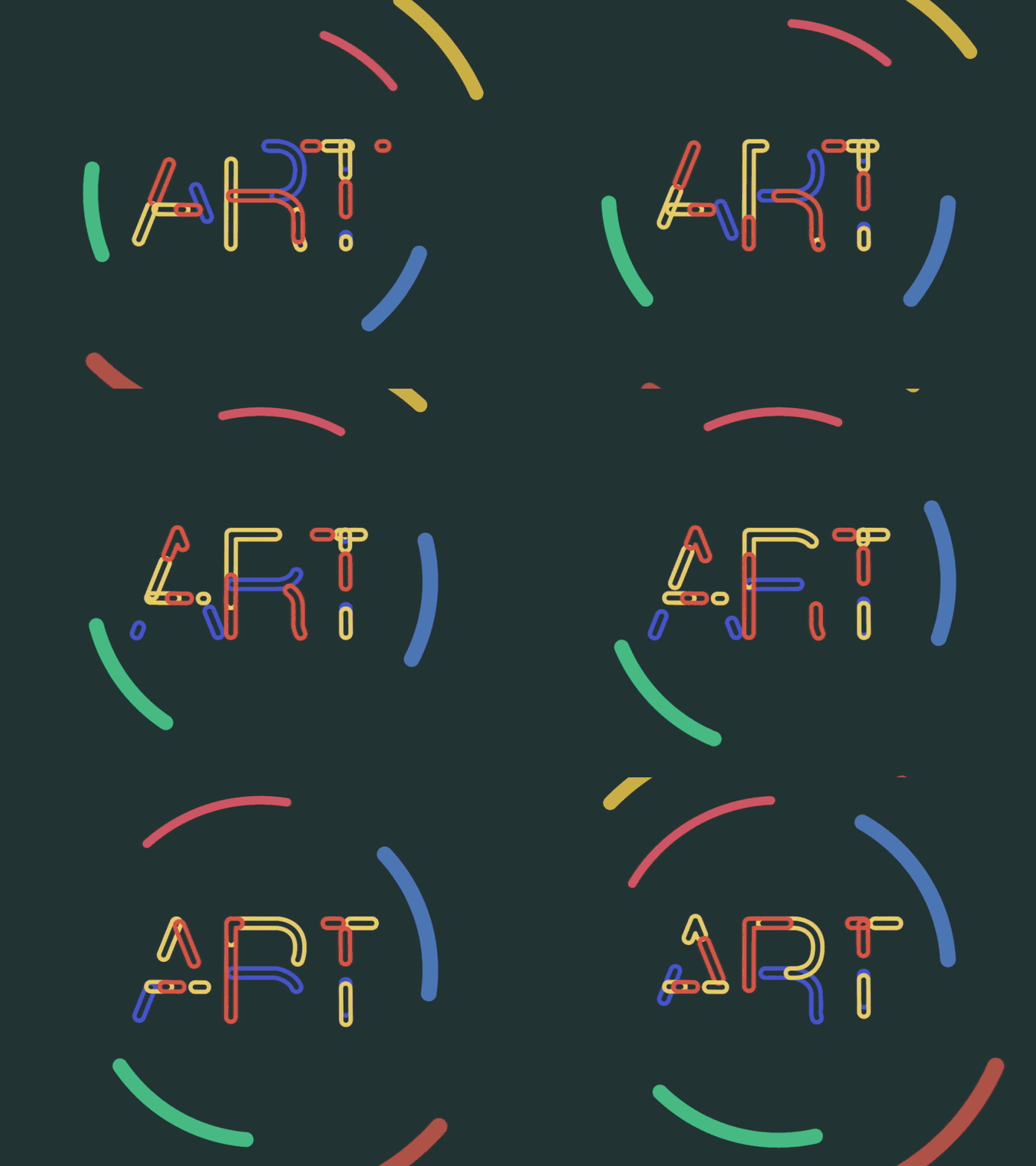

    This topic has been closed for replies.
    Correct answer Harold Silva

    You should use stroke effects (over masks)  or animate shape layers, and expressions loop.

    2 replies

    Mike_Abbott
    Legend
    September 11, 2018

    Well 'animated fonts' are a thing.

    However - I think this is 'simply' a shape layer set up.

    A couple of overlaying strokes, each with dashes set up and their offset synchronised with an expression. If that makes no sense whatsoever - look up 'working with shape layers in After Effects'. Look at stroke options in particular.

    If the above does make sense - here's a screenshot to get you started:

    L5068Author
    Participant
    September 12, 2018

    Thanks! I still cant figure it out how make multiple strokes that form an oval.

    https://file.io/CSe29A  I have done this so far

    Mike_Abbott
    Legend
    September 12, 2018

    Don't think about forming an oval - think about a single wide round ended stroke (green)  - with a narrower round ended stroke (black) sat on top of it.

    Create a simple single dashed line shape layer.

    Go to the 'add' menu to the right of 'contents' in the timeline > Add > New stroke. This will give you an extra stroke on the same path. Hence my 'Stroke 1' and 'Stroke 2' in the screenshot above.

    Does that help?

    Harold Silva
    Community Expert
    Harold SilvaCommunity ExpertCorrect answer
    Community Expert
    September 11, 2018

    You should use stroke effects (over masks)  or animate shape layers, and expressions loop.

    Harold Silva B.