

Creating a dynamic signature in AE.
I am trying to create a dynamic signature in AE. I attach two screenshots to give you an idea what I am writing about.
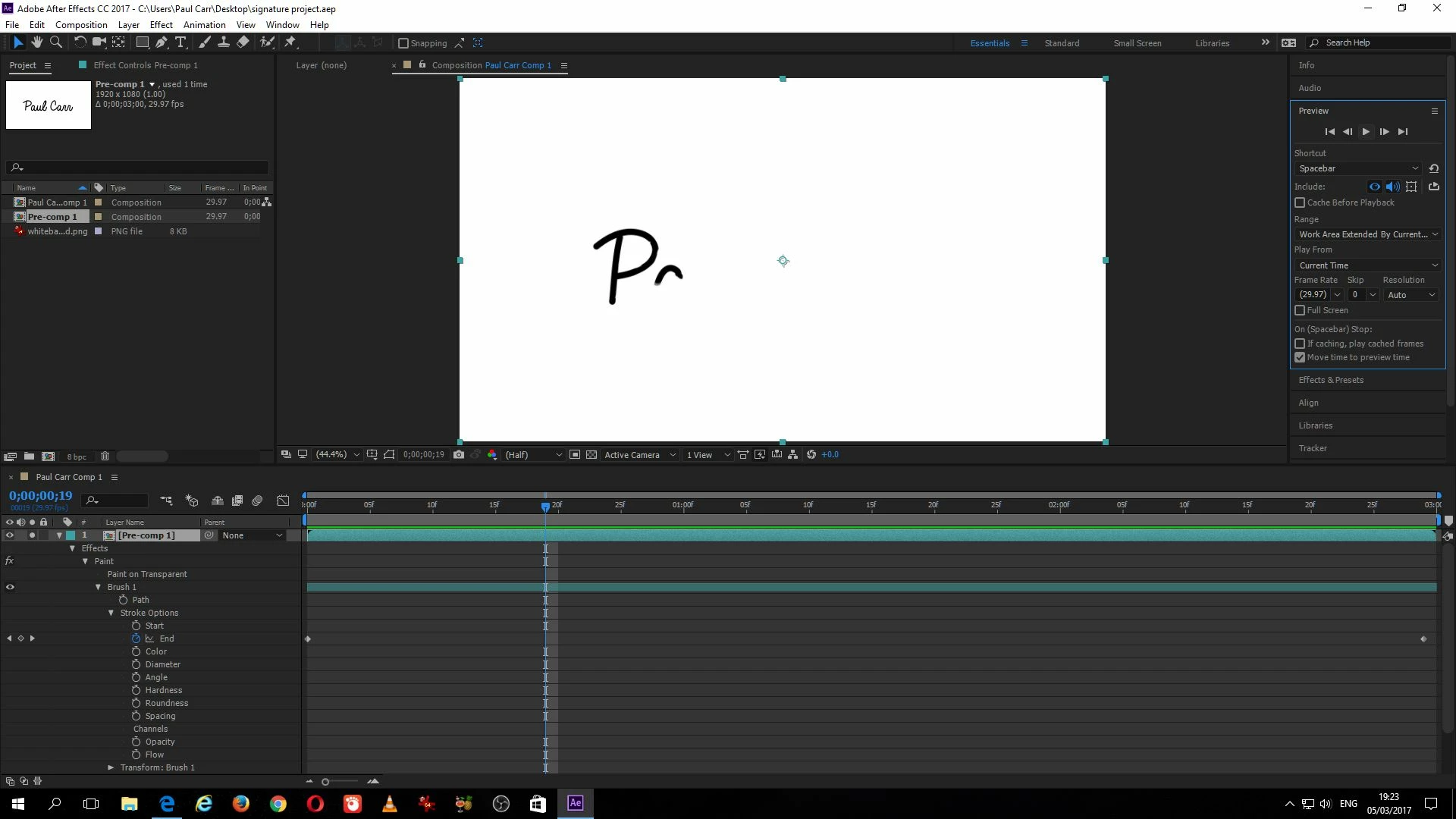
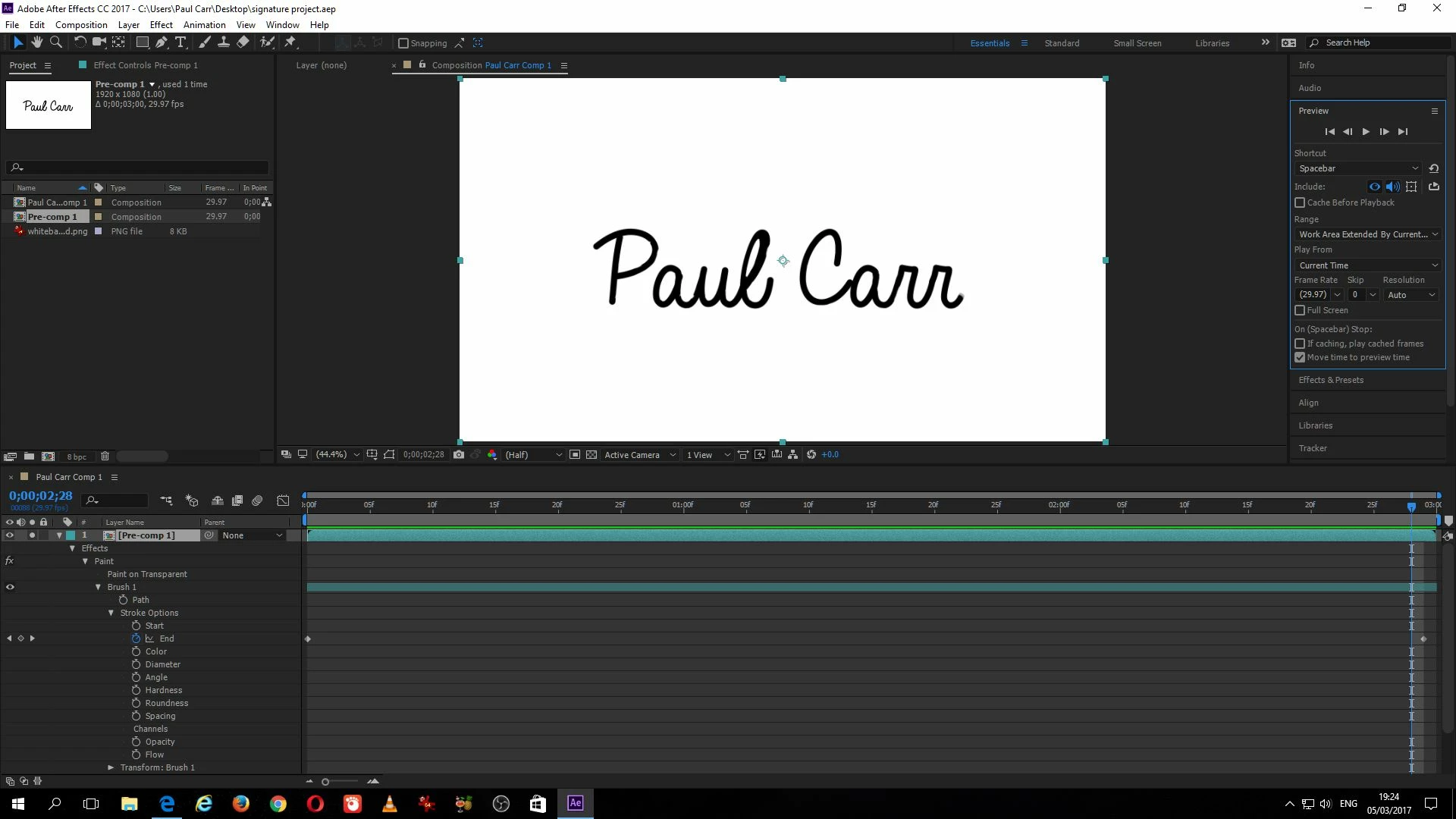
I managed to figure it out last night but when I tried to recreate it (I wanted to expand the signature duration to 5 seconds instead of 3), I wasn't able to recreate the aep file from scratch.
What I do is: 1) New composition. (HDTV). Background color: white. Duration: 5 seconds. Frame rate: 29.97.
2) File: import. I import a white background png image 1920 by 1080px .
3) I activate the Horizontal type tool. For this example, I just type a "P". I set the font to 634px
4) With "P" selected, I go to Layer, then select pre-compose. In the dialog box, I make sure "move all attributes into the new composition" is selected as well as "adjust composition duration to the timespan of the selected layers".
5) Next, I select the brush tool, double click the P Comp 1 layer (see screenshot below). I made sure the brush is very large for my example (60 px) Making sure not to release the left mouse button, I draw over the P.. White is selected as my brush colour.
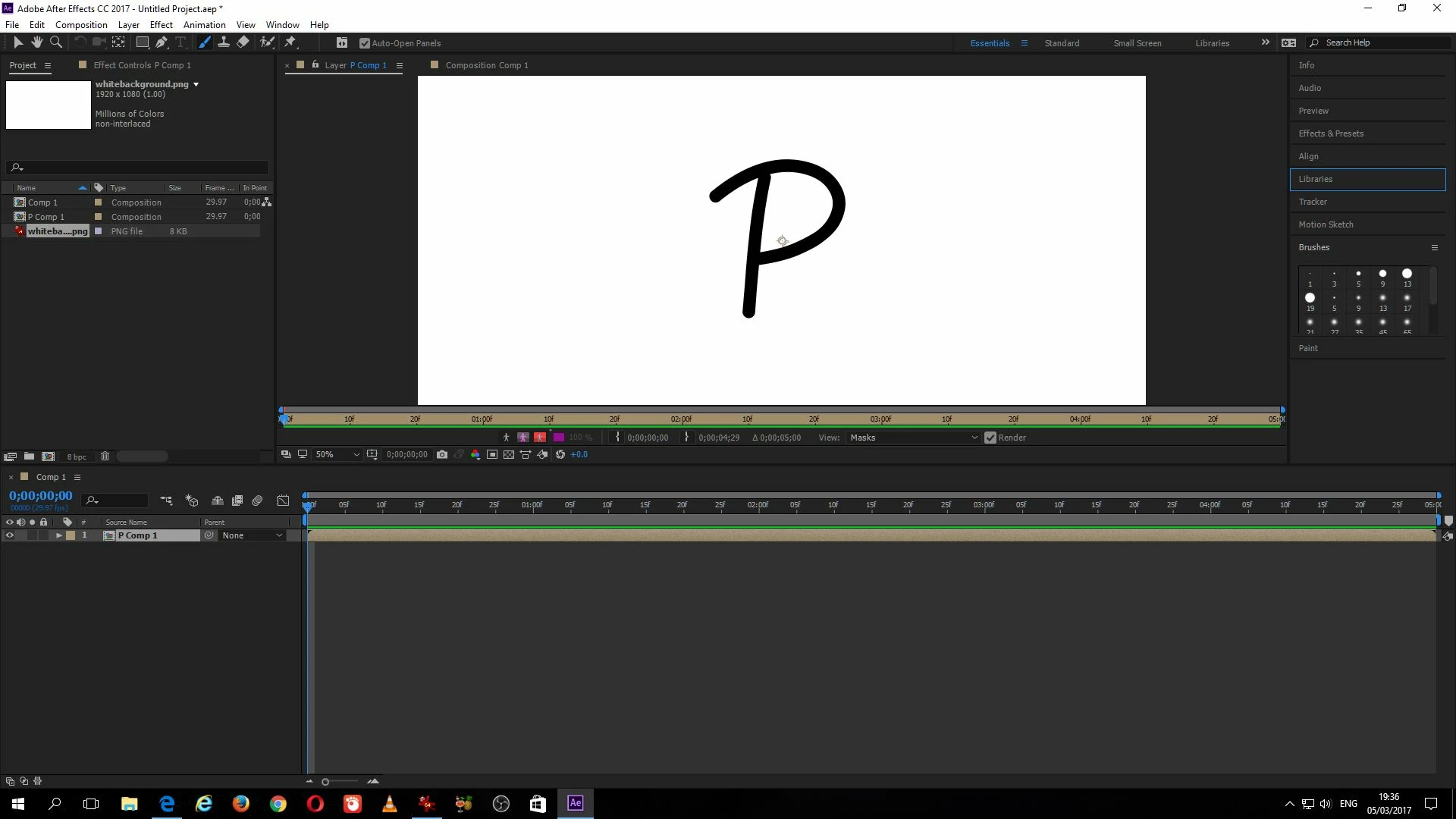
6) Next, I twirl down "P Comp 1" as in the screenshot below.
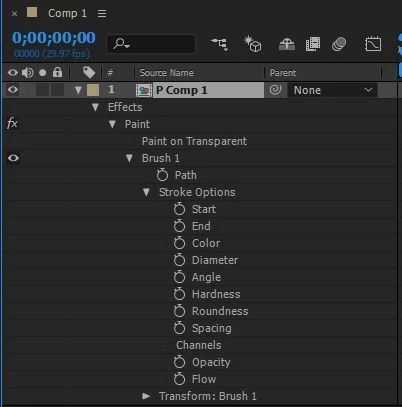
7) Next, I activate the stop watch for End. I set the value for the first stop watch at the first frame to 0 and the last stop watch at 4 seconds 29 frames to 100.
And, then is when I run into my problem.
When I run the preview I get this. Screenshot below.
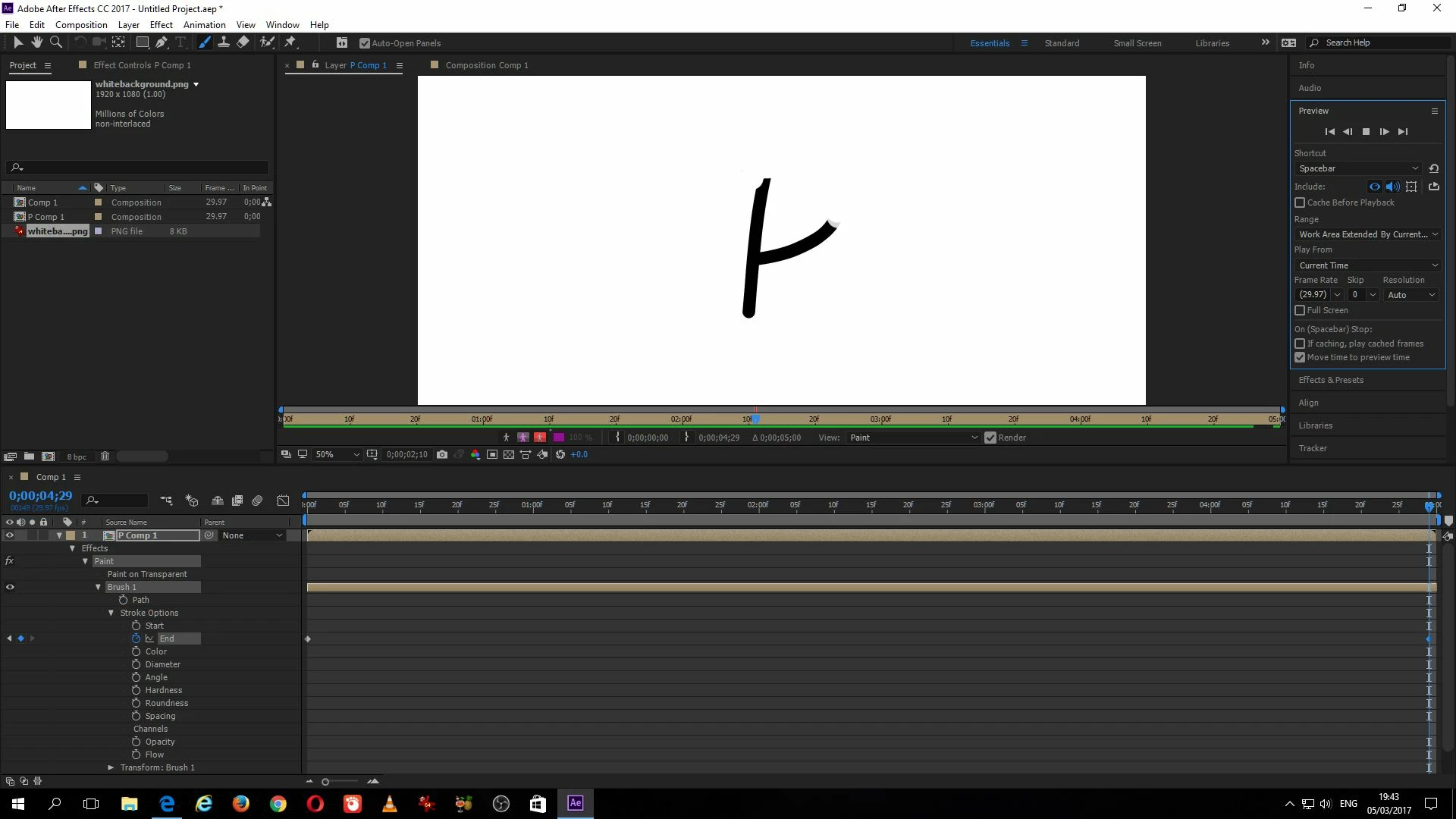
The white brush just wipes away my P. I want the opposite effect where the brush reveals my signature (in this case just a "P").
If I set the value of the color to white, I get this:
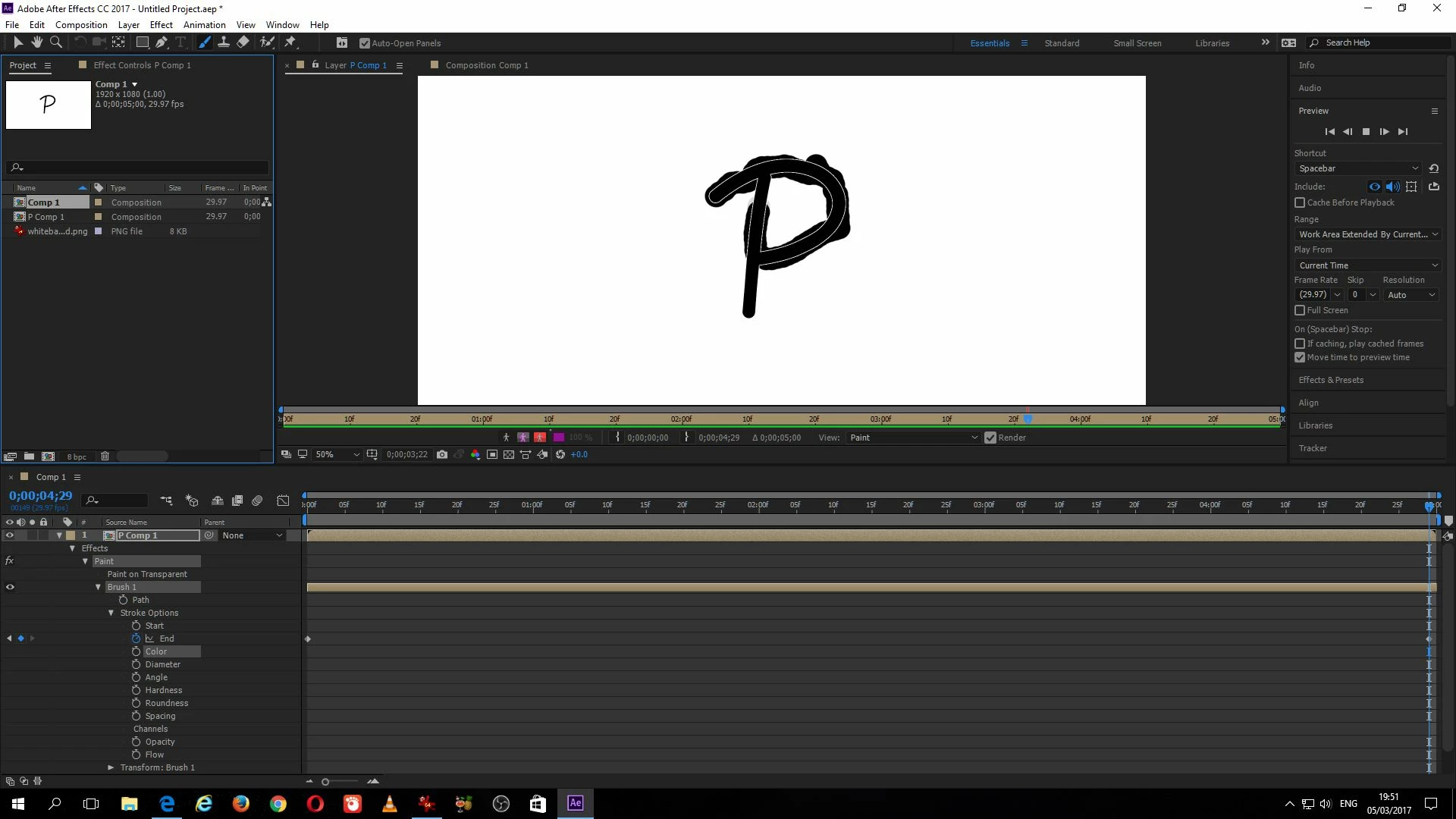
Also not what I want.
If I activate "paint on transparent", I get this:
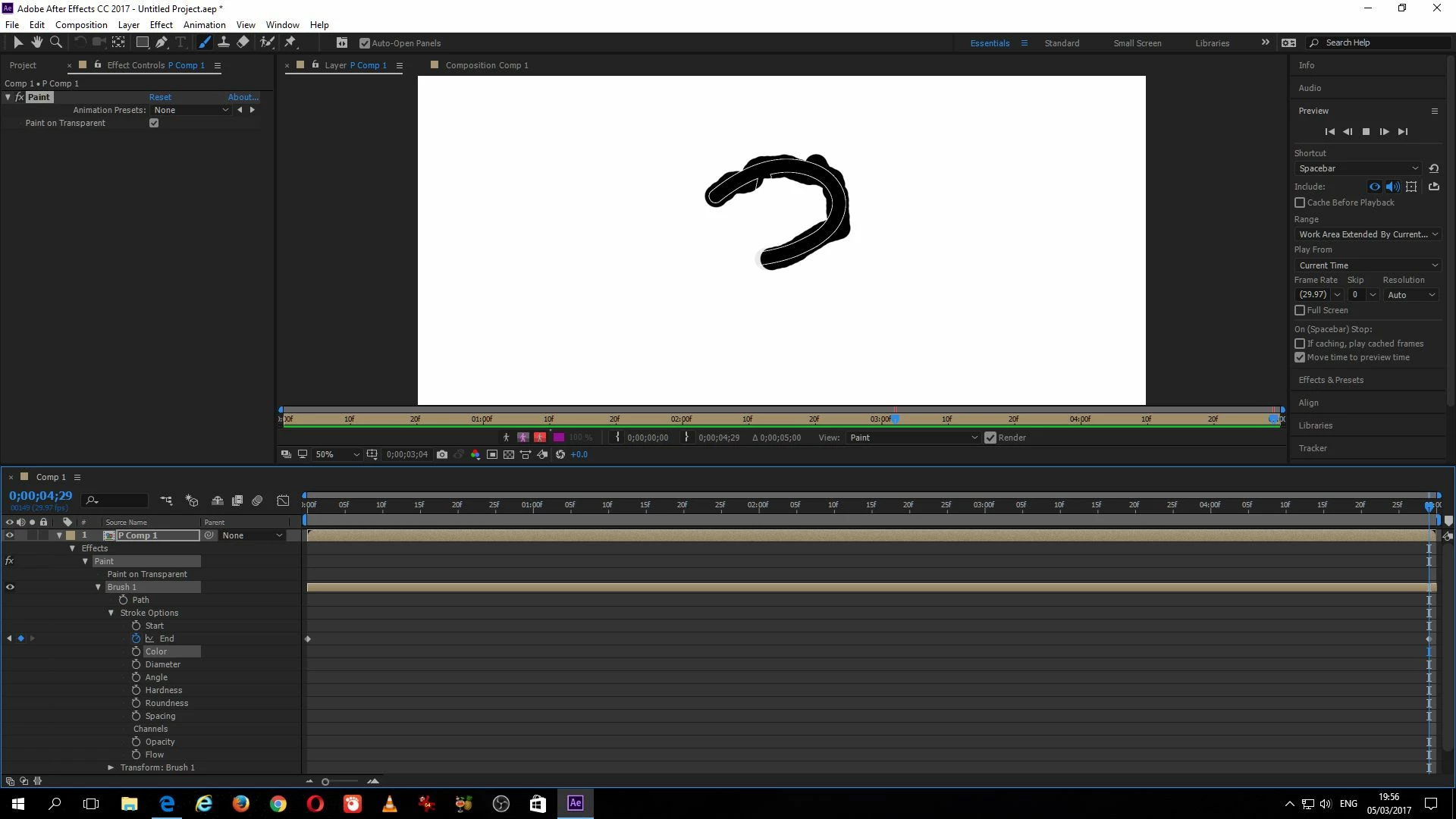
With "paint on transparent" still selected, when, I set the color back to white, I get nothing at all, just the white canvas.
What I want is my black brush to paint within the bounds of the "P", nothing beyond it. I have diameter set to 60px in my example.
Any help to solve this problem, greatly appreciated.
Paul Carr
P.S. If anyone wants the AEP file I did last night for 3 seconds duration, I can forward it to you. Perhaps post it here?
 AdChoices