

marjimsha
Inspiring
February 12, 2021
Answered

Creating loop using expressions.

  • February 12, 2021
  • 3 replies
  • 1238 views

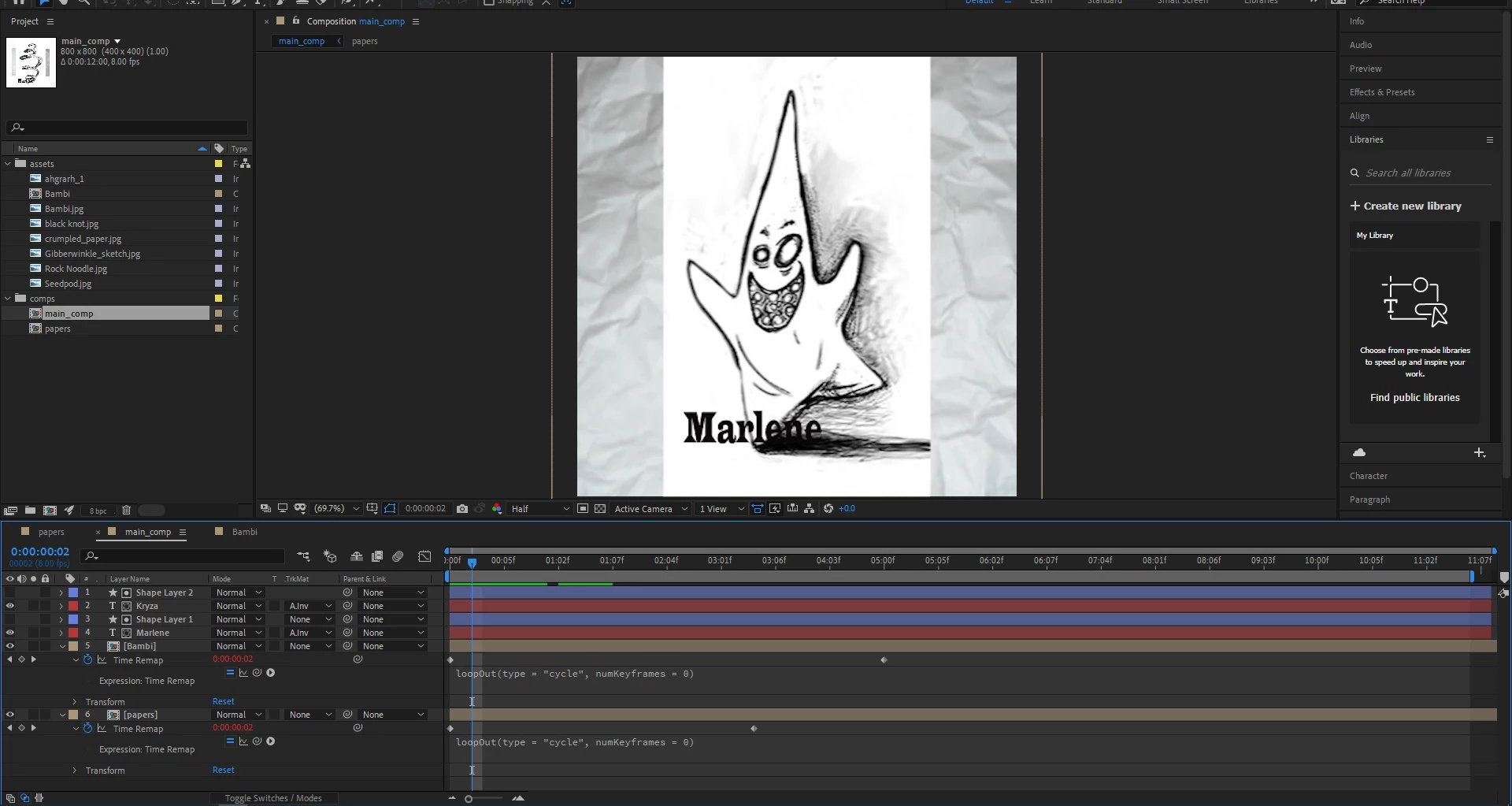
Greetings  Adobe AFX community! I am trying to create a simple loop using the expression LoopOut(type="cycle", numKeyframes=0).  I have referenced several sources for solution, but cannot seem to figure out why one is working, and one is not. Maybe someone can shed light on this for me??  Thank you in advance. 

----------------------------------------------------------------------------------------------------------------------
I have a main comp with two precomps, both with looping sets of images. The paper loop came out fine, but the second (precomp titled, "bambi") even though I followed the same steps, plays the 5 images through, but NO loop. The steps I took are as follows:
-In precomp containing images to be looped, trim to 1 second each,
-sequence keyframe asst to sequence layers,
-trimmed comp to work area,
-Placed precomp in main comp.

-Rt clicked precomp to enable time remapping
-Alt+rt clicked stopwatch to bring up script
-Applied LoopOut(type="cycle",numKeyframes=0) command.  

--------------------------------------------------------------------------------

AFX version 17.7.0

Windows 10
HP Laptop Envy 17”
Processor Intel 1.80 GHz
Installed RAM – 12.0
64 bit


This topic has been closed for replies.
Correct answer Rick Gerard

For loops to be seamless the first and last frame should be identical. To loop time remapping you have to go to the last time remapping keyframe which is at the end of the layer after the last frame has played back, move back one frame, set a new keyframe, then move forward and delete the last keyframe. Now the first and the last keyframe will show an image. Only then will loopOut() work for time remapping without giving you a repeated empty frame.

3 replies

Rick GerardCommunity ExpertCorrect answer
Community Expert
February 27, 2021

For loops to be seamless the first and last frame should be identical. To loop time remapping you have to go to the last time remapping keyframe which is at the end of the layer after the last frame has played back, move back one frame, set a new keyframe, then move forward and delete the last keyframe. Now the first and the last keyframe will show an image. Only then will loopOut() work for time remapping without giving you a repeated empty frame.

marjimsha
marjimshaAuthor
Inspiring
April 3, 2021

Thank you

*~*~*~*~*~*~*~*~*~*~*~*~*~*~*~*~*~*~*~*~*~**~*
Mathias Moehl
Community Expert
Community Expert
February 27, 2021

Good that you found the issue already! If you look for a loop with some more options (like a way to make the loop seamless even if the animation is not), my Loop iExpression is also a good alternative.
https://mamoworld.com/after-effects-expression/loop

Mathias Möhl - Developer of tools like BeatEdit and Automation Blocks for Premiere Pro and After Effects
marjimsha
marjimshaAuthor
Inspiring
April 3, 2021

Thank you for the link!  


*~*~*~*~*~*~*~*~*~*~*~*~*~*~*~*~*~*~*~*~*~**~*
Jose Panadero
Community Expert
Community Expert
February 12, 2021

Could you share a screen capture with your precomps open so we can check if the problem resides inside these precomps'


Thanks

marjimsha
marjimshaAuthor
Inspiring
February 12, 2021

Hello Joe!  Your question caused me to revisit sketch precomp, and I see that I DID NOT trim comp to work area like I'd thought.  Strange, I really did double check that.  Anyway, after doing so, it loops just fine.  Thank you!!

*~*~*~*~*~*~*~*~*~*~*~*~*~*~*~*~*~*~*~*~*~**~*