
Question
Creating MOGRT text file in AE for Premiere - not working
I'm to create my first Mogrt template that I can take into premiere. I've animated my text and then I've tried to export it mas a morgt using the essentials graphics panel in after effects. However, it's not working. In premiere it doesn't 'play' it just allows me to use slides to move it around and stuff. I realise that the properties I want to be able to customize aren't working.
Do you have to use expressions and slider controls in AE to make your text animation editable as a Mogrt file? I've watched some tutorials and need to watch more. I just don't quite understand how it all works yet. I just want to be able to edit the text and length of time its on screen.
I've attached an image of my timeline in AE 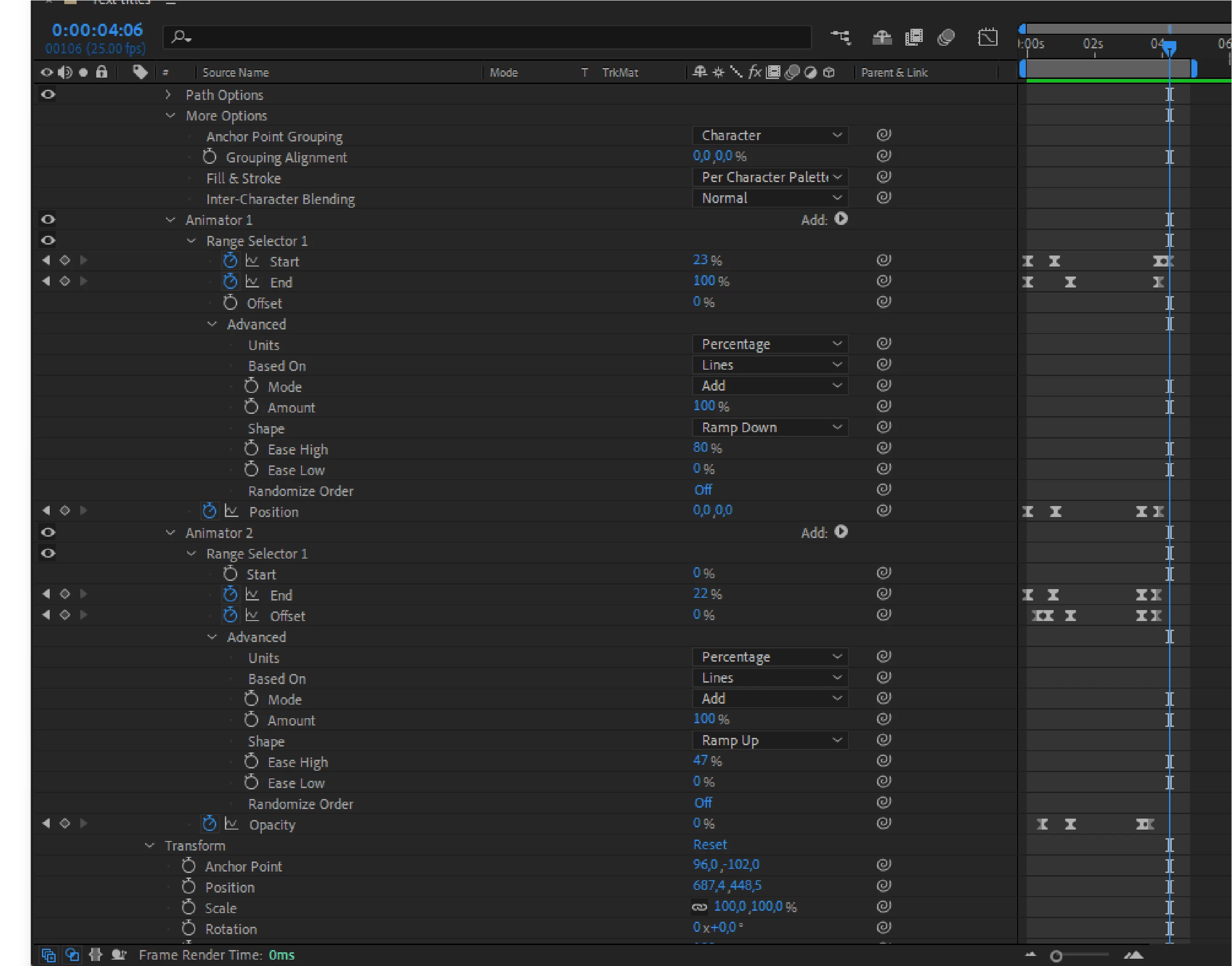
 AdChoices