Participating Frequently
May 29, 2018
Question

Depth of field problems in Cinema 4D, watched many tutorials

  • May 29, 2018
  • 1 reply
  • 5619 views

Hi guys,

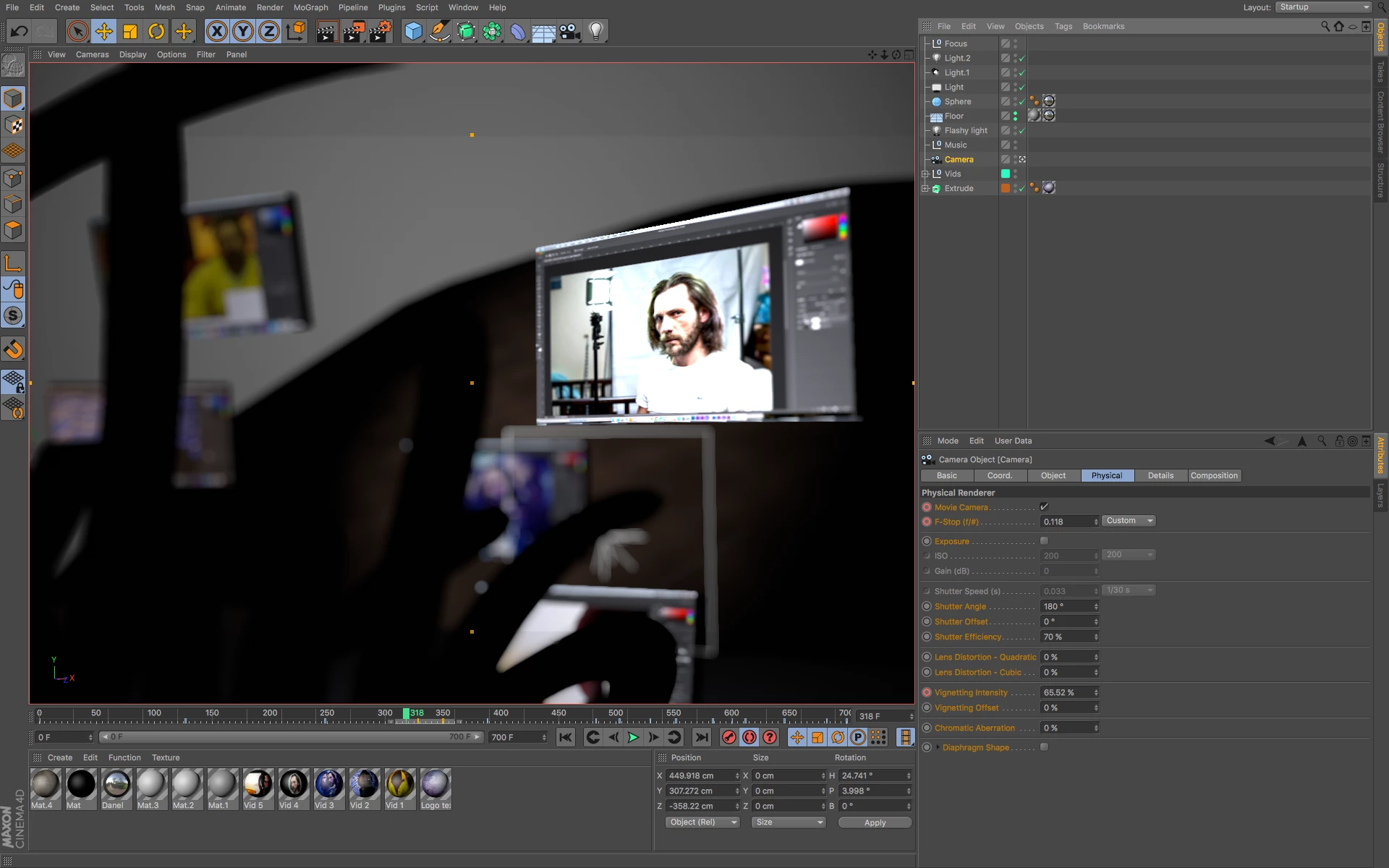
My problem is that it took me a day to eventually find out how to even see depth of field in the preview window of Cinema 4d, but it doesn't render at all. I know it's going to be some kind of render setting, but no matter how many tutorials I watch, I can't figure it out. Most of them talk of setting the renderer to 'physical', but that's not an option in the latest C4D. I'm guessing I don't need to pick it because I have all of the DOF options, but it simply won't render. I've included 3 screens, first the preview window from Cinema 4D where the effect is clear, the second is the window in After Effects showing no DOF, which is how it renders to an mp4, and the third is my dof settings in the camera attributes. Obviously the F-stop is ridiculous, but I just wanted to add as much as possible to see if anything at all renders and it doesn't. Any ideas why?

    This topic has been closed for replies.

    1 reply

    Mylenium
    Legend
    May 29, 2018

    I'm not current on C4D, but the option for the Physical renderer probably simply has been renamed and/ or moved to the Radeon renderer. Also check the post-processing tab in the render settings. you may need to flip a switch there.

    Mylenium

    Participating Frequently
    May 29, 2018

    Wow, you're fast, thanks again Mylenium.

    I've attached images of my render settings but I can'f find anything to help. I added a depth to the multipass because I heard it might help, but still nothing, not even in the picture viewer.

    Vishu_Aggarwal
    Participating Frequently
    May 29, 2018

    There's no options at all, I guess it's either on or off. I don't know if it just means that I have the option to change lens like star or spotlight, but still no blur renders.


    You will see the DOF settings in Cinema 4d Studio version, I think you're using cinema 4d lite...cinema 4d studio as an option to change the render from standard to physical renderer which has settings for DOF. Although cinema 4d viewport show you the DOF but even if you render it in cinema 4d lite it won't show you the DOF.

    Screenshot of Cinema 4d Studio  -

    For Cinema 4d Lite you can use multipass feature to create the depth of field effect with camera lens blur effect in AE.

    Vishu AggarwalAdobe Certified Instructor, Professional and Expert