
Participant
February 9, 2018
Answered

Display tracking points "later on"

  • February 9, 2018
  • 2 replies
  • 5705 views

Hi,

I am very new to AE, and even with all the guides, adobe documentation and tutorials online, I cannot find a way to make the tracking points re-appear after I've worked on something else in the scene.

What I usually have to do is delete all tracking objects, then re-analyze the scene, create a new camera from scratch, and at that point it *sometimes* work.

Can someone explain what I should do to see my tracking points again ? When I make a new project I can create them just fine, and it all works, then I decide I want to make a change, maybe that object should track another point, but I can't find the points again (the view with the points + planes & target image).

It's really frustrating because I can see the keyframes and I know they're there somewhere.
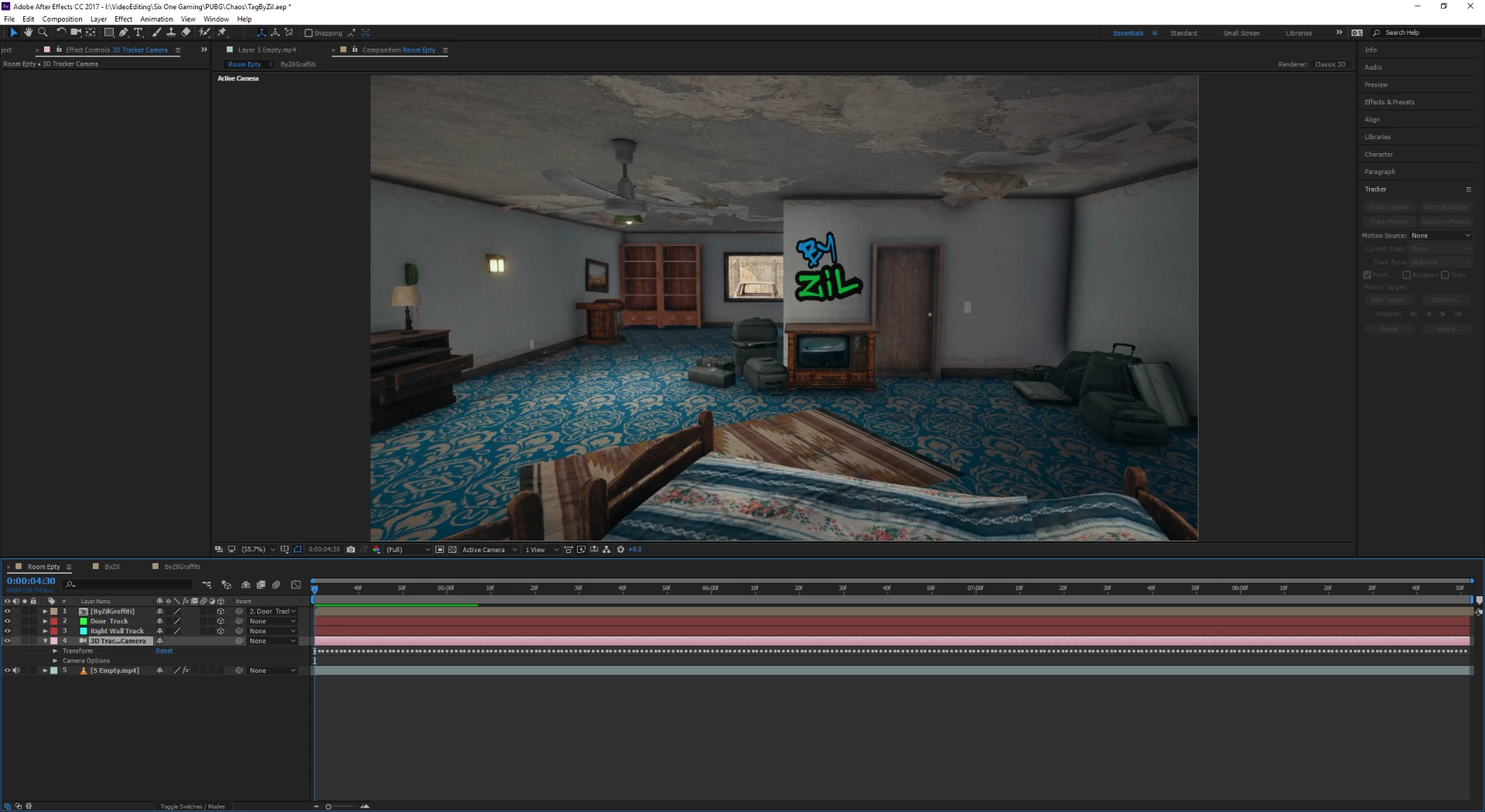
You can see in the following screenshot, there is a tracker on the door and on the right wall (very small red dot). As it turns out I'd like to use another tracking point instead of the one in the door. Can't do it.

Please help

Thank you very much for your time

Correct answer Szalam

If you click back onto the footage and the camera tracking effect, it should show you all the trackers again. Note: camera tracking game footage is notoriously difficult because it's not a real camera and the perspective is often not accurate. If you're just putting stuff on the walls, it'd be a lot better to use MochaAE (which comes free with After Effects) to get a track of the spot on the wall you want to put the text. (Or, heck, even AE's old point tracker could work.)

2 replies

SourTomato
Participant
September 19, 2019

1. Click on original clip that you did the camera tracking

2. Under "Effects Control" panel click on "3D Camera Tracker" 

-> All tracking points that disappeared should appear again. 

Szalam
Community Expert
SzalamCommunity ExpertCorrect answer
Community Expert
February 9, 2018

If you click back onto the footage and the camera tracking effect, it should show you all the trackers again. Note: camera tracking game footage is notoriously difficult because it's not a real camera and the perspective is often not accurate. If you're just putting stuff on the walls, it'd be a lot better to use MochaAE (which comes free with After Effects) to get a track of the spot on the wall you want to put the text. (Or, heck, even AE's old point tracker could work.)

Participant
February 9, 2018

Could you elaborate in a few words what MochaAE is ? is it a plugin ? an effect ? a window ? a tool ?

I'll google it actually, save you the work I'll find my way through that, thanks for the answer !

Btw, your suggestion was correct for my original problem. Can't believe I did not think of that. Thank you very much again

Szalam
Community Expert
Community Expert
February 9, 2018

Glad my answer helped.

And happy Googling! You're about to discover a whole new toolset in AE!