
February 12, 2017
Answered

Dr Strange portal effect with Particular ?

  • February 12, 2017
  • 1 reply
  • 9298 views

Hey,

So after seeing the movie, I was really curious about how managable it would be to replicate that visual in After Effects, and despite douzens of tutorials online, not a single one (in my opinion) get close to a decent result, the only one who's actually really close to it is from Moraru.

So I decided to try and experiment on my own with Particular, I manage to have a decent loop of particles, but using Particular for only a few weeks, I still have trouble understanding how to use it to affect my particles how I envisionned it.

Basically, here's a screenshot of the look I'm trying to get : http://www.doctorstrange.asia/assets/img/common/doctor-strange-portal-menu-bg.jpg

The biggest issue I have is to set the motion of the particules the right way, their look is mainly related to motion blur and glow, that's not an issue, but I can't seem to get the motion right.

Any ideas ?
This topic has been closed for replies.
Correct answer Mylenium

Hum... I'm actually not familiar with the Aux particles settings, and therefore I would need to experiment with it before to understand it.

But actually, I continued trying to get closer and closer to the result I wanted adjusting the settings and the motion blur, and I went really close to what I have in mind.

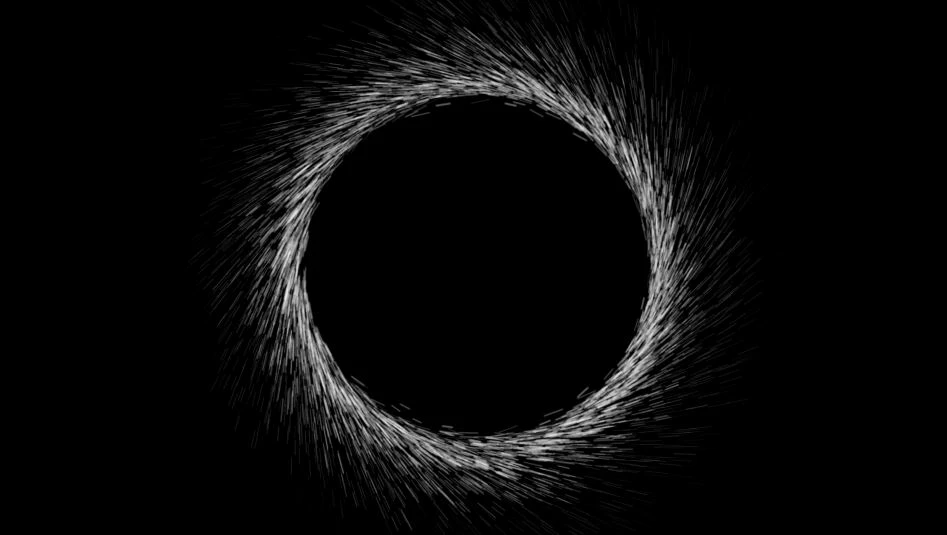
Here's what I've got at the present time :

Still need a few adjustments in my opinion, for instance not all the particles follow the same path on the picture I linked in my first post, some are loose and go kinda crazy on the left, up and down.

I assume I could duplicate my layer and change the settings to something with less particles, but I still need to find a way to affect their motion (physics, velocity, direction or something else ?) to create those crazy particles.

NB : I would have take a screenshot of the whole app but I couldn't display all the settings I already had affected within a single screenshot.


There aren't that many "crazy" particles actually. Logically analyzing your reference image really only gives the following results:

  • the particles move in Z direction away from the camera after they have left the emitter
  • there is gravity towards the bottom, explaining the curved paths of some particles
  • possibly there's a slight wind from the left, making them fan out a bit more on the right side
  • the rogue particles appear to be just a result of random low emission velocity and very short life spans, that prevents them from producing trails
  • the emitter itself seems to have some rotation along its up-axis to further create this twisted/ curved look of the circle

All of this can easily be re-created by tweaking the settings in Particular, though of course it's hard to envision the actual result just from a still and no doubt the effect was done in a more complex environment like a 3D program or Nuke.

Mylenium

1 reply

Mylenium
Legend
February 12, 2017

Without seeing your actual settings in Particular and how it looks on your end, nobody can advise.

Mylenium

February 12, 2017

Of course, my bad.

Here's how it looks, I have them animated in a loop of course, this is just a screenshot of a frame.

http://img11.hostingpics.net/pics/172203particles.jpg

These a also just the raw particles, without any motion blur or glow (yet).

EDIT : And my settings in Particular :  http://img11.hostingpics.net/pics/685749part1.jpg

http://img11.hostingpics.net/pics/514250part2.jpg

I tried to play with the velocity and direction but I can't get it to look more like the first screenshot I linked.

Community Expert
February 12, 2017

Please just drag your screenshots directly to the reply field on this forum. It makes things easier for us. It's also a lot easier if you select the layer in question, press the U key twice to reveal all modified properties and then send us the entire app screenshot without cropping.

I haven't got the time to dig through your screenshots and try and make sense of them this morning but Mylenium is correct, it's just settings that need to be adjusted.